Niko Home Control is evolving into MOTIV Building Control. MOTIV is a new brand for intelligent building automation. Built on the trusted foundation of Niko Home Control, MOTIV solutions are designed to make buildings work more naturally for the people inside them. MOTIV helps professionals create smarter, more comfortable buildings. With technology that works quietly in the background. All existing Niko Home Control solutions remain fully compatible with MOTIV. Over time, the full portfolio will move to the MOTIV brand. During this transition, you will see both Niko Home Control (NHC) and MOTIV Building Control (MBC) appear in this documentation. Discover MOTIV at niko.eu/MOTIV
Software Manual
2.27.1 English Dutch French Slovak Danish German Swedish

Deaktivieren vernetzter Dienste

Ausgangspunkt

  • Sie haben einen vernetzten Dienst aktiviert.

  • Ihre Niko Home Control-Installation ist online.

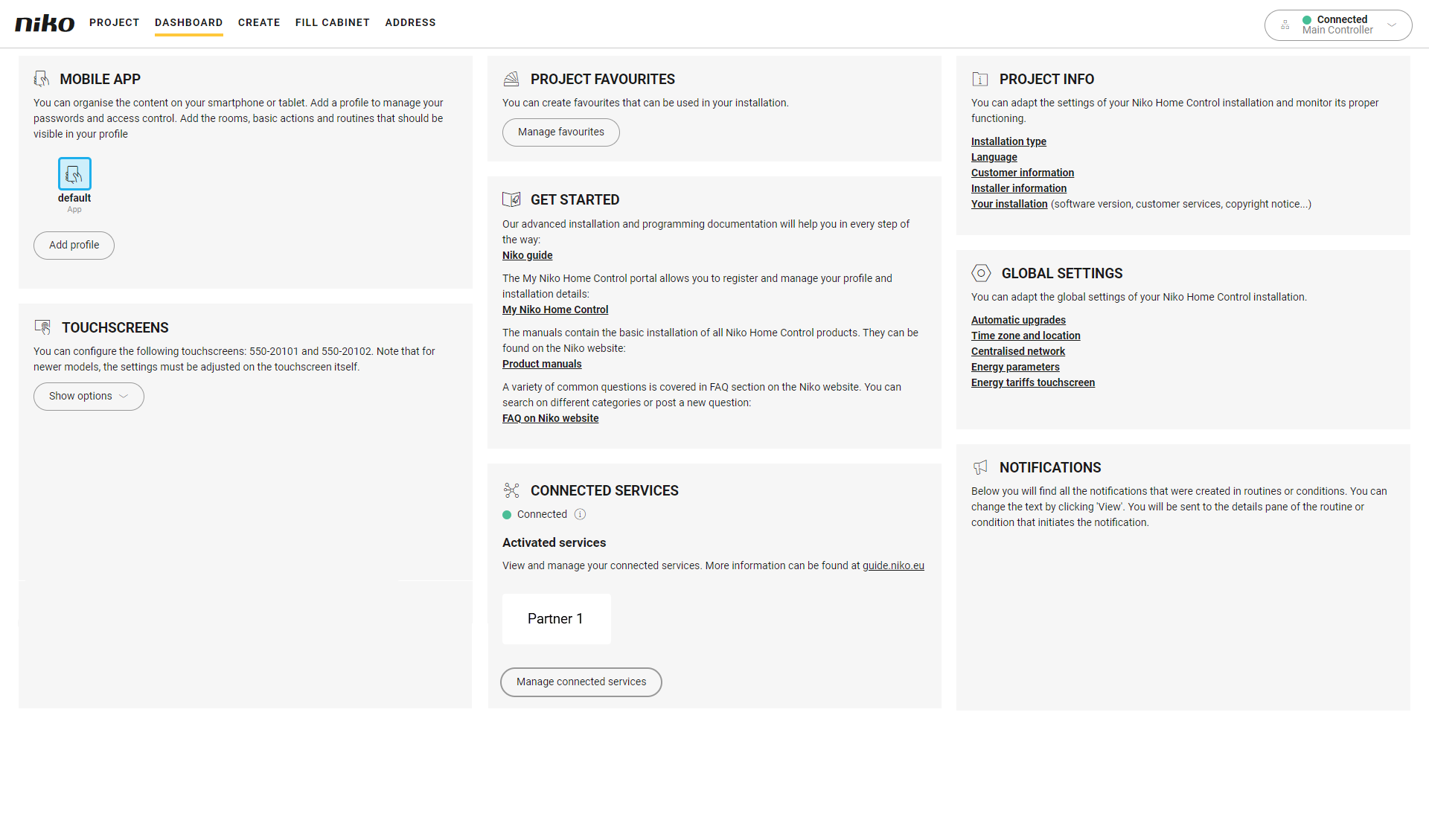
  • Sie befinden sich im Übersichtsfenster Dashboard.
https://s3-eu-west-1.amazonaws.com/guideimages/Screenshots/V2.9/EN/s03_05_24_226_001.png

Vorgehen

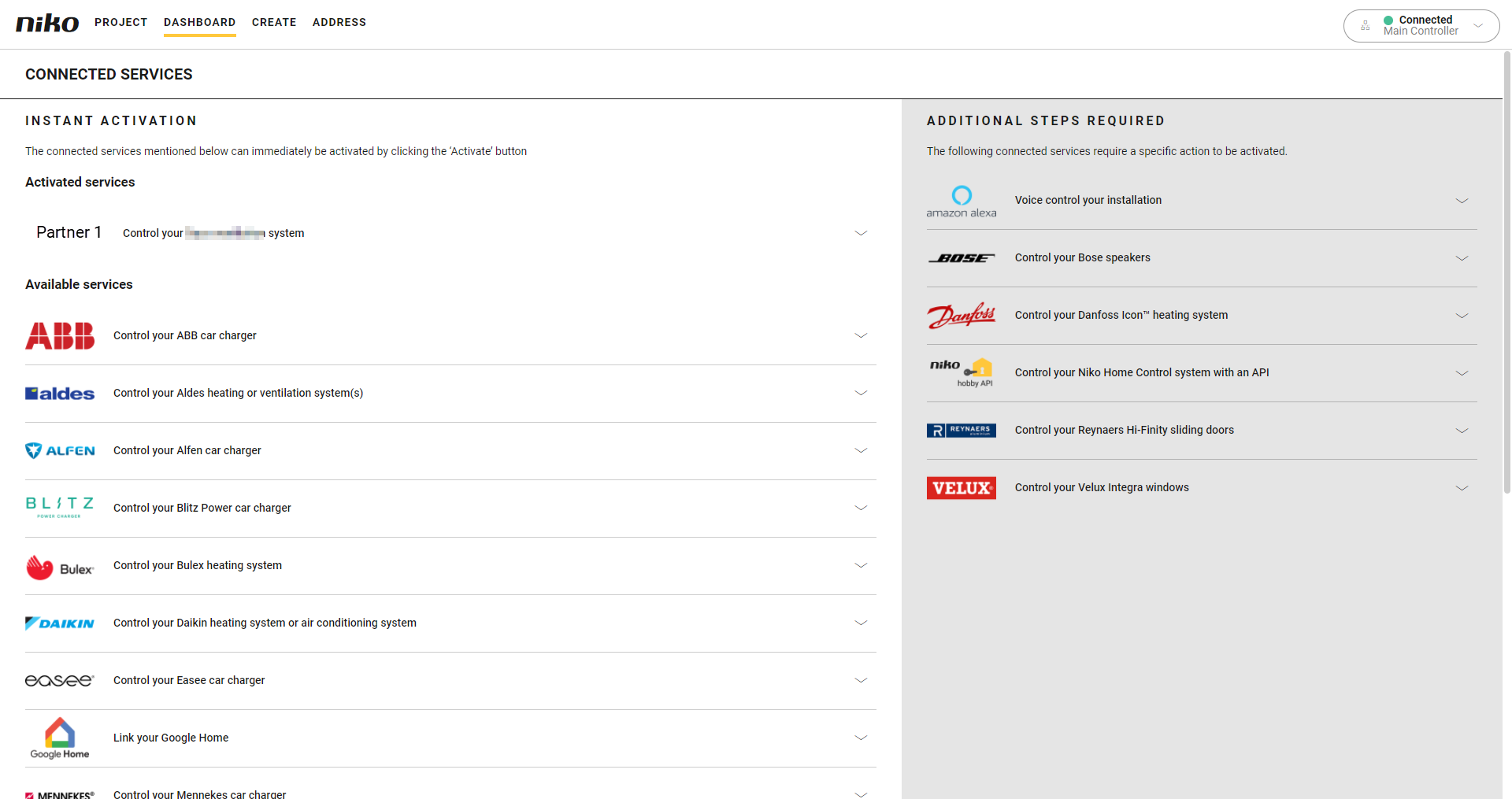
  1. Klicken Sie auf Vernetzte Dienste verwalten. Hier können Sie alle mit Ihrer Installation verknüpften Dienste, einschließlich solcher von Partnermarken verwalten.
    https://s3-eu-west-1.amazonaws.com/guideimages/Screenshots/V2.9/EN/s03_05_24_225_002.png

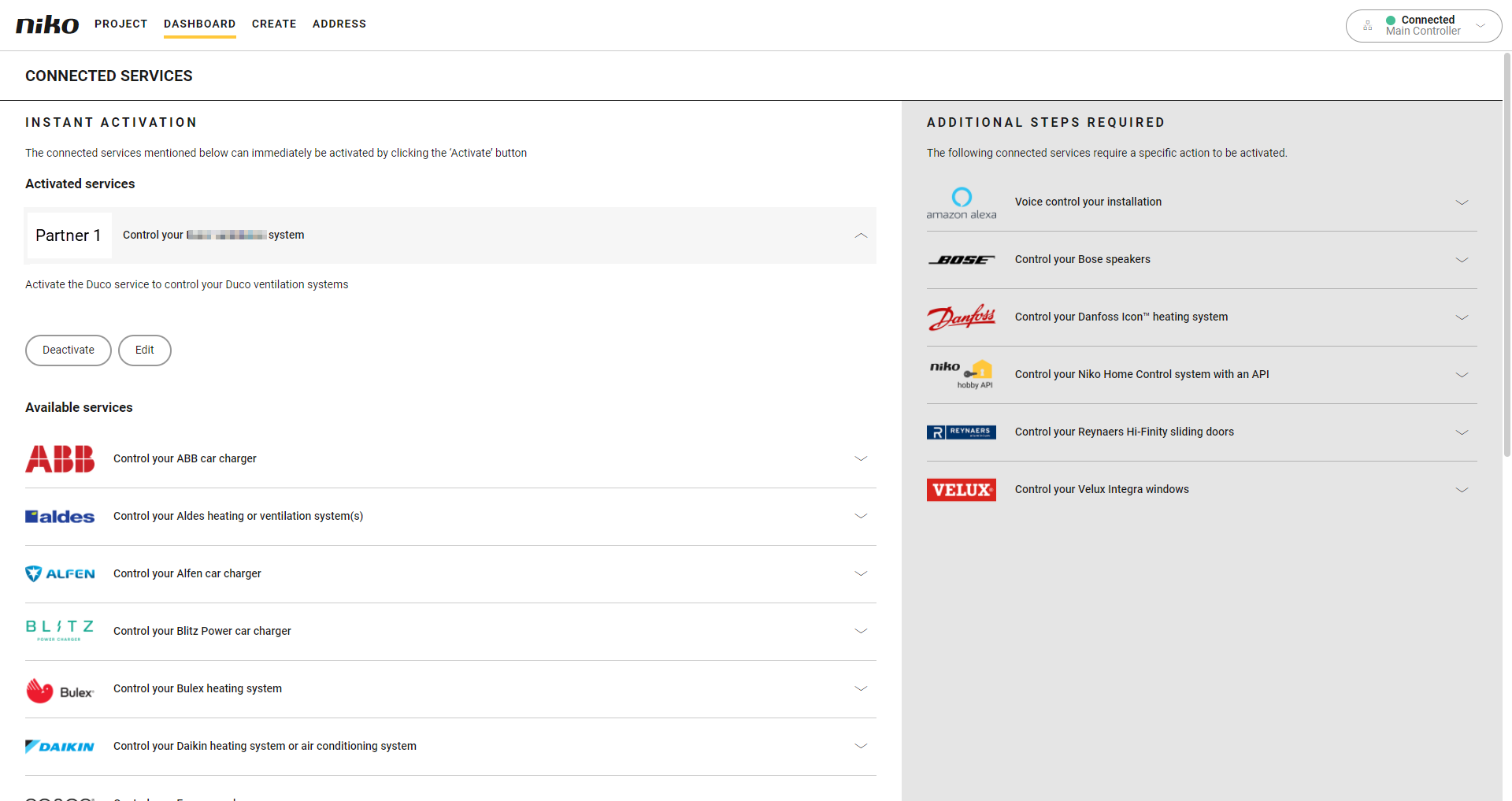
  2. Klicken Sie im Abschnitt Aktivierte Dienste auf den Pfeil neben dem vernetzten Dienst, den Sie von Ihrer Installation abkoppeln möchten.
    https://s3-eu-west-1.amazonaws.com/guideimages/Screenshots/V2.9/EN/s03_05_24_225_003.png


  3. Klicken Sie auf Deaktivieren.
    Ergebnis: Die Partnerfunktionen verschwinden aus Ihren Niko Home Control-Apps, Touchscreens und Digital Blacks.
    Bei der Verwendung in Niko Home Control-Aktionen werden die Partnerfunktionen nicht mehr ausgeführt.