
We will use an example in which we create an informative notification within a condition under THEN. In this example, we deliberately skip ELSE.
We will create a condition that sends an informative notification every year as a reminder that the filters of the ventilation system need to be cleaned.
-
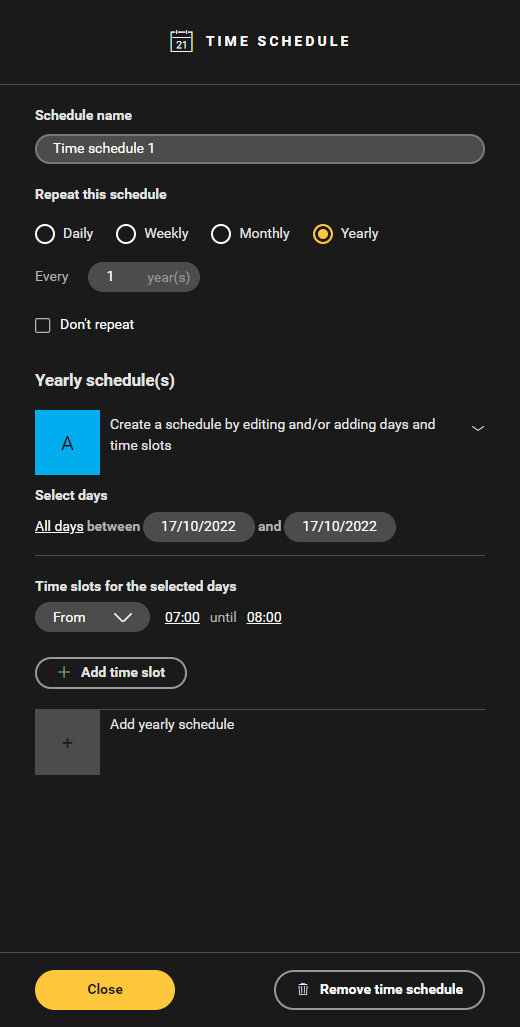
Create a time schedule with a pulse control on a certain day, which is repeated annually.
-
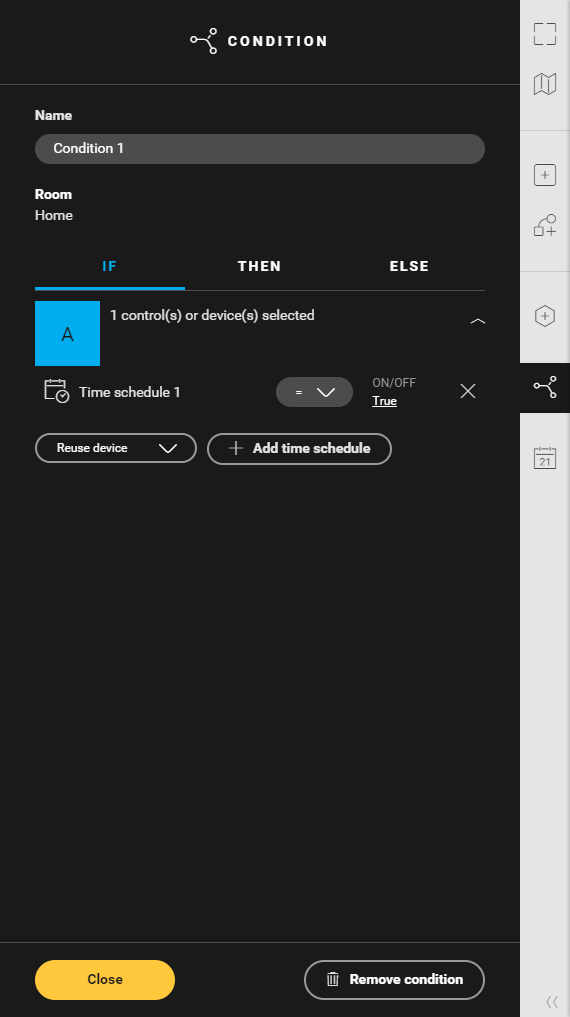
Create a condition and add the time schedule under IF.
-
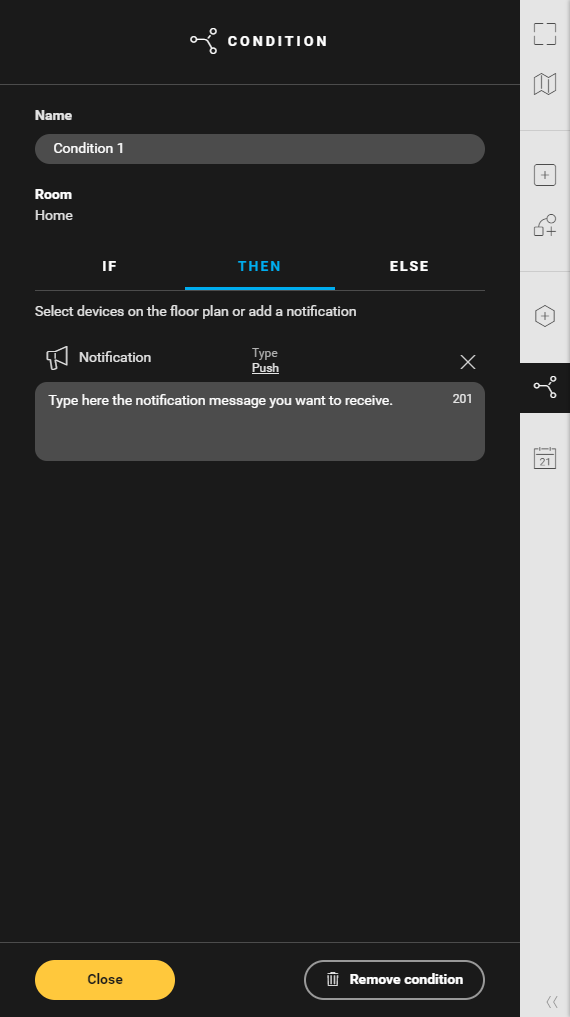
Under THEN, click on Add notification.
-
Under type, choose Informative.
Here you can also opt for a push notification.
-
Type the text of the notification. This text can contain up to 256 characters and will appear in the apps.
-
Click the Confirm button to return to the Create overview window.