
Dans le logiciel de programmation Niko Home Control, vous pouvez configurer les commandes suivantes comme un thermostat :
-
un bouton-poussoir avec LED et capteurs de confort
-
un Niko Rocker
-
un Niko Toggle
-
un thermostat (550-13053)
-
un MOTIV Sense3
-
un thermostat HVAC virtuel
-
Vous pouvez également configurer les réglages du thermostat au moyen de l'appli Niko Home.
-
Vous ne pouvez pas configurer les réglages du thermostat d'un (affichage) thermostat ou d'un (affichage) thermostat HVAC dans le logiciel de programmation Niko Home Control.
Les réglages du thermostat disponibles diffèrent en fonction de la commande utilisée.
Point de départ
-
Vous avez créé le chauffage/refroidissement par circuit souhaité et/ou les routines de chauffage électrique, avec l'un des thermostats énumérés ci-dessus.
-
Vous avez téléchargé au moins une fois le fichier de configuration dans votre installation.
-
Votre ordinateur est connecté à l'installation.
-
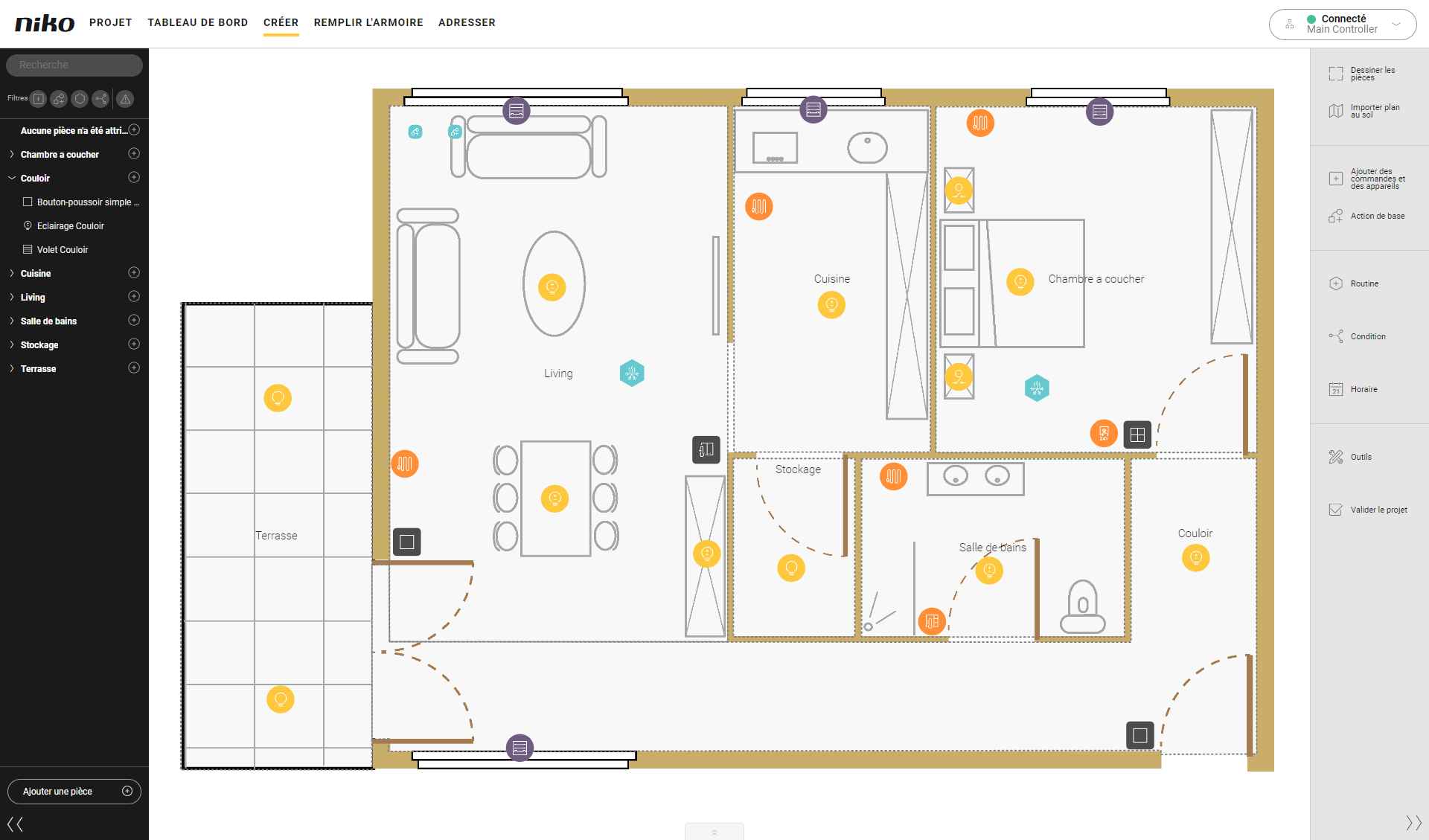
Vous êtes dans la fenêtre d'aperçu Créer.
Procédure
-
Sélectionnez le thermostat souhaité sur le plan au sol.
Résultat : Le volet des réglages du thermostat s'affiche.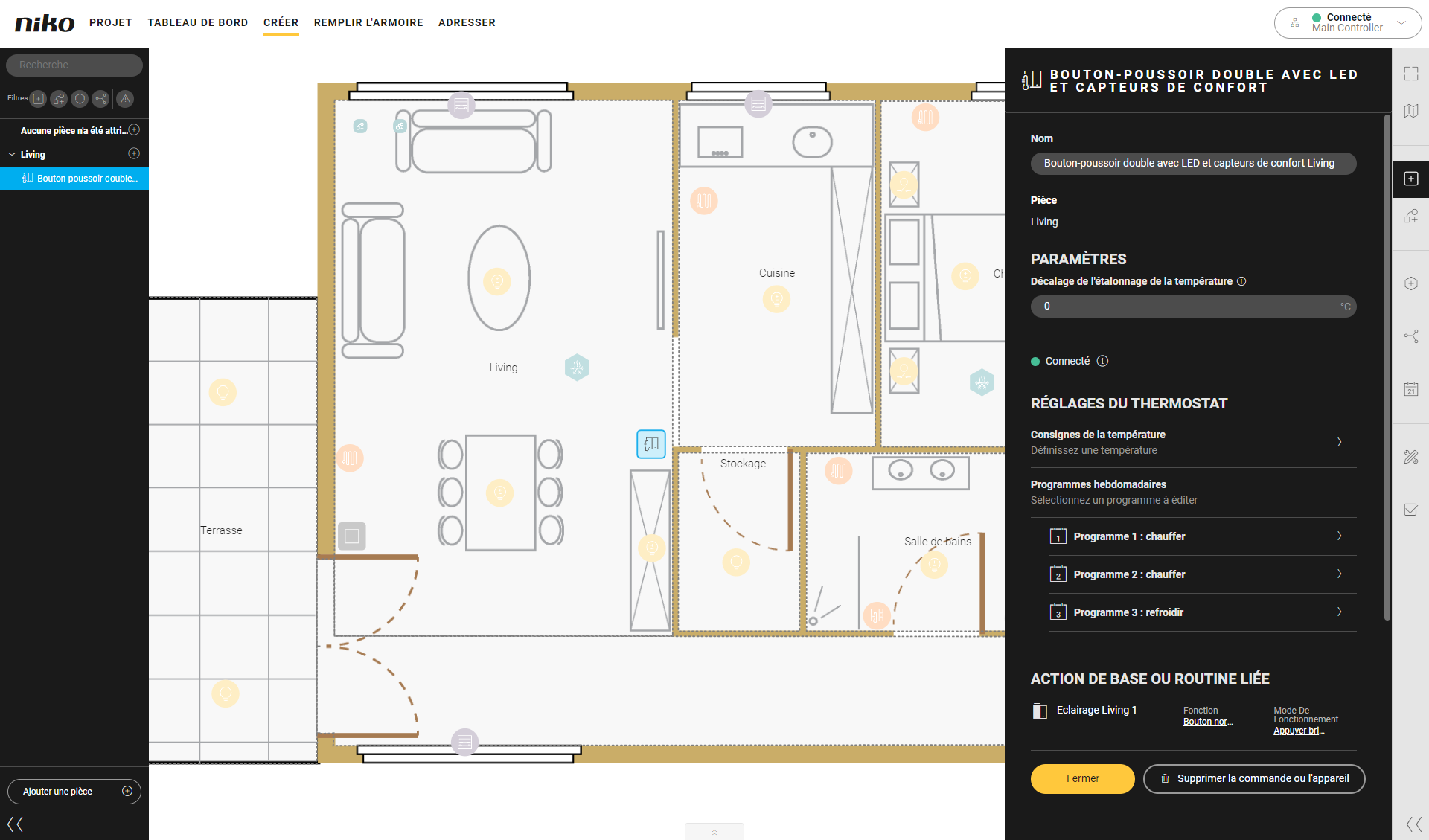
-
Configurez les réglages du thermostat.
-
Pour les Consignes de température, vous pouvez régler la température par défaut au niveau de température souhaité pour chacun des points de consigne.
-
Pour les Programmes hebdomadaires, vous pouvez configurer deux programmations de chauffage et une programmation de refroidissement. Sélectionnez un programme pour adapter les horaires fournis par défaut à vos besoins.
-
Ajouter, modifier et supprimer des points de consigne.
-
Modifiez les temps d'activation par point de consigne.
-
Copiez un programme journalier sur le jour suivant.
-
-
-
Cliquez sur le bouton Fermer pour revenir au panneau Créer.