Niko Home Control is evolving into MOTIV Building Control. MOTIV is a new brand for intelligent building automation. Built on the trusted foundation of Niko Home Control, MOTIV solutions are designed to make buildings work more naturally for the people inside them. MOTIV helps professionals create smarter, more comfortable buildings. With technology that works quietly in the background. All existing Niko Home Control solutions remain fully compatible with MOTIV. Over time, the full portfolio will move to the MOTIV brand. During this transition, you will see both Niko Home Control (NHC) and MOTIV Building Control (MBC) appear in this documentation. Discover MOTIV at niko.eu/MOTIV
Software Manual
2.28.1 2.27.1 English Danish Dutch French German Slovak Swedish

Télécharger une version différente

Point de départ

  • Vous vous trouvez dans la fenêtre récapitulative Projet.

  • Votre ordinateur est raccordé à l'unité de contrôle connectée ou au hub intelligent sans fil.

  • Votre installation a déjà été programmée au moins une fois.
    https://s3-eu-west-1.amazonaws.com/guideimages/Screenshots/V2.9/FR/s02_04_00_2264_001.png

Procédure

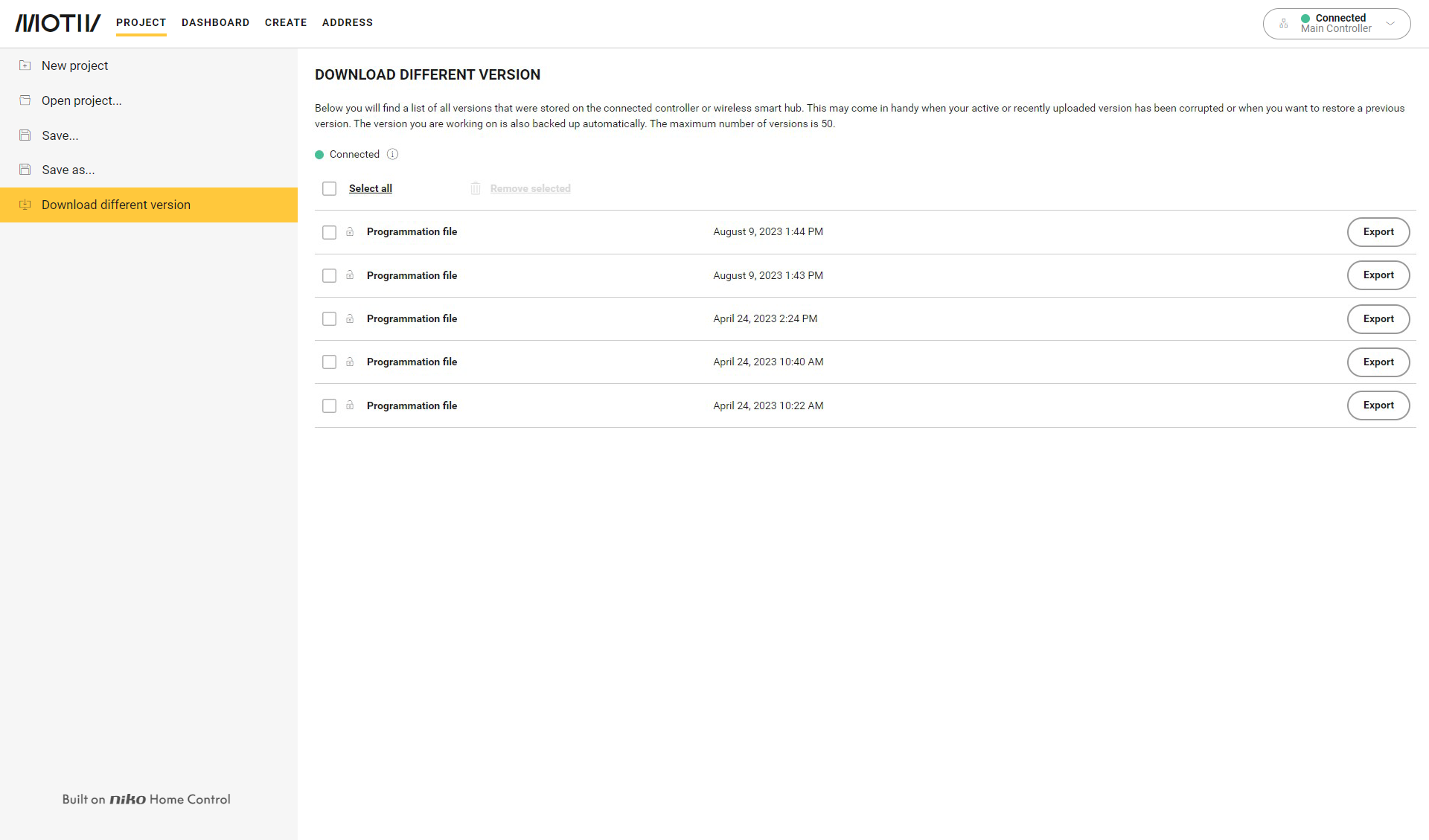
  1. Dans le menu de gauche, cliquez sur Télécharger une version différente.
    Résultat :
    Les versions chargées précédemment s'affichent dans l'aperçu. 
    https://s3-eu-west-1.amazonaws.com/guideimages/Screenshots/V2.9/EN/s02_04_00_2264_002.png

  2. Sélectionnez un projet.

  3. Cliquez sur le bouton Exporter pour sauvegarder le projet comme fichier .nhc2 sur votre ordinateur.

  4. Choisissez un dossier et un nom.

  5. Cliquez sur le bouton Sauvegarder.

  • Vous pouvez conserver 50 projets au maximum sur votre installation.

  • Vous pouvez supprimer un seul projet en cliquant sur le bouton Supprimer situé à côté du projet. Pour supprimer plusieurs projets ou tous les projets, cochez les cases souhaitées ou cochez Sélectionner tout et cliquez sur le bouton Supprimer la sélection.

  • Cliquez sur le cadenas pour verrouiller un projet, de manière à ne pas l'effacer accidentellement.