
Wat heb je nodig?
Vereisten voor Niko
Je Niko Home Control installatie voldoet aan de volgende vereisten:
-
Je installatie heeft een connected controller II.
-
Je installatie is geconfigureerd met de meest recente programmeersoftware.
Je hebt de volgende extra Niko producten nodig:
-
Eventueel een Digital black om het HVAC-systeem via een display aan de muur te bedienen.
Vereisten voor Mitsubishi Electric
Je systeem voldoet aan de volgende vereisten:
-
Het is een VRV of VRF HVAC-systeem.
-
Het volledige HVAC-systeem is van hetzelfde merk.
Bekabelingsschema
Meer informatie en volledige installatievoorschriften vind je in de hardwarehandleiding van de HVAC-interface (CoolMaster)
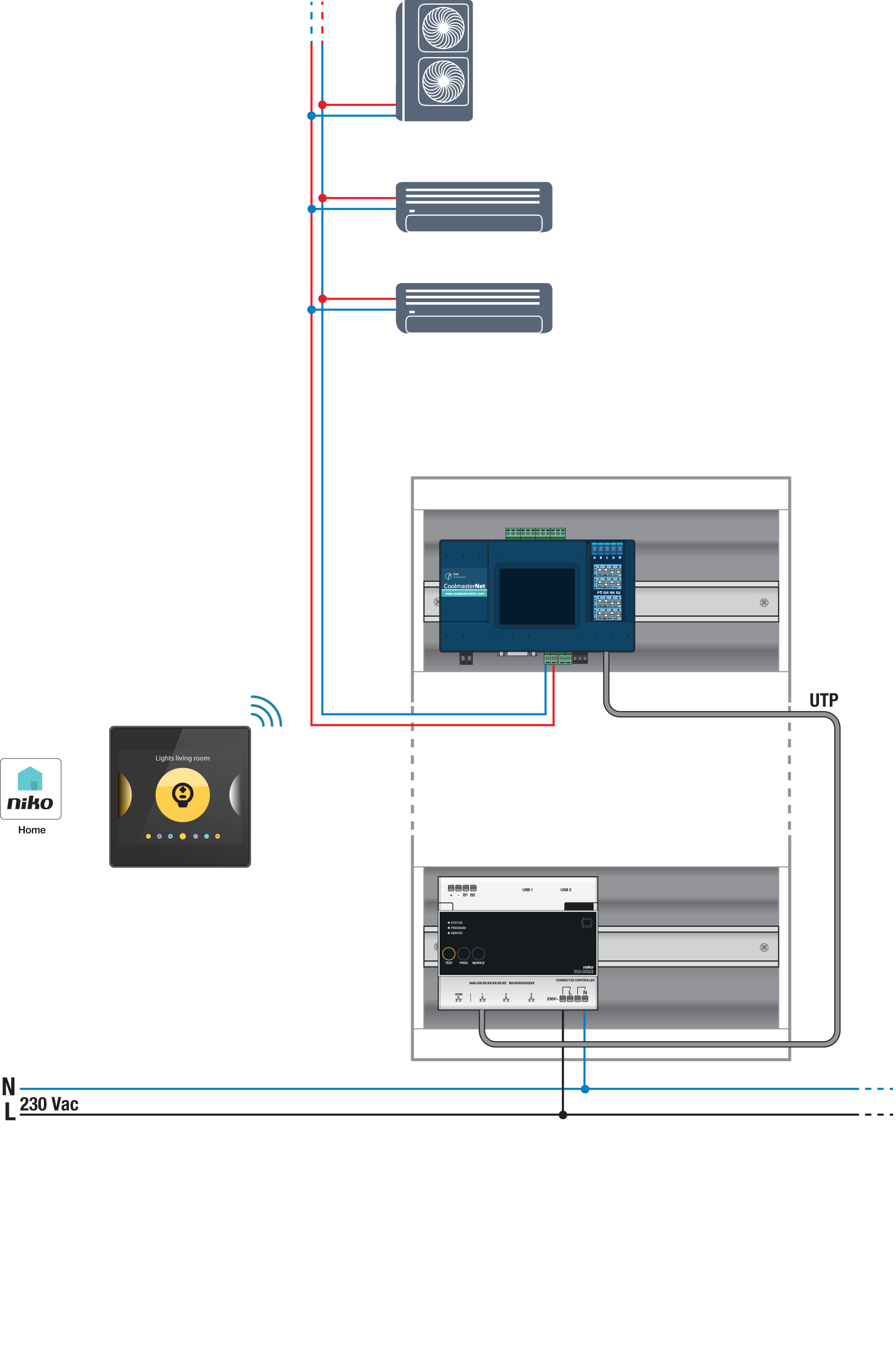
Busaansluitingen op de binnenunit van Mitsubishi Electric: M1, M2
Programmeren
Configureer de CoolMaster via de Niko Home Control programmeersoftware. Creëer een virtuele thermostaat voor elke zone en koppel deze aan de binnenunit(s) via de HVAC-routine per thermostaat; zie https://guide.niko.eu/en/smnhc2/lv/hvac-per-thermostat.
Na het uploaden van de nieuwe configuratie zullen de virtuele HVAC-thermostaten verschijnen in het tabblad 'Bediening' van de Niko Home app. Door deze bediening aan te passen, kun je eenvoudig de standaardinstellingen van verschillende programma's en modes aanpassen.