Niko Home Control is evolving into MOTIV Building Control. MOTIV is a new brand for intelligent building automation. Built on the trusted foundation of Niko Home Control, MOTIV solutions are designed to make buildings work more naturally for the people inside them. MOTIV helps professionals create smarter, more comfortable buildings. With technology that works quietly in the background. All existing Niko Home Control solutions remain fully compatible with MOTIV. Over time, the full portfolio will move to the MOTIV brand. During this transition, you will see both Niko Home Control (NHC) and MOTIV Building Control (MBC) appear in this documentation. Discover MOTIV at niko.eu/MOTIV
Software Manual
2.27.1 English Dutch French Slovak Danish German Swedish

Touchscreenprofielen aanmaken en wijzigen

Alleen van toepassing voor de volgende touchscreens 550-20101 en 550-20102. Voor de nieuwere modellen worden alle weergave-instellingen ingesteld op het touchscreen.

Startpunt

  • Je hebt basisacties en/of routines aangemaakt.

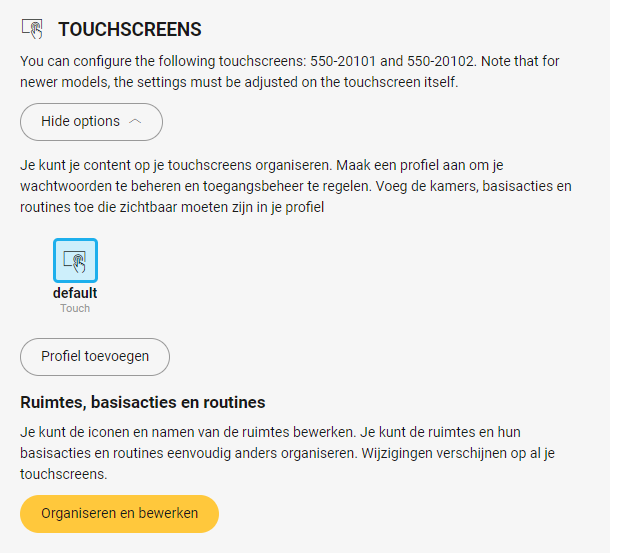
  • Je bevindt je in het overzichtsvenster Dashboard.
    https://s3-eu-west-1.amazonaws.com/guideimages/Screenshots/V2.9/NL/s03_01_01_226_001.png

Touchscreenprofiel aanmaken

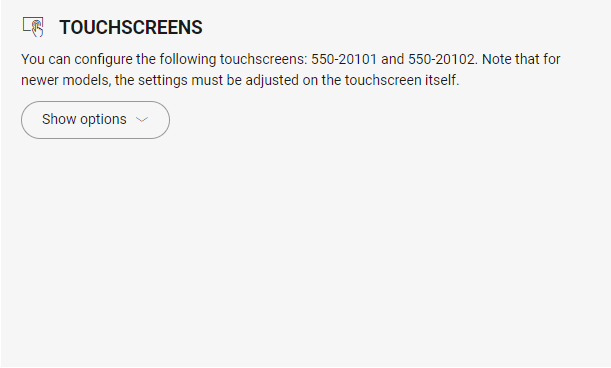
  1. Klik op Opties weergeven.

    s03_01_01_226_002.png
  2. Klik op Profiel toevoegen.

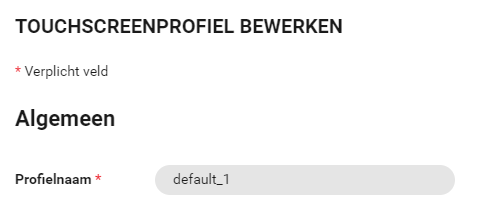
  3. In het vensterdeel Algemeen vul je de profielnaam in.
    https://s3-eu-west-1.amazonaws.com/guideimages/Screenshots/V2.9/NL/s03_01_01_226_003.png
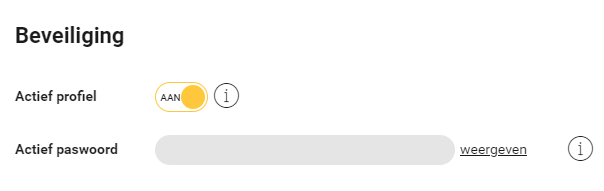
  4. In het vensterdeel Beveiliging, bepaal je of het profiel actief is of niet en stel je een wachtwoord voor het profiel in.
    https://s3-eu-west-1.amazonaws.com/guideimages/Screenshots/V2.9/NL/s03_01_01_226_004.png
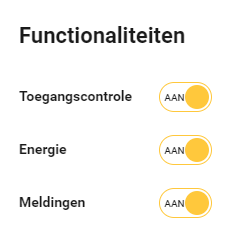
  5. In het vensterdeel Functionaliteiten, schakel je toegangscontrole, energie en meldingen in of uit.
    https://s3-eu-west-1.amazonaws.com/guideimages/Screenshots/V2.9/NL/s03_01_01_226_005.png
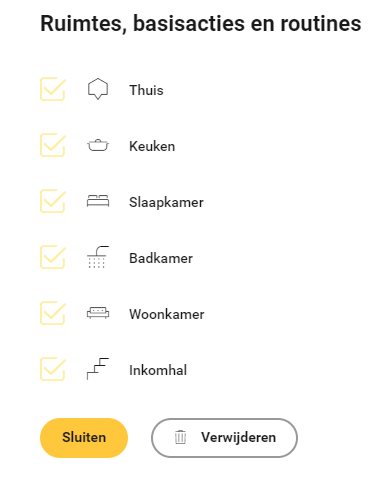
  6. In het vensterdeel Ruimtes, basisacties en routines toon of verberg je ruimtes en/of basisacties en/of routines op je touchscreen.
    https://s3-eu-west-1.amazonaws.com/guideimages/Screenshots/V2.9/NL/s03_01_01_226_006.png
  7. Klik op de knop Sluiten om terug te keren naar het overzichtsvenster Dashboard.

Touchscreenprofiel wijzigen

  1. Klik op het touchscreenprofiel

  2. Breng de nodige wijzigingen aan, zie hiervoor stap drie t.e.m. zes in bovenstaande procedure.

  3. Klik op de knop Sluiten om terug te keren naar het overzichtsvenster Dashboard.