Niko Home Control is evolving into MOTIV Building Control. MOTIV is a new brand for intelligent building automation. Built on the trusted foundation of Niko Home Control, MOTIV solutions are designed to make buildings work more naturally for the people inside them. MOTIV helps professionals create smarter, more comfortable buildings. With technology that works quietly in the background. All existing Niko Home Control solutions remain fully compatible with MOTIV. Over time, the full portfolio will move to the MOTIV brand. During this transition, you will see both Niko Home Control (NHC) and MOTIV Building Control (MBC) appear in this documentation. Discover MOTIV at niko.eu/MOTIV
Software Manual
2.28.1 2.27.1 English Danish Dutch French German Slovak Swedish

Download andere versie

Startpunt

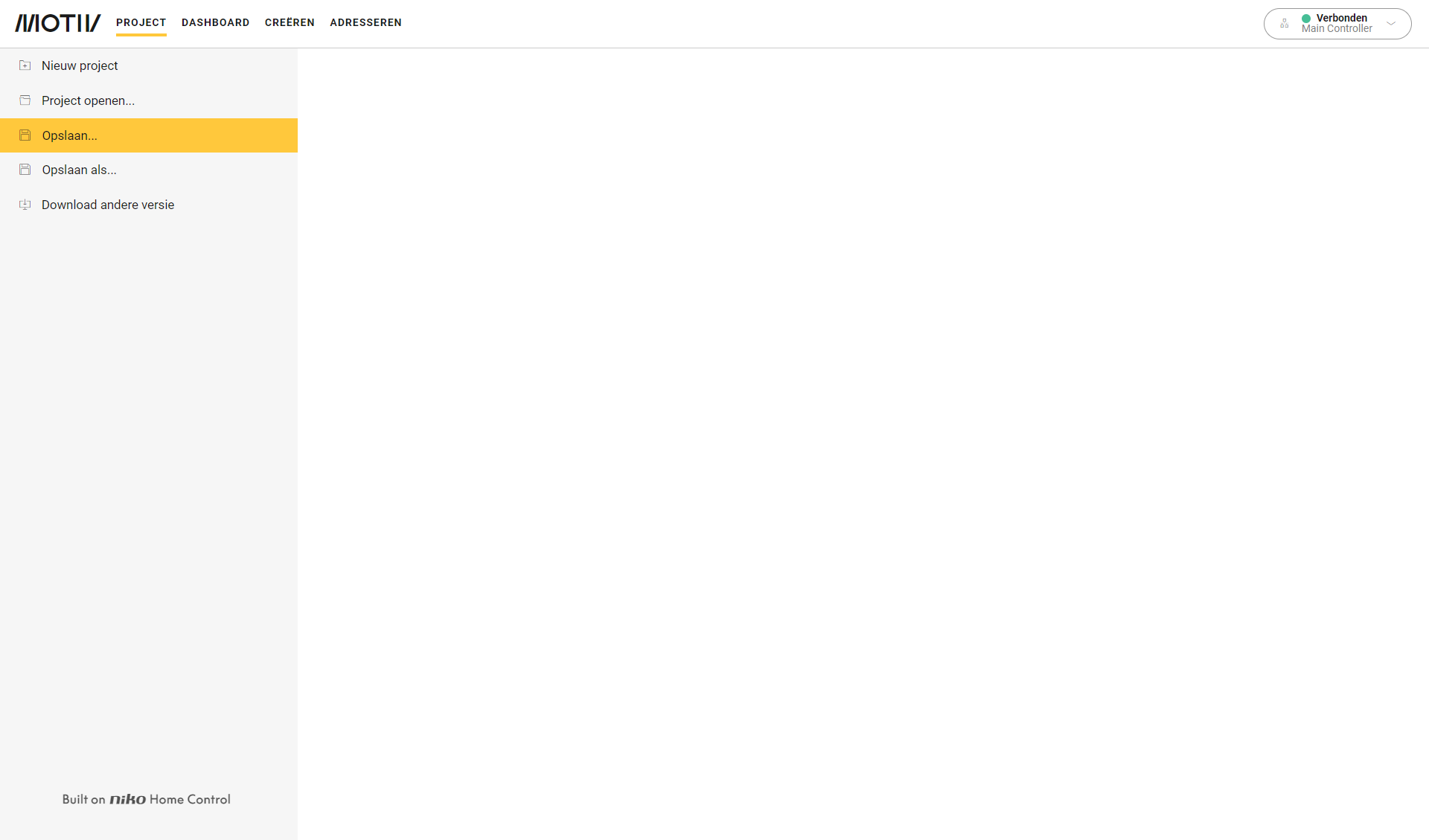
  • Je bevindt je in het overzichtsvenster Project.

  • Je computer is verbonden met een connected controller of draadloze slimme hub.

  • Je installatie werd al minstens 1 maal geprogrammeerd.
    https://s3-eu-west-1.amazonaws.com/guideimages/Screenshots/V2.9/NL/s02_04_00_2264_001.png

Procedure

  1. In het linkermenu, klik op Download andere versie.
    Resultaat:
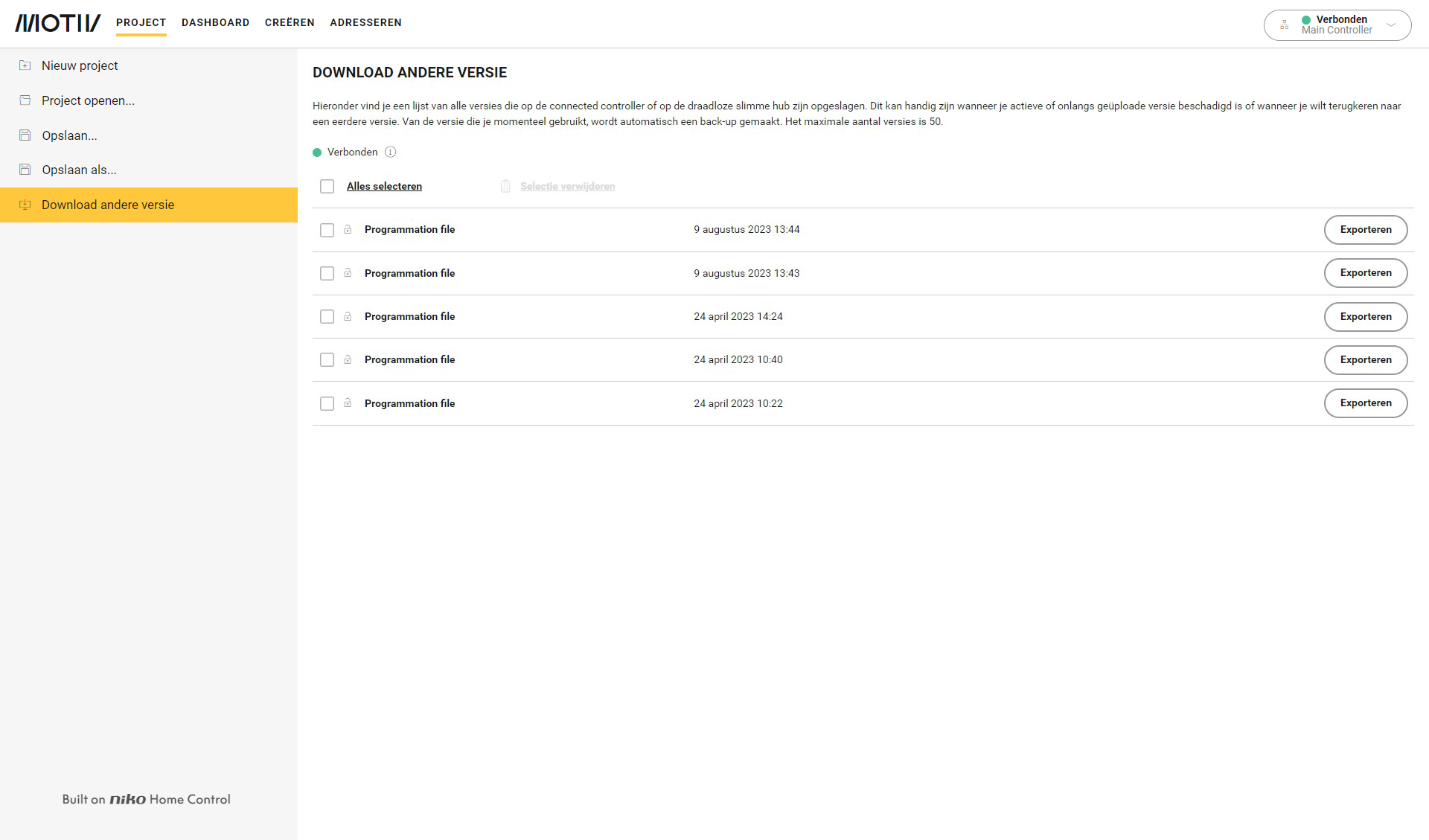
    In het overzicht verschijnen je eerdere geüploade versies. 
    https://s3-eu-west-1.amazonaws.com/guideimages/Screenshots/V2.9/NL/s02_04_00_2264_002.png

  2. Selecteer een project.

  3. Klik op de knop Exporteren om het project als .nhc2-bestand op je computer te slaan.

  4. Kies een map en een naam.

  5. Klik op de knop Opslaan.

  • Je kan maximaal 50 projecten bewaren op je installatie.

  • Je kan een enkel project verwijderen met een klik op de knop Verwijderen naast het project. Om meerdere of alle projecten te verwijderen, vink je de gewenste vakjes of Alles selecteren aan en klik je op de knop Selectie verwijderen.

  • Klik op het hangslot om een project te vergrendelen, zodat je het niet per ongeluk kan verwijderen.