
Pushmeldingen sturen
De onderstaande tabel toont de meldingen die je in de routines kunt verzenden.
|
Routine |
Een pushmelding wordt verstuurd in de volgende gevallen ... |
|---|---|
|
De melding kan niet geactiveerd worden. Het systeem zal de melding automatisch activeren als het probleem is verholpen. |
|
|
Het probleem met melder/contact is opgelost. |
|
|
De melding is geactiveerd. |
|
|
De verwarming kan niet worden ingeschakeld. |
|
|
De koeling kan niet worden ingeschakeld. |
Startpunt
-
Je hebt meldingen aangemaakt in een voorwaarde of in één van volgende routines:
-
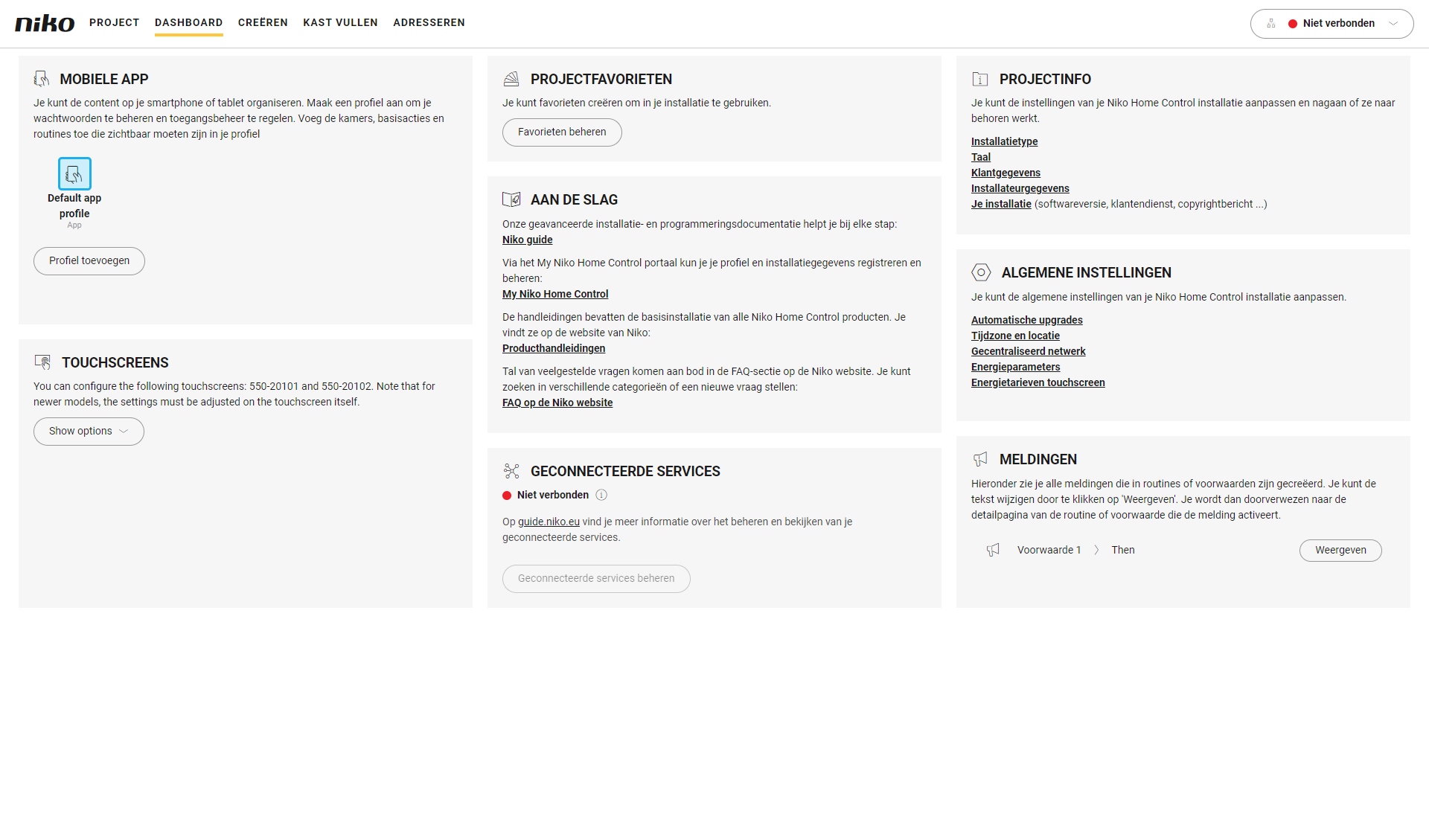
Je bevindt je in het menu Dashboard.
Procedure
-
In het rechter deelvenster, klik op de knop Weergeven naast het meldingsbericht dat je wenst te wijzigen.
Resultaat:
Het deelvenster van de bijhorende routine of voorwaarde verschijnt.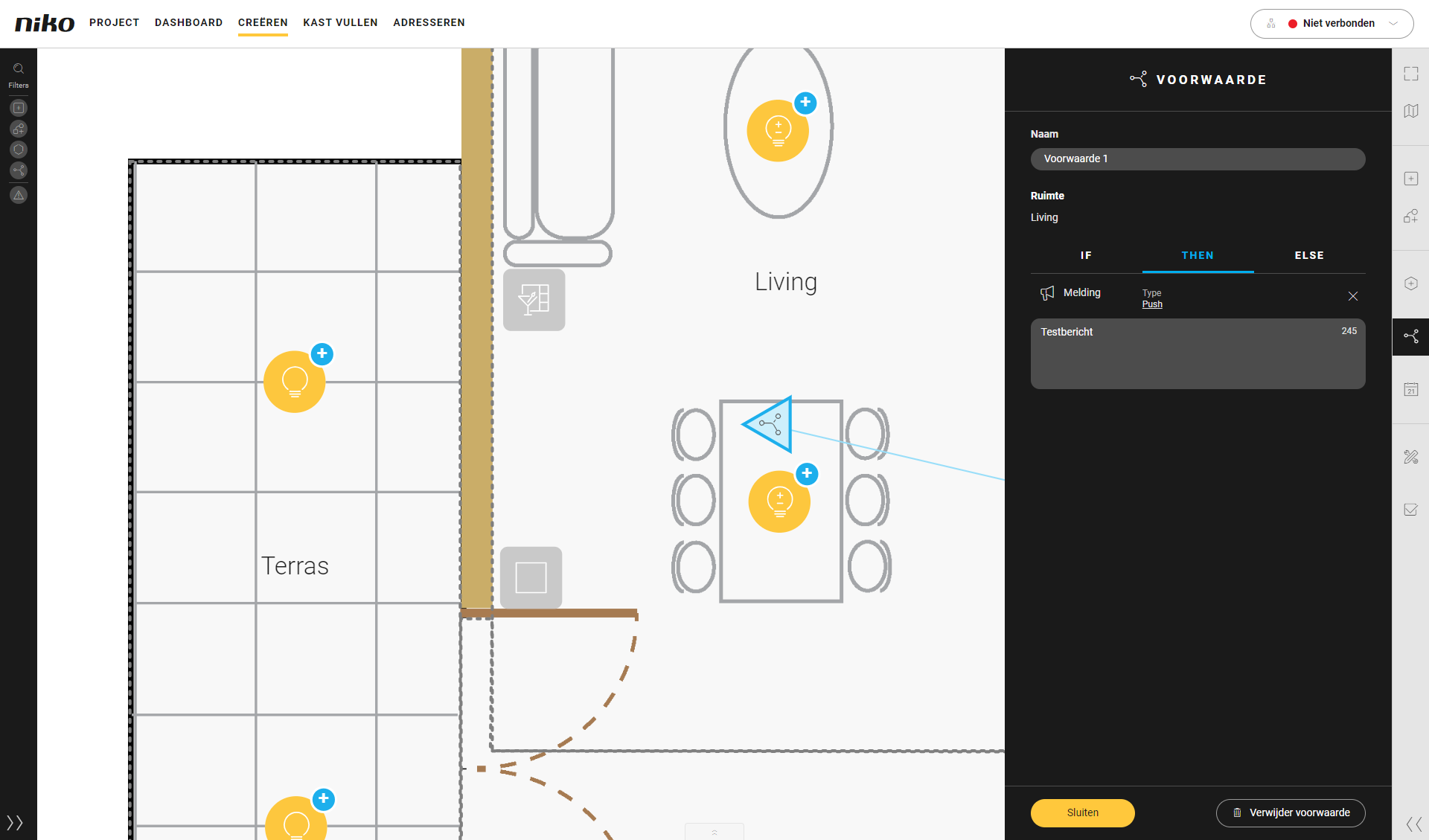
-
Bewerk het meldingsbericht.
-
Klik op de knop Sluiten om terug te keren naar het overzichtsvenster Dashboard.
Je kunt de tekst van de melding ook wijzigen door op de actie te klikken op het tekenvlak.