
Wat is HVAC per thermostaat?
Met de routine HVAC per thermostaat kun je een of meerdere HVAC-binnenunits voor verwarming of koeling linken met een HVAC-thermostaat (550-13053) of een virtuele HVAC-thermostaat.
Startpunt
-
Je hebt een universele HVAC-interface (CoolMaster) of een HVAC-interface (CoolLinkHub met CoolPlugs) geïnstalleerd.
-
Je hebt een HVAC-thermostaat (550-13053) of een virtuele HVAC-thermostaat aangemaakt.
-
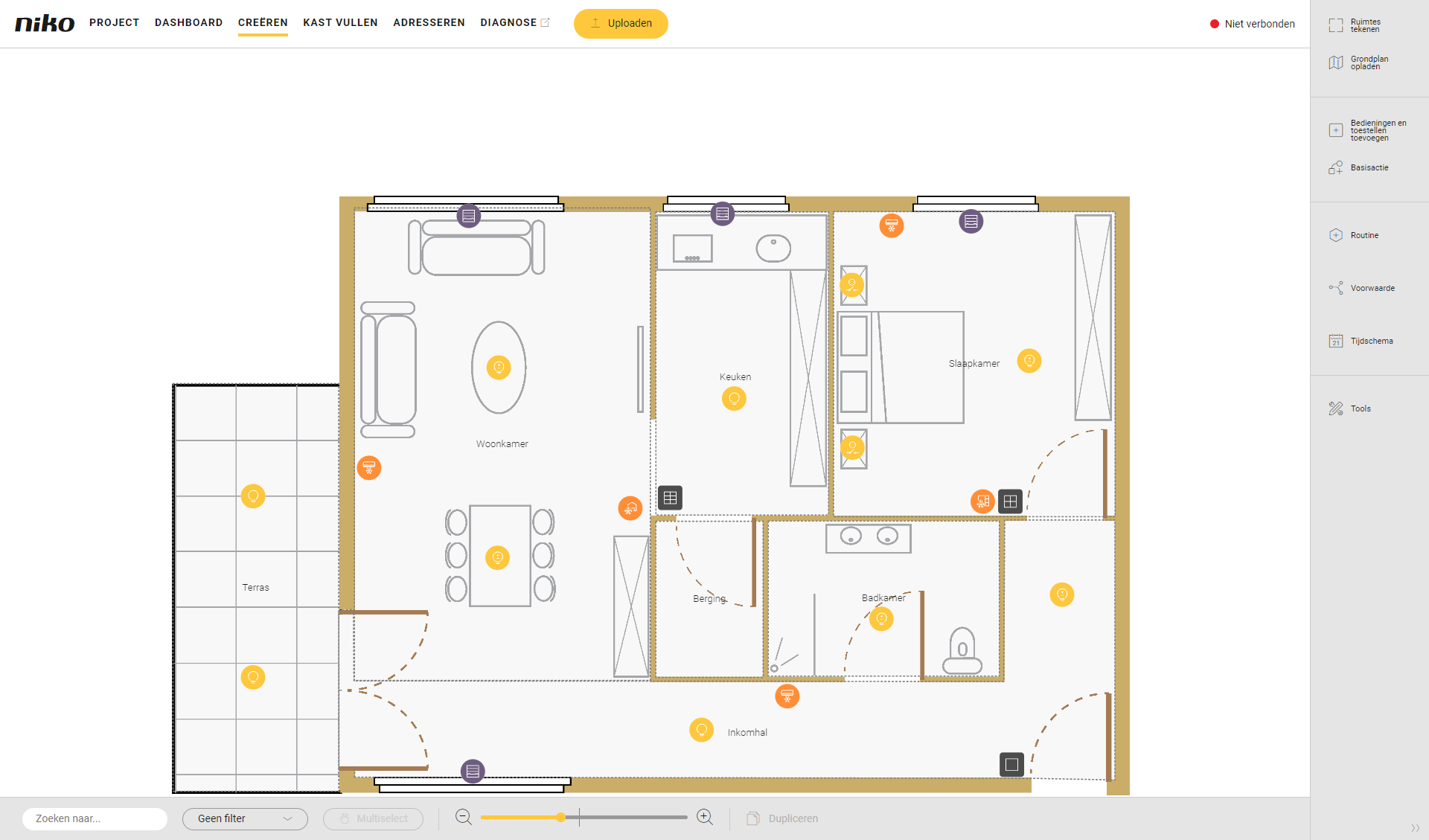
Je bevindt je in het overzichtsvenster Creëren.
Procedure
-
Klik in de rechterknoppenbalk op de knop Routine.
Resultaat
: Het deelvenster Routine verschijnt.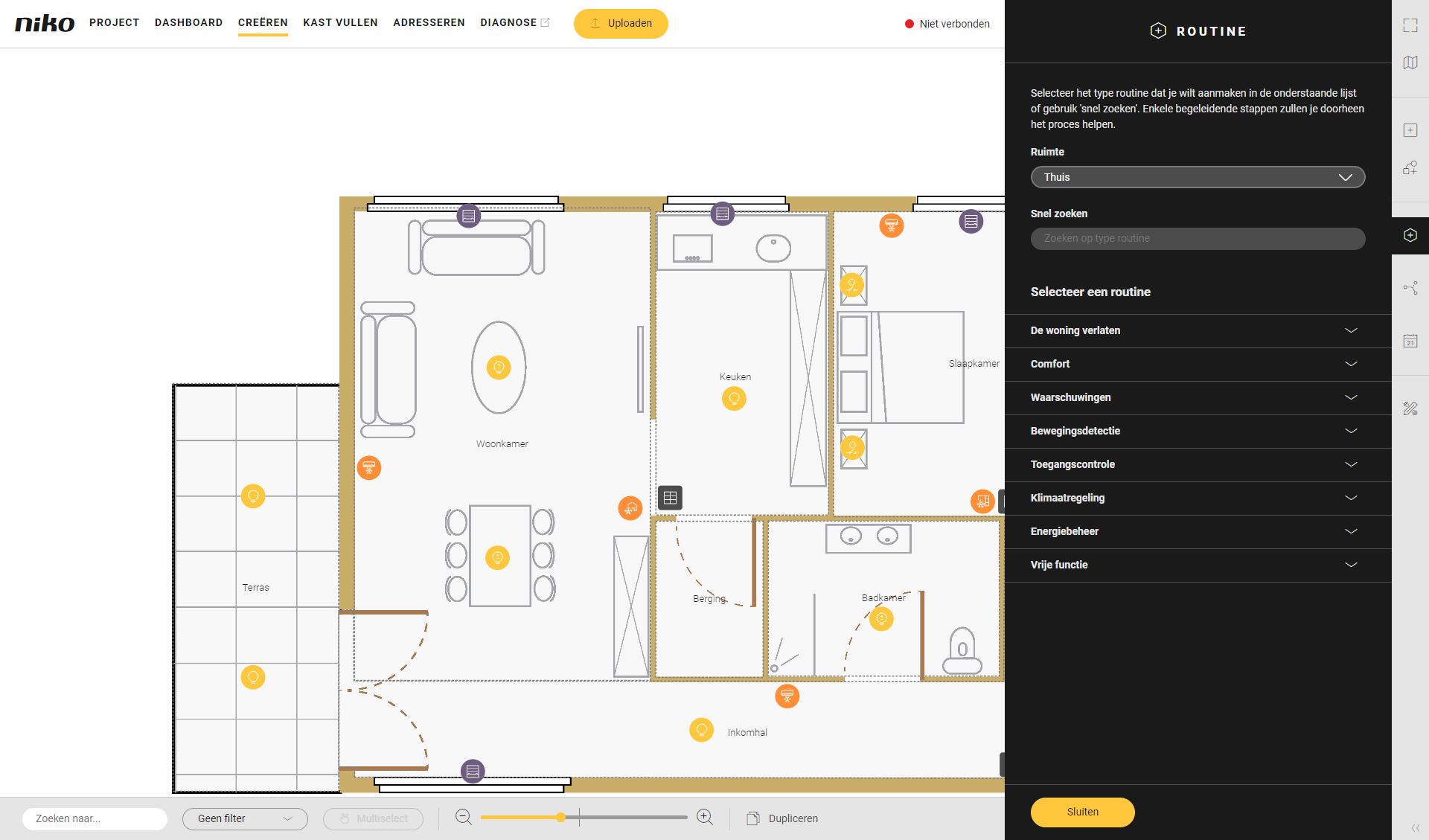
-
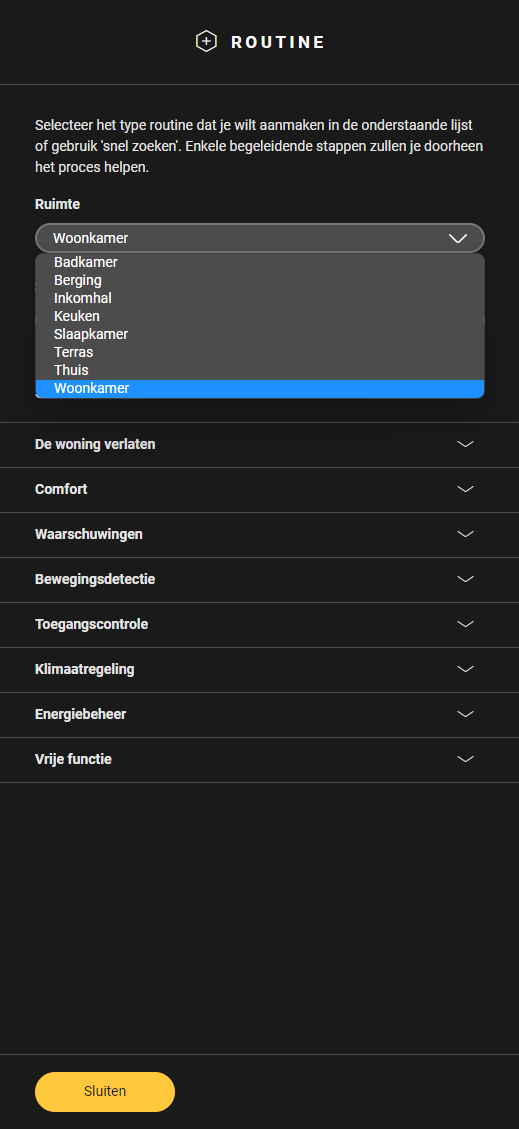
Kies de ruimte als volgt:
-
Kies uit de vervolgkeuzelijst Ruimte.
-
Klik op de ruimte op het tekenvlak.
-
-
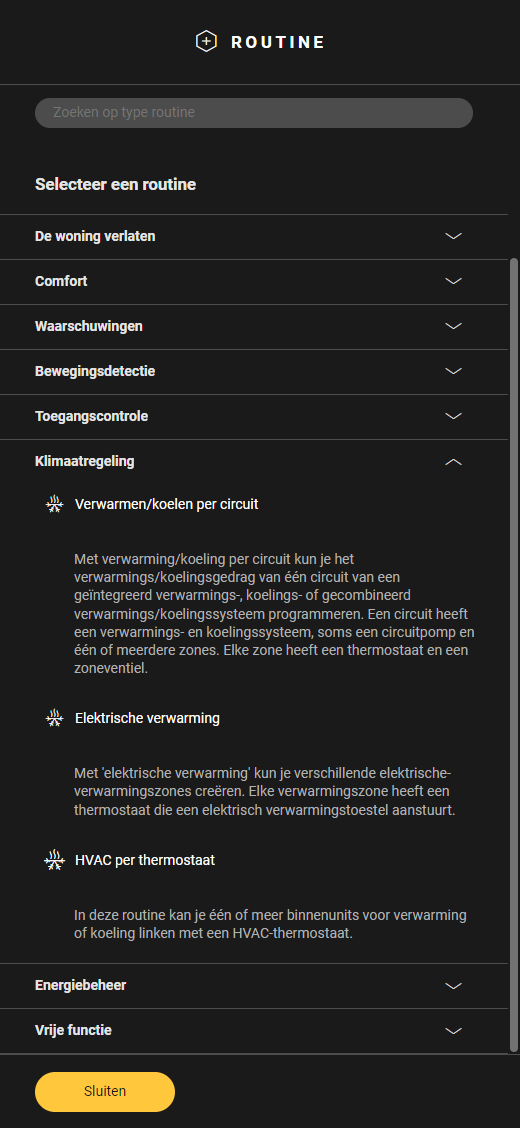
Klik op het pijltje naast de categorie Klimaatregeling.
-
Klik op HVAC per thermostaat.
-
Geef de routine een naam.
-
Stel het gedrag als volgt in:
Gedrag
Wat?
Hoe?
A
Kies een HVAC-thermostaat die de binnenunits moet aansturen.
Klik op het plusteken van de thermostaat die je in de routine wilt opnemen.
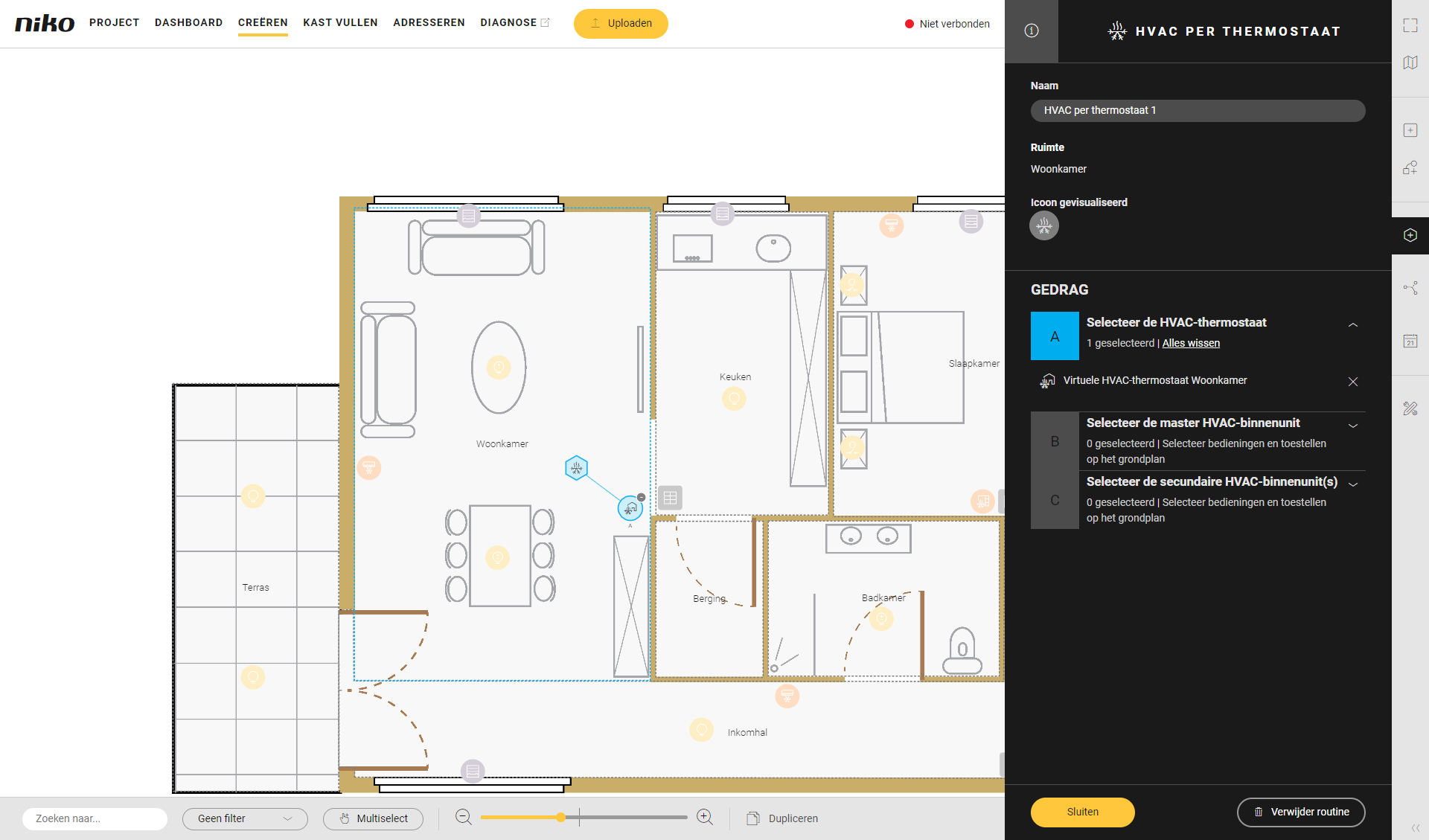
B
Kies een master HVAC-binnenunit, deze binnenunit zal de temperatuur meten.
Klik op het plusteken van de master HVAC-binnenunit..
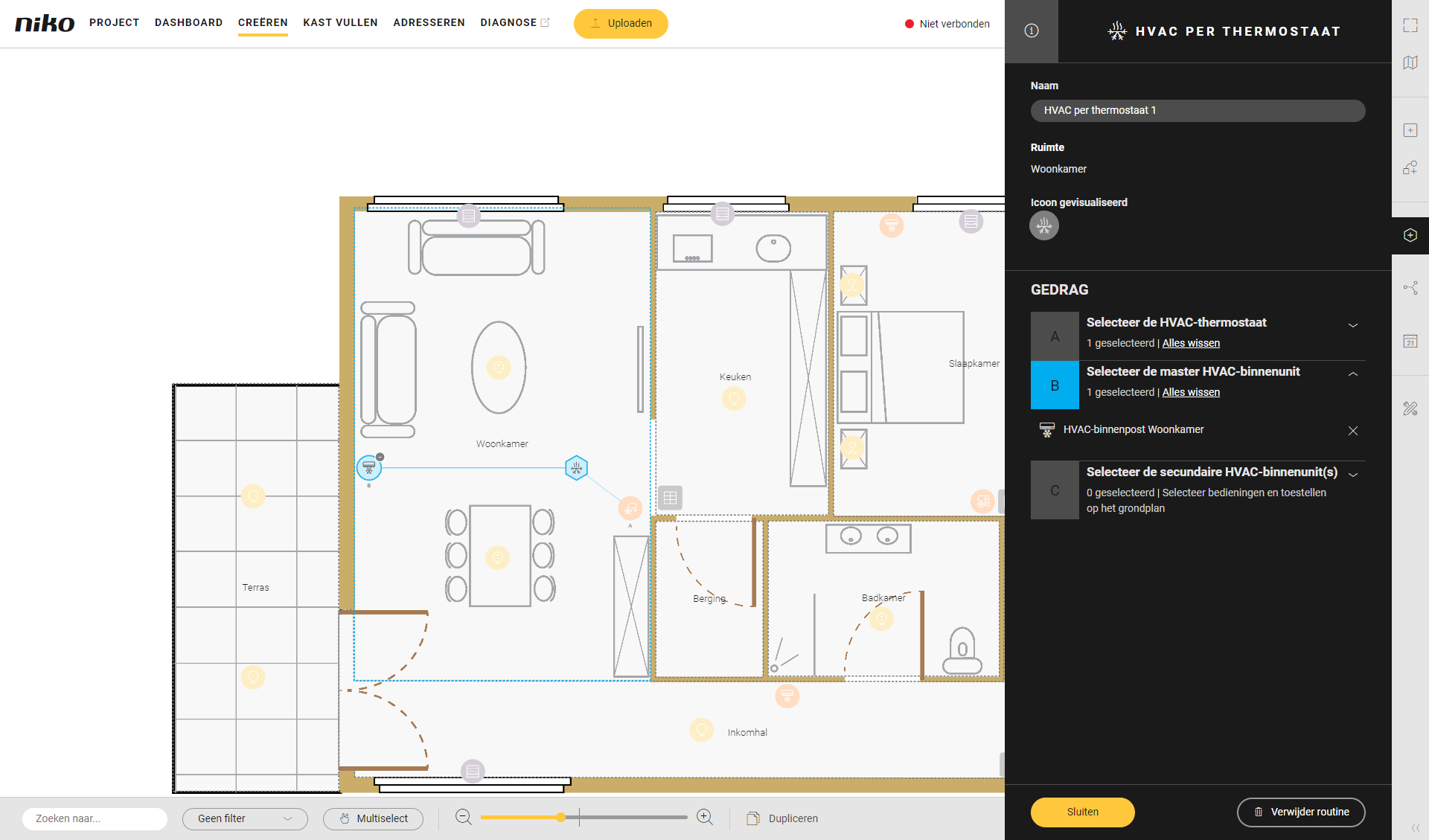
C
(Optioneel) kies één of meerdere HVAC-binnenunits die slave zijn aan de master uit stap B.
Klik op het plusteken van de slave HVAC-binnenunit.
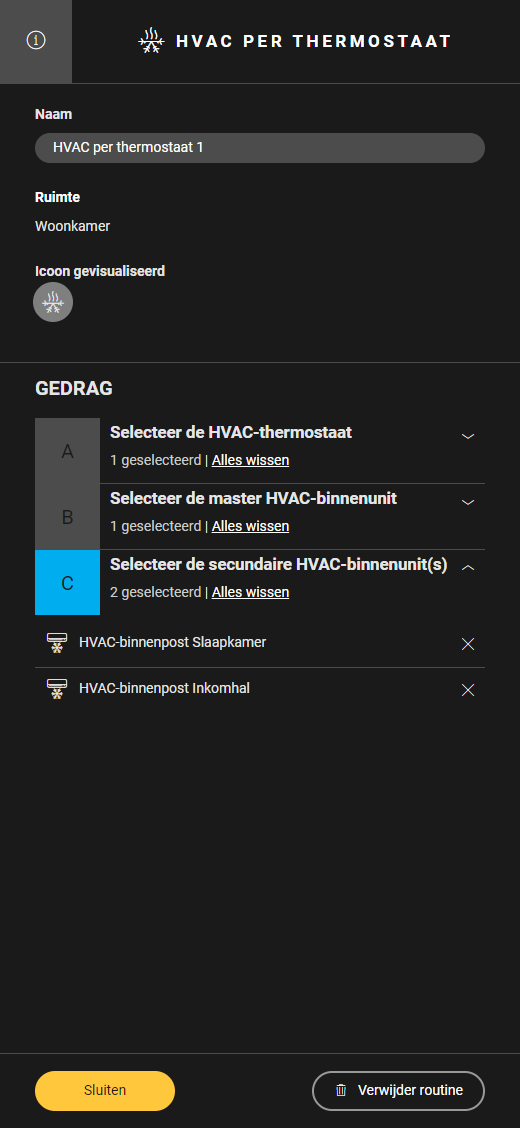
Gebruik Multiselect om meerdere toestellen tegelijk te selecteren.
-
Klik op de knop Sluiten om terug te keren naar het deelvenster Routine.
-
Klik op de knop Sluiten om terug te keren naar het overzichtsvenster Creëren.
Video
Bekijk hier een voorbeeld. Zet je geluid aan om de video te bekijken.