
What can you do with Trane and Niko Home Control?
Manage multi-zone heating and cooling with your air conditioning
If you connect your air conditioning to Niko Home Control, you can control them via push buttons, the Niko Home app on a tablet or smartphone, the Touchscreen and/or Digital black.
You can control multiple rooms individually, using the following actions:
-
Start/stop
-
Check and set the room temperature
-
Choose speed: low, medium, high
-
Choose programs and modes
We recommend the following options to make even better use of this connection:
-
Optimise air conditioning settings based on the availability of excess solar energy; see Creating a condition.
-
Automate air conditioning; see Custom routine.
What do you need?
Niko requirements
Din Niko Home Control-installation uppfyller följande krav:
-
Den har en ansluten kontrollenhet II.
-
Den är konfigurerad med den senaste programmeringsprogramvaran.
Du behöver följande extraprodukt(er) från Niko:
-
Du kan också använda en Digital black för att styra HVAC-systemet via en väggmonterad display
Trane requirements
Ditt system uppfyller följande krav:
-
Det är ett VRV- eller VRF-HVAC-system.
-
Hela HVAC-systemet är från samma märke.
Wiring diagram
Mer information och fullständiga instruktioner för installation finns i HVAC-gränssnittets hårdvarumanual (CoolMaster)
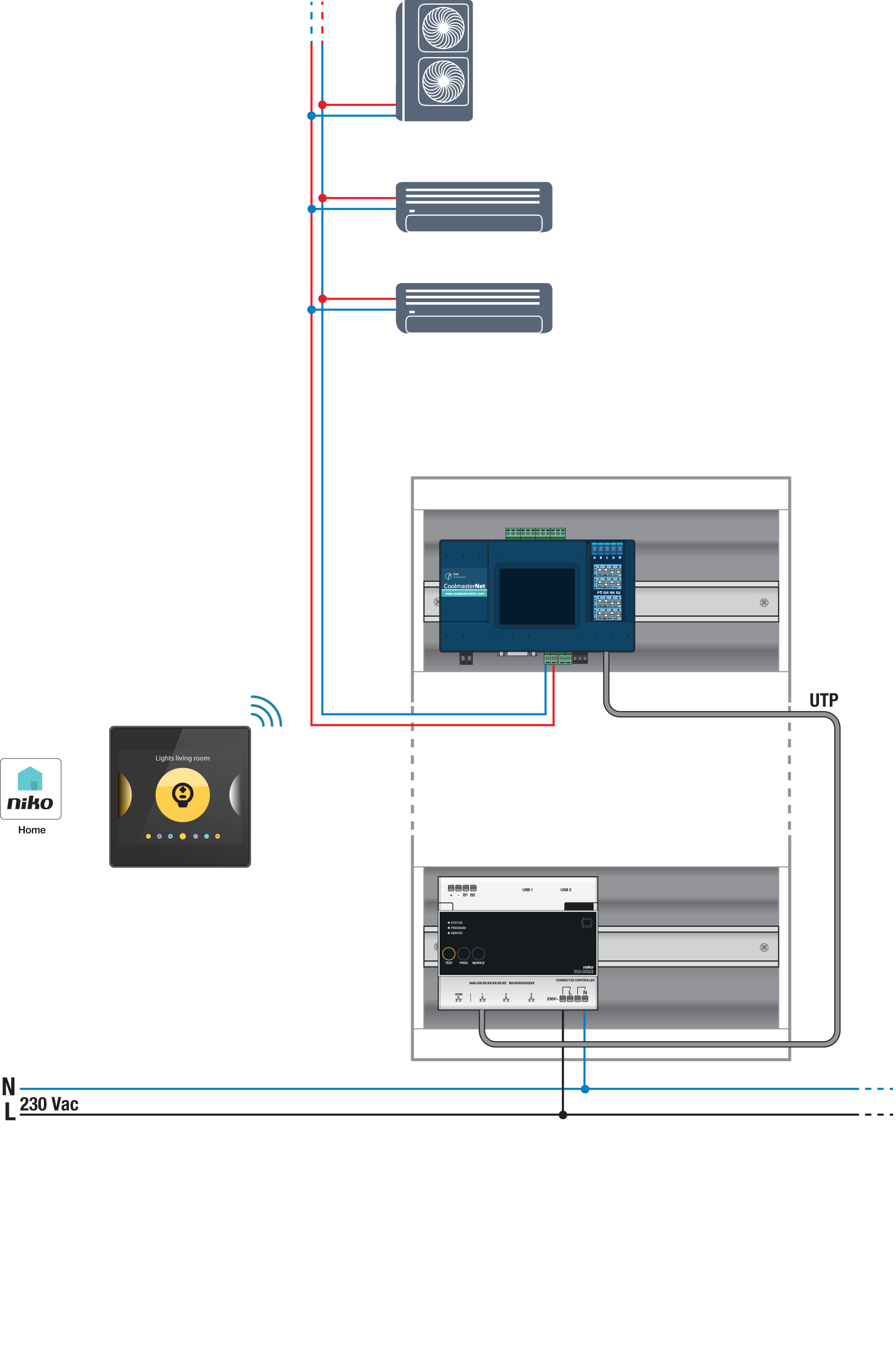
Bus connections on Trane indoor unit: X, Y, E
Programming
Konfigurera CoolMaster via programmeringsprogramvaran Niko Home Control. Skapa en virtuell HVAC-termostat för varje zon och länka den till inomhusenhet(er) med rutinens HVAC per termostat; se https://guide.niko.eu/en/smnhc2/lv/hvac-per-thermostat.
När du har laddat upp den nya konfigurationen visas de virtuella HVAC-termostaterna i fliken Kontroll i Niko Home-appen. Du kan enkelt justera standardinställningarna för olika program och lägen genom att redigera den här kontrollen.