Niko Home Control is evolving into MOTIV Building Control. MOTIV is a new brand for intelligent building automation. Built on the trusted foundation of Niko Home Control, MOTIV solutions are designed to make buildings work more naturally for the people inside them. MOTIV helps professionals create smarter, more comfortable buildings. With technology that works quietly in the background. All existing Niko Home Control solutions remain fully compatible with MOTIV. Over time, the full portfolio will move to the MOTIV brand. During this transition, you will see both Niko Home Control (NHC) and MOTIV Building Control (MBC) appear in this documentation. Discover MOTIV at niko.eu/MOTIV
Software Manual
2.28.1 2.27.1 English Danish Dutch French German Slovak Swedish

Lägg till en kontrollenhet i en installation

Utgångspunkt

  • Din dator är ansluten till internet.

  • Du har öppnat och loggat in på programmeringsprogramvaran MOTIV Building Control,
    eller så har du klickat på Hem när ett projekt var öppet.

  • Du har registrerat installationen.

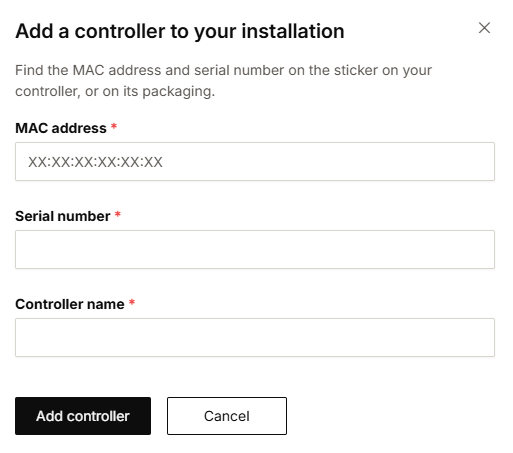
https://s3-eu-west-1.amazonaws.com/guideimages/Screenshots/V2.9/EN/s19_02_07_228_001.png

Procedur

  1. Klicka på Mina installationer i menyn till vänster.
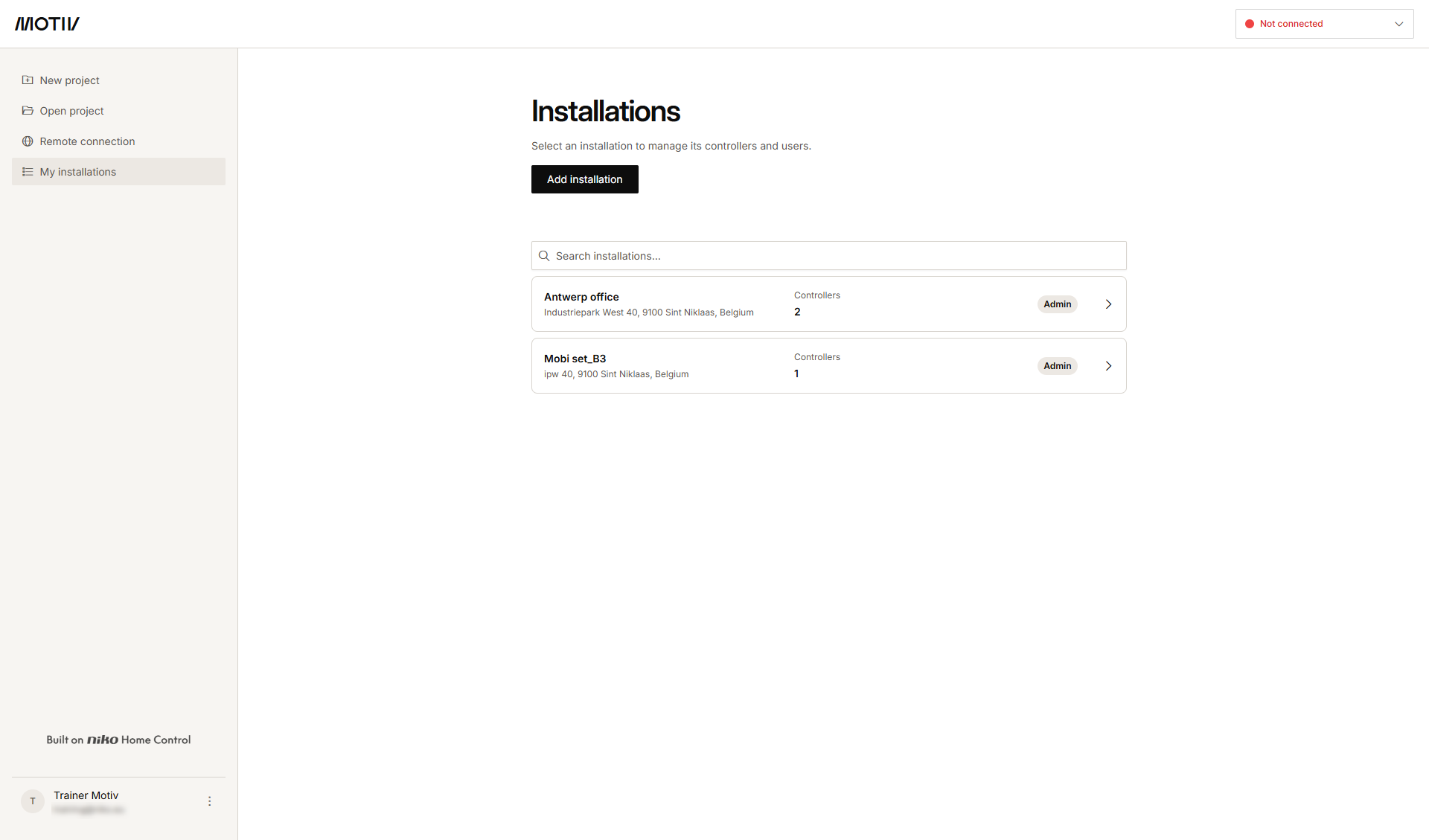
    https://s3-eu-west-1.amazonaws.com/guideimages/Screenshots/V2.9/EN/s19_02_07_228_002.png
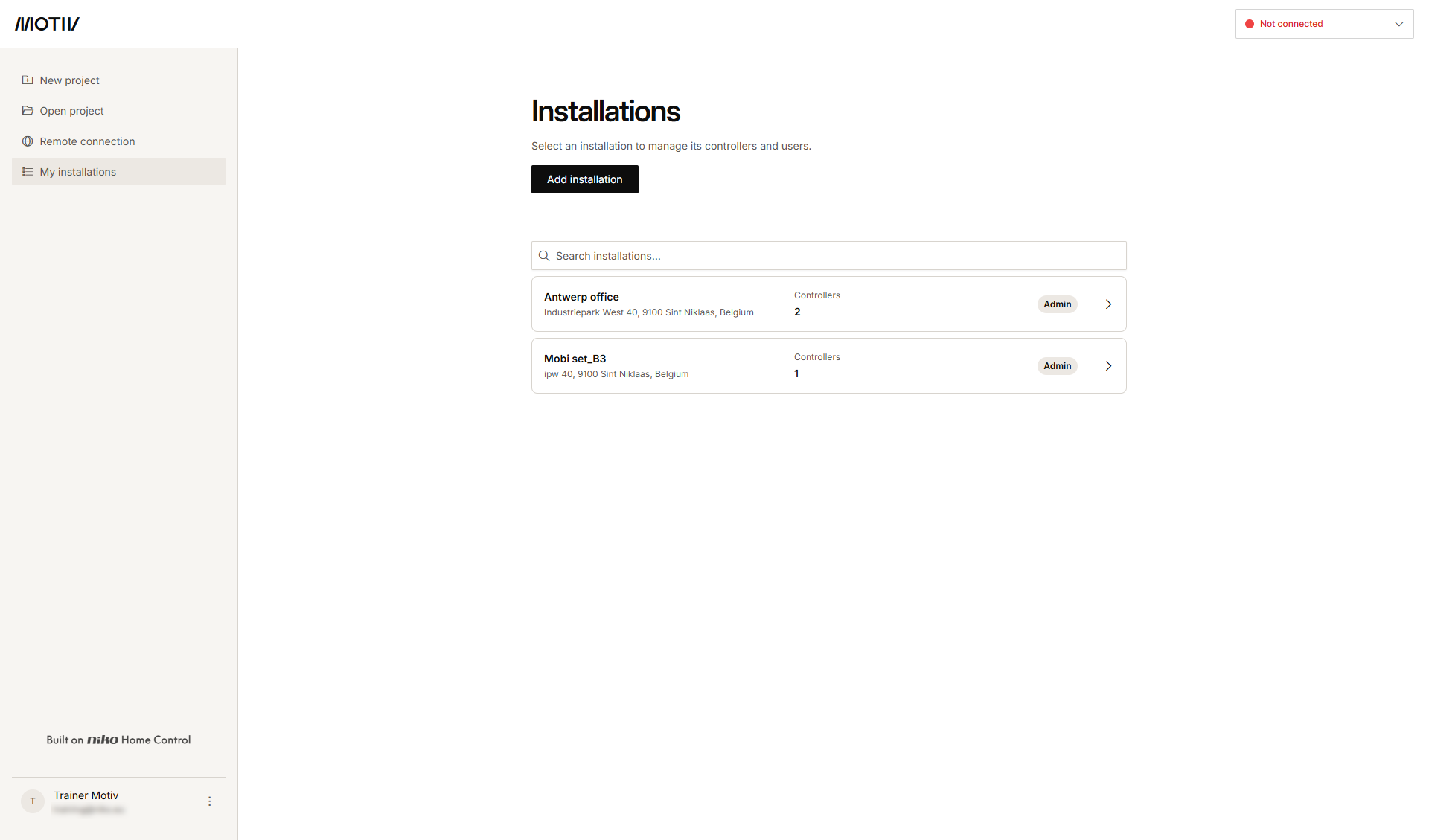
  2. Klicka på pilen bredvid installationen som du vill lägga till en ny kontrollenhet till.
    Resultat: En lista över kontrollenheterna i installationen och deras status visas.
    s19_02_07_228_003
  3. Klicka på Lägg till kontrollenhet.

    s19_02_07_228_004


  4. Fyll i MAC-adressen, serienumret och kontrollenhetens namn.

  5. Klicka på Lägg till kontrollenhet.