Niko Home Control is evolving into MOTIV Building Control. MOTIV is a new brand for intelligent building automation. Built on the trusted foundation of Niko Home Control, MOTIV solutions are designed to make buildings work more naturally for the people inside them. MOTIV helps professionals create smarter, more comfortable buildings. With technology that works quietly in the background. All existing Niko Home Control solutions remain fully compatible with MOTIV. Over time, the full portfolio will move to the MOTIV brand. During this transition, you will see both Niko Home Control (NHC) and MOTIV Building Control (MBC) appear in this documentation. Discover MOTIV at niko.eu/MOTIV
Software Manual
2.28.1 2.27.1 English Danish Dutch French German Slovak Swedish

Erstellen eines Projekts

Ausgangspunkt

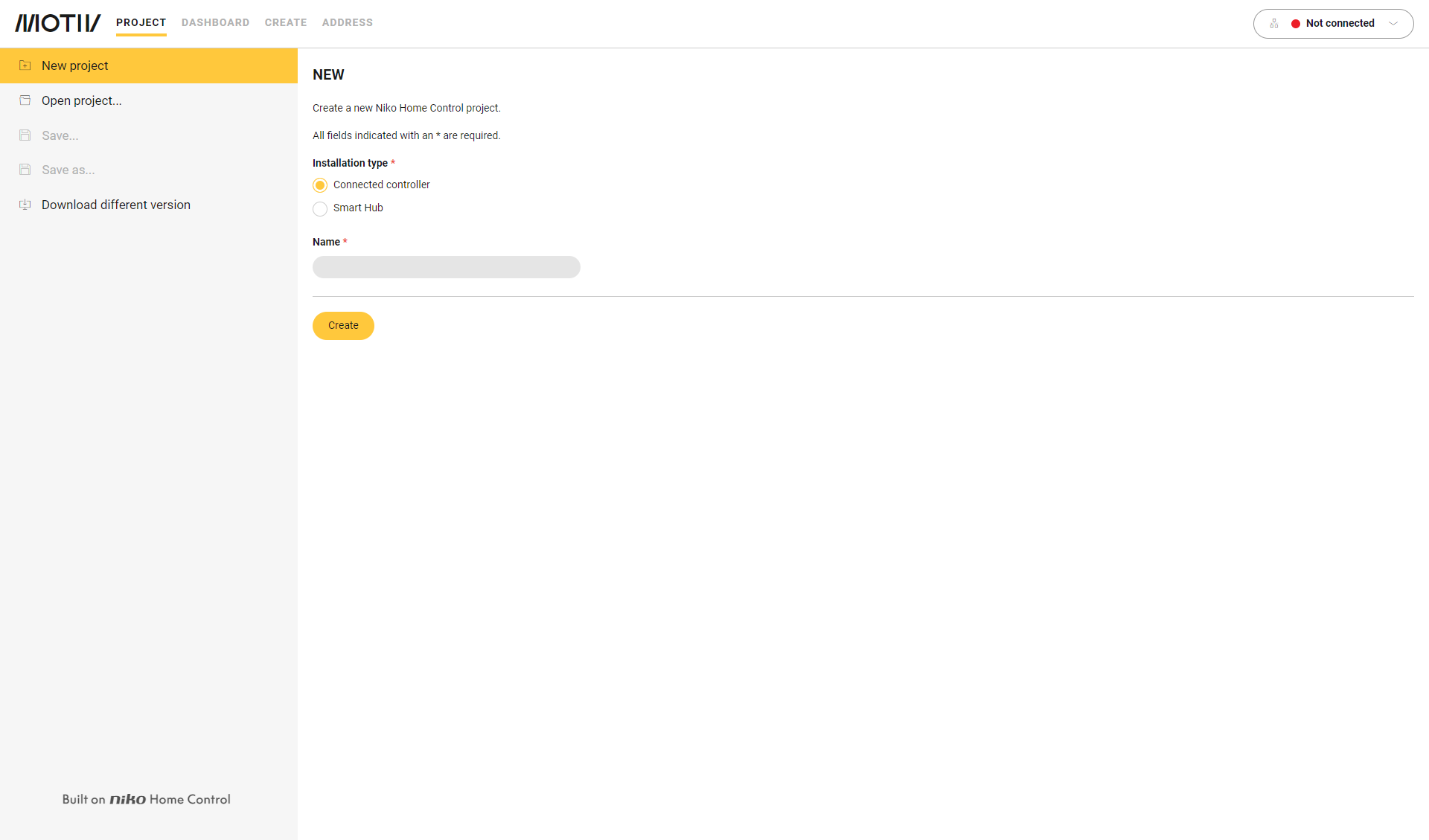
Sie befinden sich im Übersichtsfenster Project [Projekt].
https://s3-eu-west-1.amazonaws.com/guideimages/Screenshots/V2.9/EN/s02_01_00_2264_001.png

Vorgehen

  1. Klicken Sie links im Menü auf New [Neu].

  2. Wählen Sie Ihren Installation type [Installationsart].

  3. Geben Sie den Namen des Projekts ein und klicken Sie auf die Taste Create [Erstellen].
    Ergebnis:
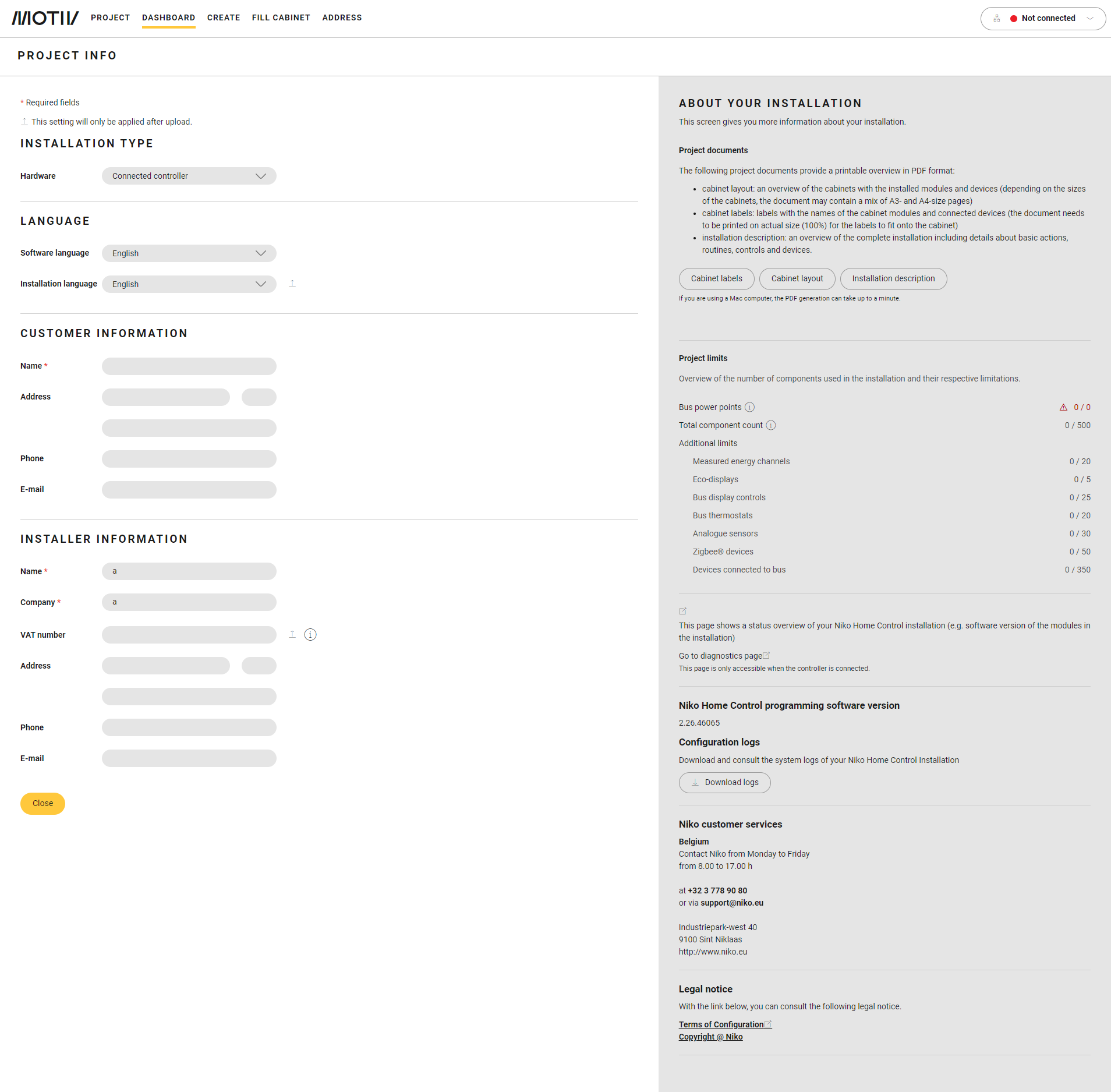
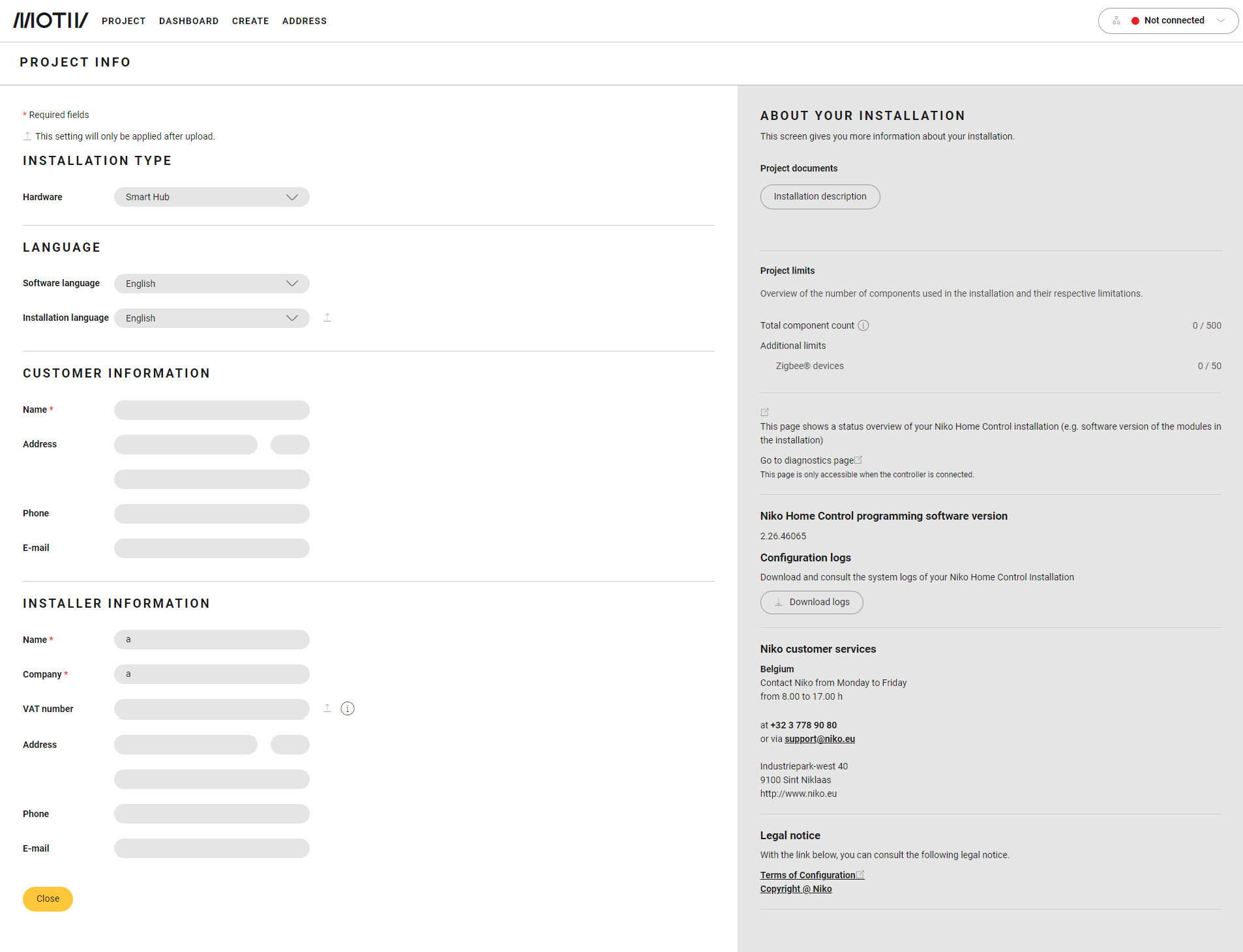
    Das Dashboard-Übersichtsfenster wird angezeigt und zeigt Ihnen die Projektinformationen an. Die angezeigten Informationen variieren je nach Installationsart.
    https://s3-eu-west-1.amazonaws.com/guideimages/Screenshots/V2.9/EN/s02_01_00_2264_002.png

    https://s3-eu-west-1.amazonaws.com/guideimages/Screenshots/V2.9/EN/s02_01_00_2264_003.png

    Installationstyp angeschlossene Steuerung

    Installationstyp drahtloser intelligenter Hub


  4. Füllen Sie die Felder aus. Mit ‚*‘ markierte Felder sind Pflichtfelder.

  5. Klicken Sie auf die Close-Schaltfläche [Schließen], um zum Dashboard-Übersichtsfenster zurückzukehren.