Niko Home Control is evolving into MOTIV Building Control. MOTIV is a new brand for intelligent building automation. Built on the trusted foundation of Niko Home Control, MOTIV solutions are designed to make buildings work more naturally for the people inside them. MOTIV helps professionals create smarter, more comfortable buildings. With technology that works quietly in the background. All existing Niko Home Control solutions remain fully compatible with MOTIV. Over time, the full portfolio will move to the MOTIV brand. During this transition, you will see both Niko Home Control (NHC) and MOTIV Building Control (MBC) appear in this documentation. Discover MOTIV at niko.eu/MOTIV
Software Manual
Working version 2.27.1 English Dutch French Slovak Danish German Swedish

Creating an informative notification in a condition

We will use an example in which we create an informative notification within a condition under THEN. In this example, we deliberately skip ELSE.

We will create a condition that sends an informative notification every year as a reminder that the filters of the ventilation system need to be cleaned.

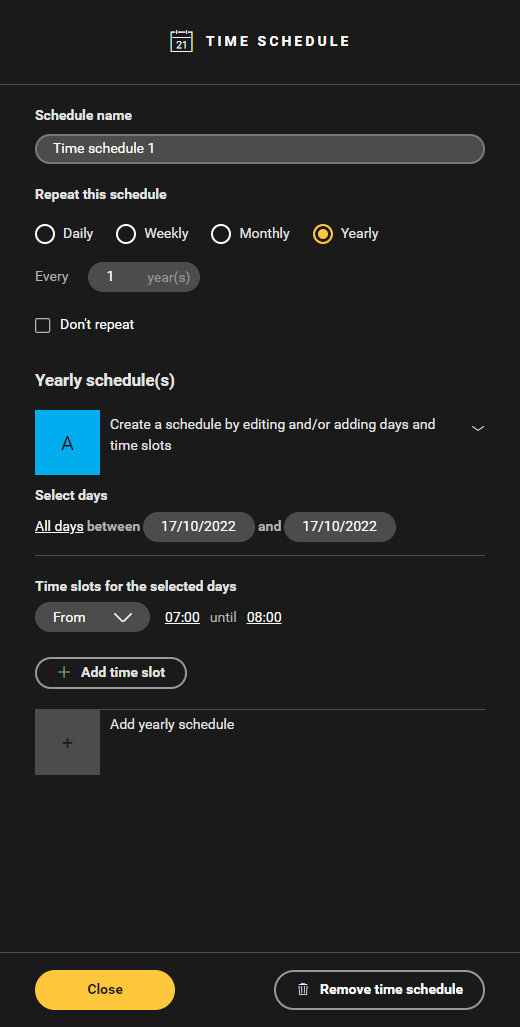
  1. Create a time schedule with a pulse control on a certain day, which is repeated annually.
    Alt text
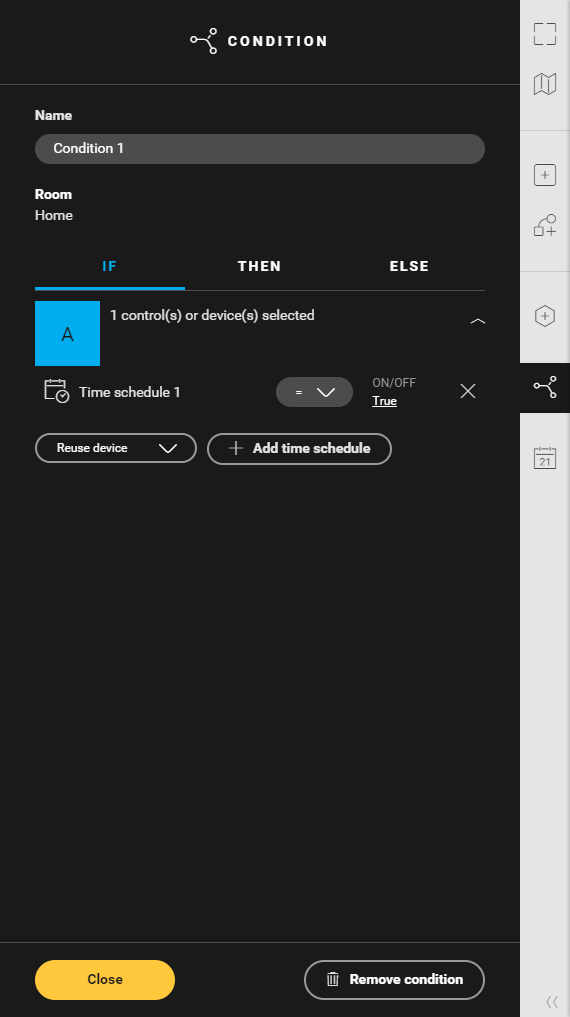
  2. Create a condition and add the time schedule under IF.
    Alt text
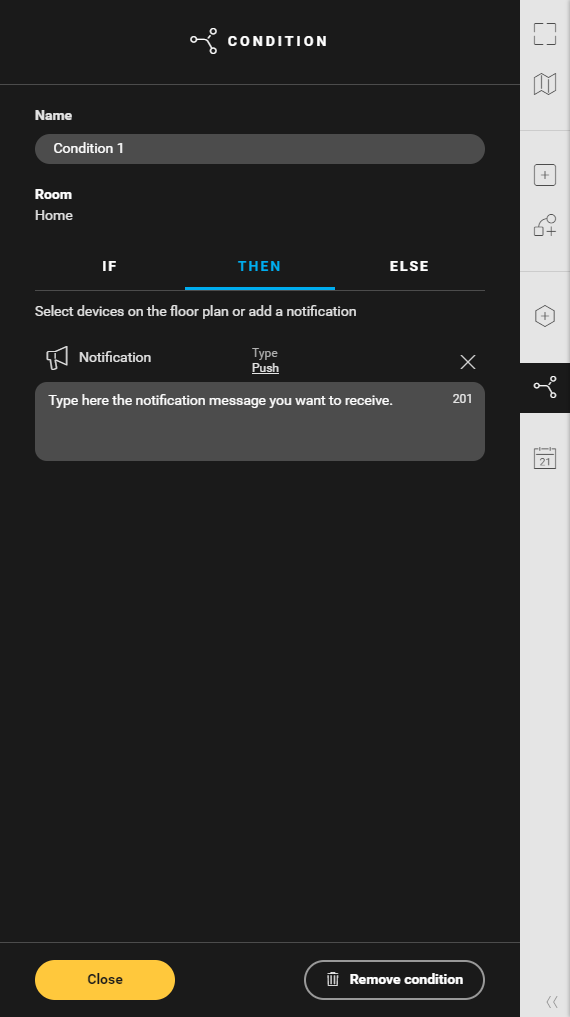
  3. Under THEN, click on Add notification.

  4. Under type, choose Informative.

    Here you can also opt for a push notification.

  5. Type the text of the notification. This text can contain up to 256 characters and will appear in the apps.
    Alt text
  6. Click the Confirm button to return to the Create overview window.