Niko Home Control is evolving into MOTIV Building Control. MOTIV is a new brand for intelligent building automation. Built on the trusted foundation of Niko Home Control, MOTIV solutions are designed to make buildings work more naturally for the people inside them. MOTIV helps professionals create smarter, more comfortable buildings. With technology that works quietly in the background. All existing Niko Home Control solutions remain fully compatible with MOTIV. Over time, the full portfolio will move to the MOTIV brand. During this transition, you will see both Niko Home Control (NHC) and MOTIV Building Control (MBC) appear in this documentation. Discover MOTIV at niko.eu/MOTIV
Software Manual
Working version 2.27.1 English Dutch French Slovak Danish German Swedish

Shift function

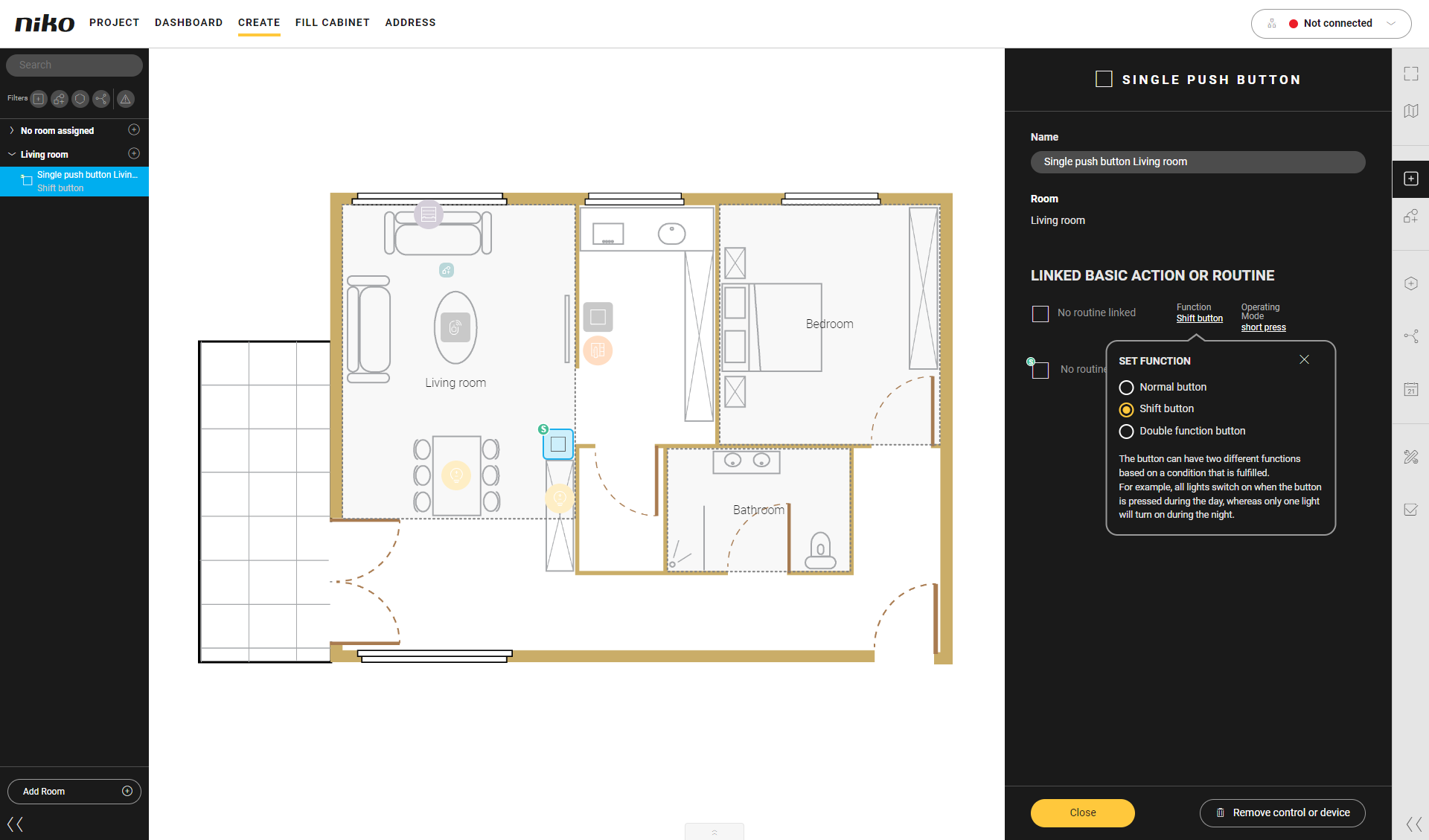
A shift function allows you to link two basic actions and/or routines to a button. A condition determines which action is carried out when you press the button.

The symbol of the control will then appear with an 'S' on the drawing area.

When you create a basic action or a routine for the control and you select the function Shift button you will see the following buttons:

  • shift disabled (normal) control

  • shift enabled control.

Use a condition to define when the control must follow the normal behaviour and when the shift behaviour. 

Please also read 'Create menu - Shift function'.

Example:

If you press the light switch in the living room during the day, the corresponding lighting circuit will be activated at 100%.

If you press the light switch in the living room during the night, the corresponding lighting circuit will be activated at 30%.

https://s3-eu-west-1.amazonaws.com/guideimages/Screenshots/V2.9/EN/s01_10_00_215_001.png


https://s3-eu-west-1.amazonaws.com/guideimages/Screenshots/V2.9/EN/s01_15_00_225_002.png