
-
This is an example of a notification in the Niko Home app that uses a trigger of a third-party system installed in your house.
-
You can find the wiring diagrams and requirements here.
Starting point
-
You have installed a security system in your house. The security system has at least one potential-free output contact.
-
Your installation has a connected controller.
-
Your computer is connected to the installation.
-
You are in the Create overview window.
Procedure
-
Create the device Connection to external system.
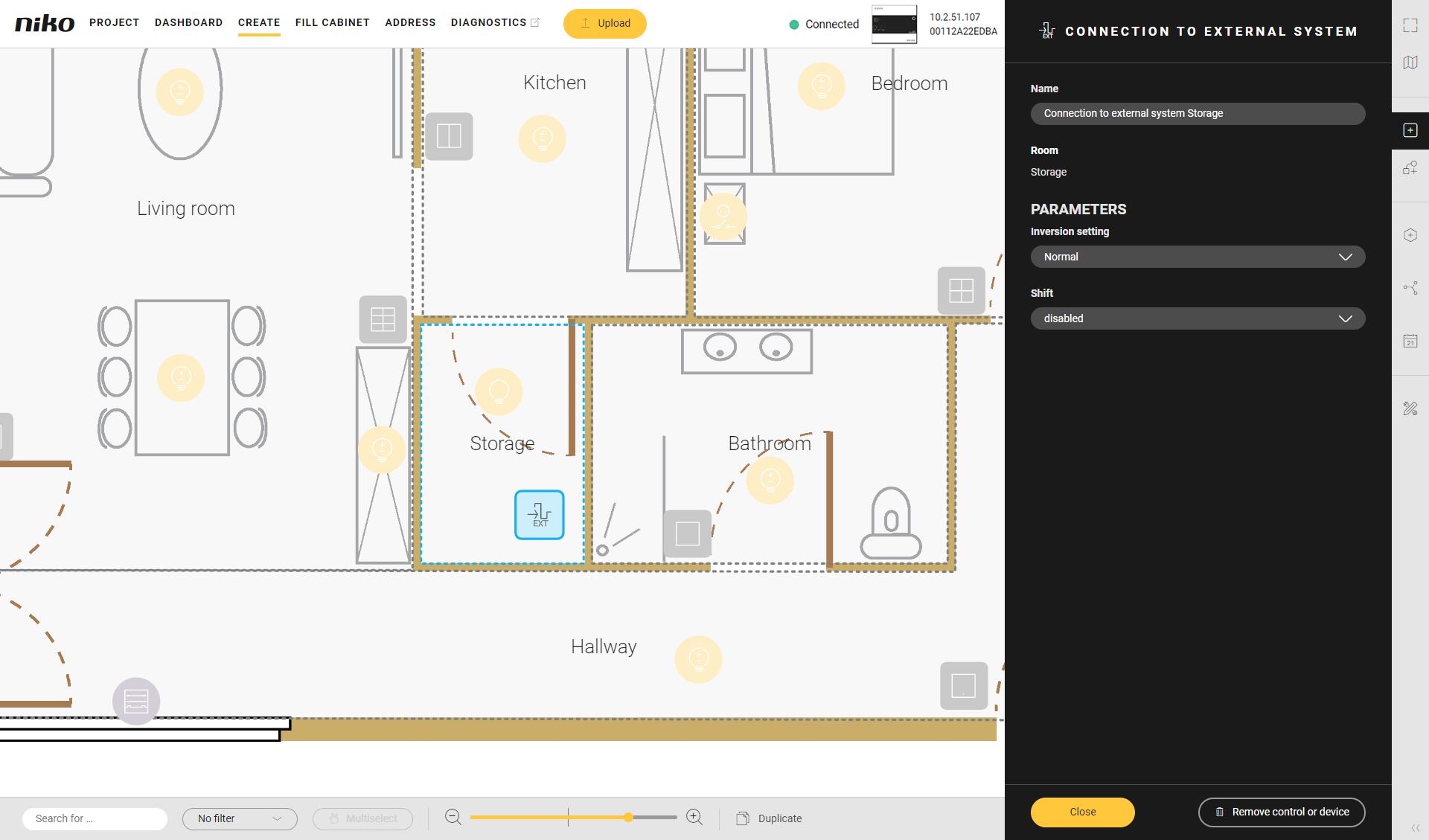
-
-
Set IF: select the device Connection to external system and set the ON/OFF value to TRUE.
-
Set THEN: click Add notification, select the notification type and type your notification message.
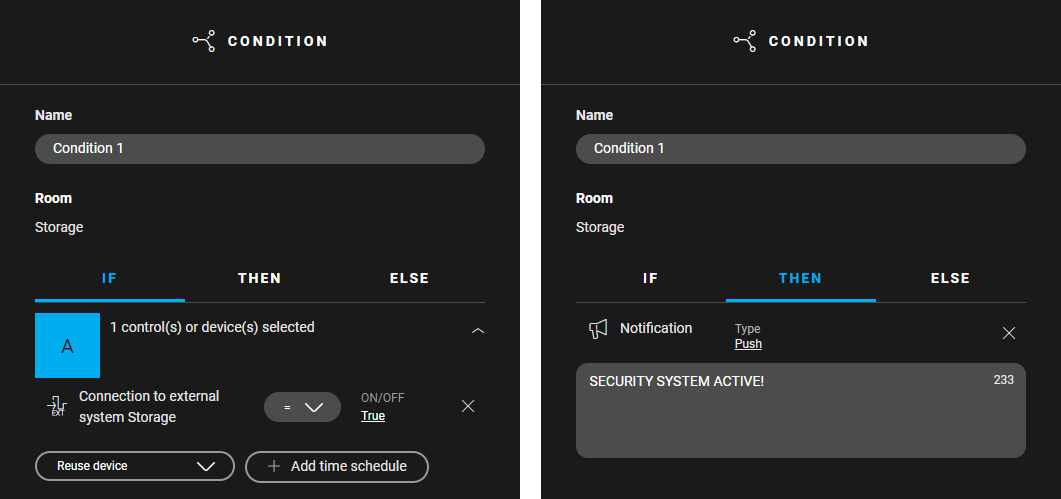
-
-
Add a digital sensor module to the cabinet.
-
Assign the device Connection to external system to the module.
-
Address the digital sensor module.
-
Upload the configuration file.