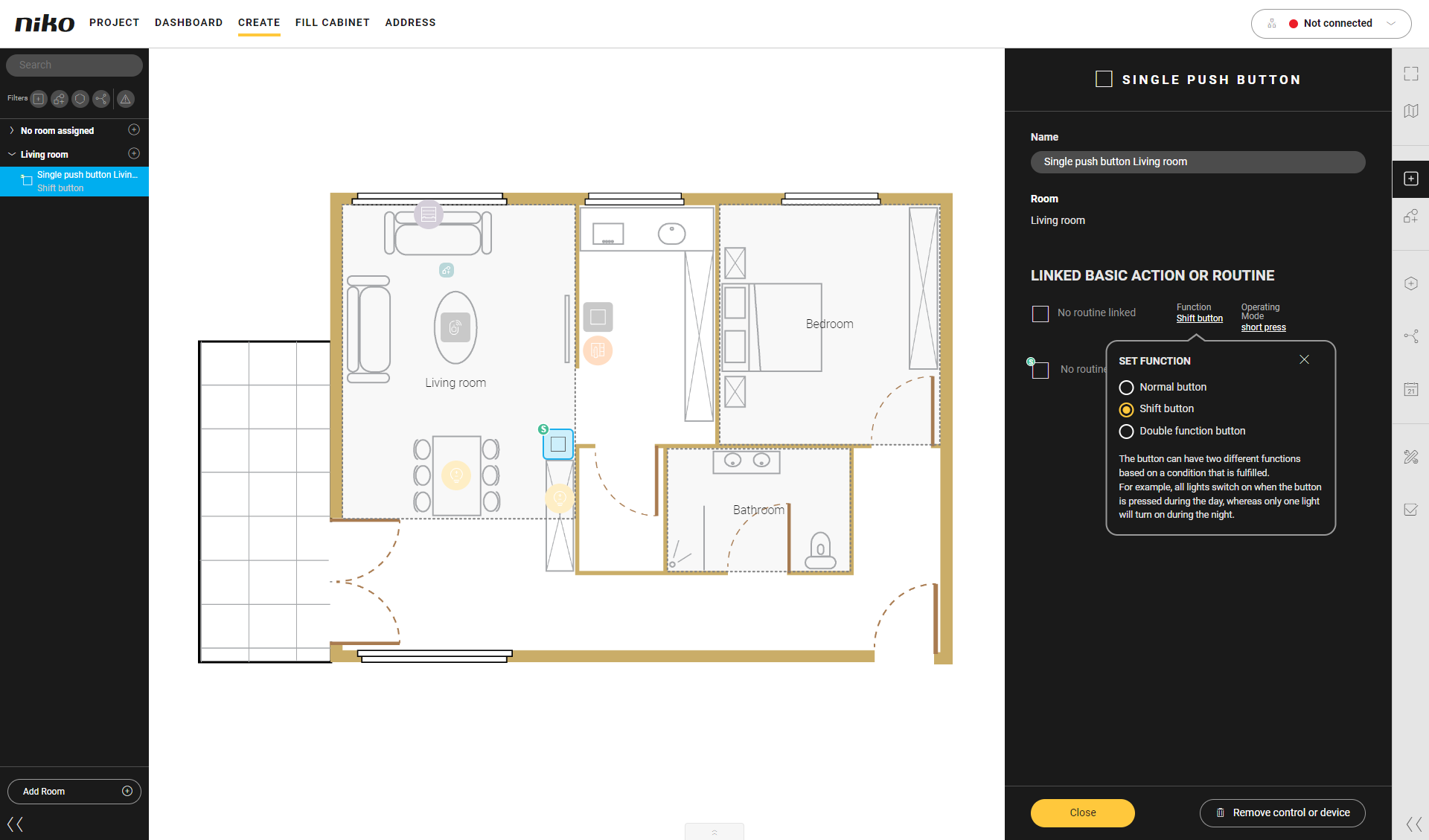
A shift function allows you to link two basic actions and/or routines to a button. A condition determines which action is carried out when you press the button.
The symbol of the control will then appear with an 'S' on the drawing area.
When you create a basic action or a routine for the control and you select the function Shift button you will see the following buttons:
-
shift disabled (normal) control
-
shift enabled control.
Use a condition to define when the control must follow the normal behaviour and when the shift behaviour.
Please also read 'Create menu - Shift function'.
Example:
If you press the light switch in the living room during the day, the corresponding lighting circuit will be activated at 100%.
If you press the light switch in the living room during the night, the corresponding lighting circuit will be activated at 30%.