
-
Als je het eigendom van de installatie aan je klant hebt overgedragen en je niet ter plaatse bent, kun je de functie Verbinding op afstand gebruiken om op afstand verbinding te maken met de controller van de overgedragen installatie. Je klant moet toegang tot zijn installatie toestaan via de Niko Home app.
-
De functie Bediening op afstand is momenteel gratis te gebruiken. In een toekomstige update zijn er kosten aan verbonden.
Startpunt
-
Je klant kan je de identificatiecode en het wachtwoord uit zijn Niko Home app geven (zie hieronder).
-
De controller is online.
-
Je computer is verbonden met het internet.
-
Je hebt de MOTIV Building Control programmeersoftware geopend en je bent ingelogd
of je hebt op Home geklikt in een open project.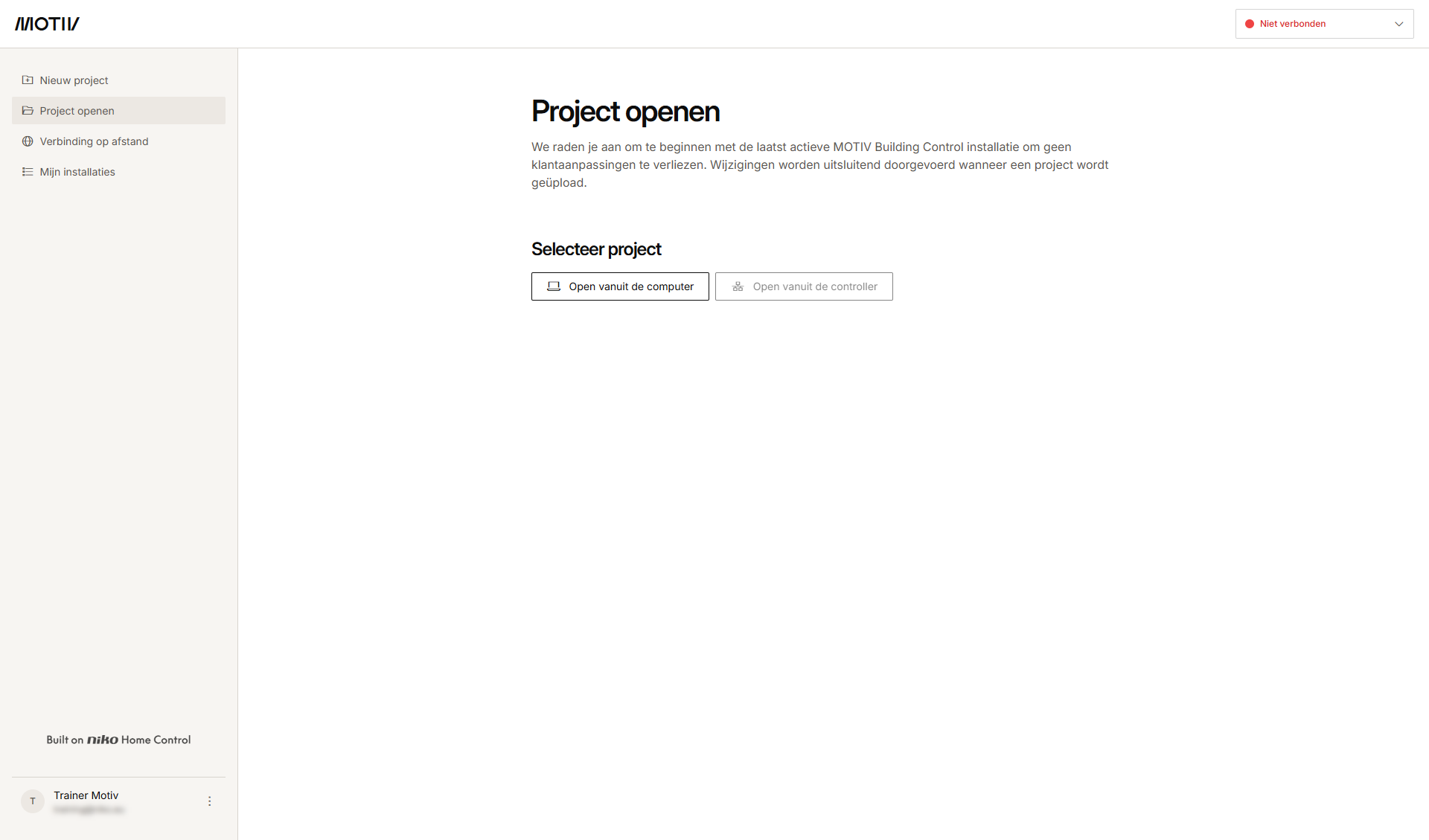
Procedure
-
Klik in het linkermenu op Verbinding op afstand.
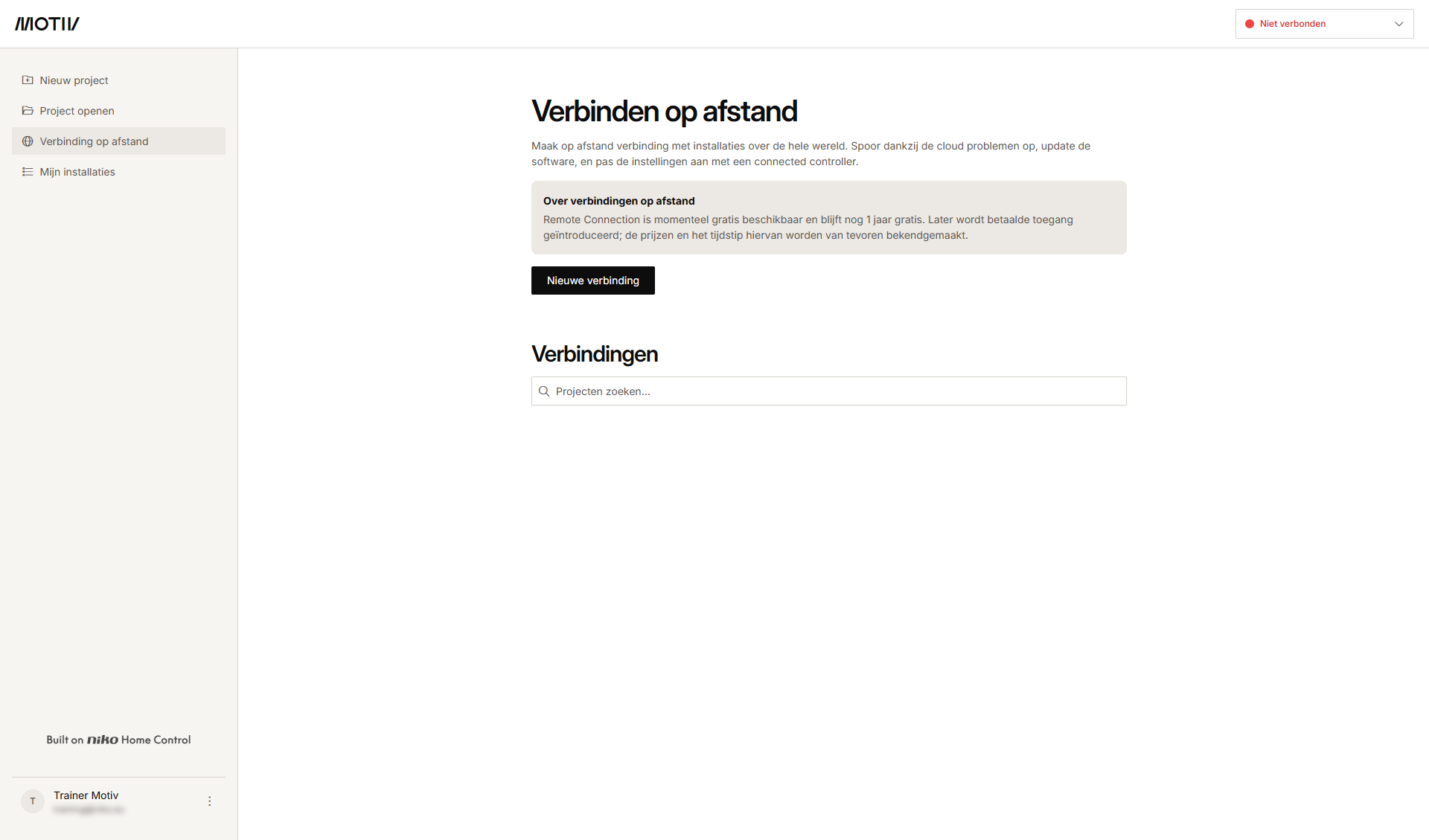
-
Klik op Nieuwe verbinding.
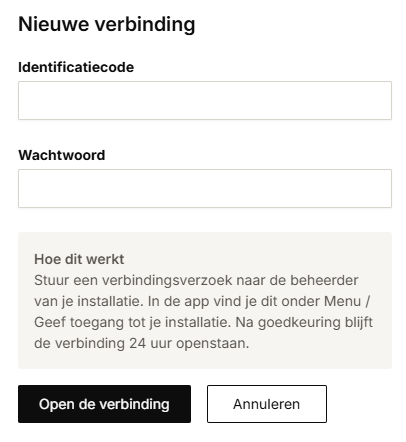
-
Typ de identificatiecode en het wachtwoord die je via de Niko Home app van de klant hebt gekregen.
-
Klik op Verbinding openen.
Resultaat: Afhankelijk van het aantal gevonden controllers:-
Indien één controller gevonden wordt, ben je automatisch verbonden. Ga naar stap 7.
-
Er verschijnt een lijst als er meer dan één controller gevonden wordt. Ga naar stap 5.
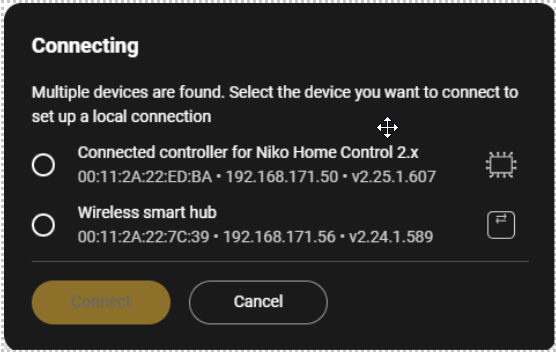
-
-
Selecteer de gewenste controller uit de lijst.
-
Klik op Verbinden.
Resultaat
: Je computer is verbonden met de controller, het programmeerbestand wordt vanuit de controller geladen in de MOTIV Building Control programmeersoftware en het overzichtsscherm Dashboard verschijnt.
-
Met de identificatiecode en het wachtwoord krijg je toegang tot alle controllers in de installatie.
-
Voor je klant staan de identificatiecode en het wachtwoord voor het instellen van de verbinding op afstand in de Niko Home app onder Menu > Toegang tot je installatie toestaan
-
De identificatiecode en het wachtwoord zijn 24 uur geldig.