Niko Home Control is evolving into MOTIV Building Control. MOTIV is a new brand for intelligent building automation. Built on the trusted foundation of Niko Home Control, MOTIV solutions are designed to make buildings work more naturally for the people inside them. MOTIV helps professionals create smarter, more comfortable buildings. With technology that works quietly in the background. All existing Niko Home Control solutions remain fully compatible with MOTIV. Over time, the full portfolio will move to the MOTIV brand. During this transition, you will see both Niko Home Control (NHC) and MOTIV Building Control (MBC) appear in this documentation. Discover MOTIV at niko.eu/MOTIV
Software Manual
2.28.1 2.27.1 English Danish Dutch French German Slovak Swedish

Opret en notifikation, når sikkerhedsalarmen går

  • Dette er et eksempel på en notifikation i Niko Home appen, der bruger en udløser fra et tredjepartssystem, der er installeret i din bolig.

  • Du kan finde tilslutningsskemaer og krav her.

Udgangspunkt

  • Du har installeret et sikkerhedssystem i din bolig. Sikkerhedssystemet har mindst én potentialfri udgangskontakt.

  • Din installation har en controller.

  • Din computer er forbundet med installationen.

  • Du er i oversigtsvinduet Opret.

Fremgangsmåde

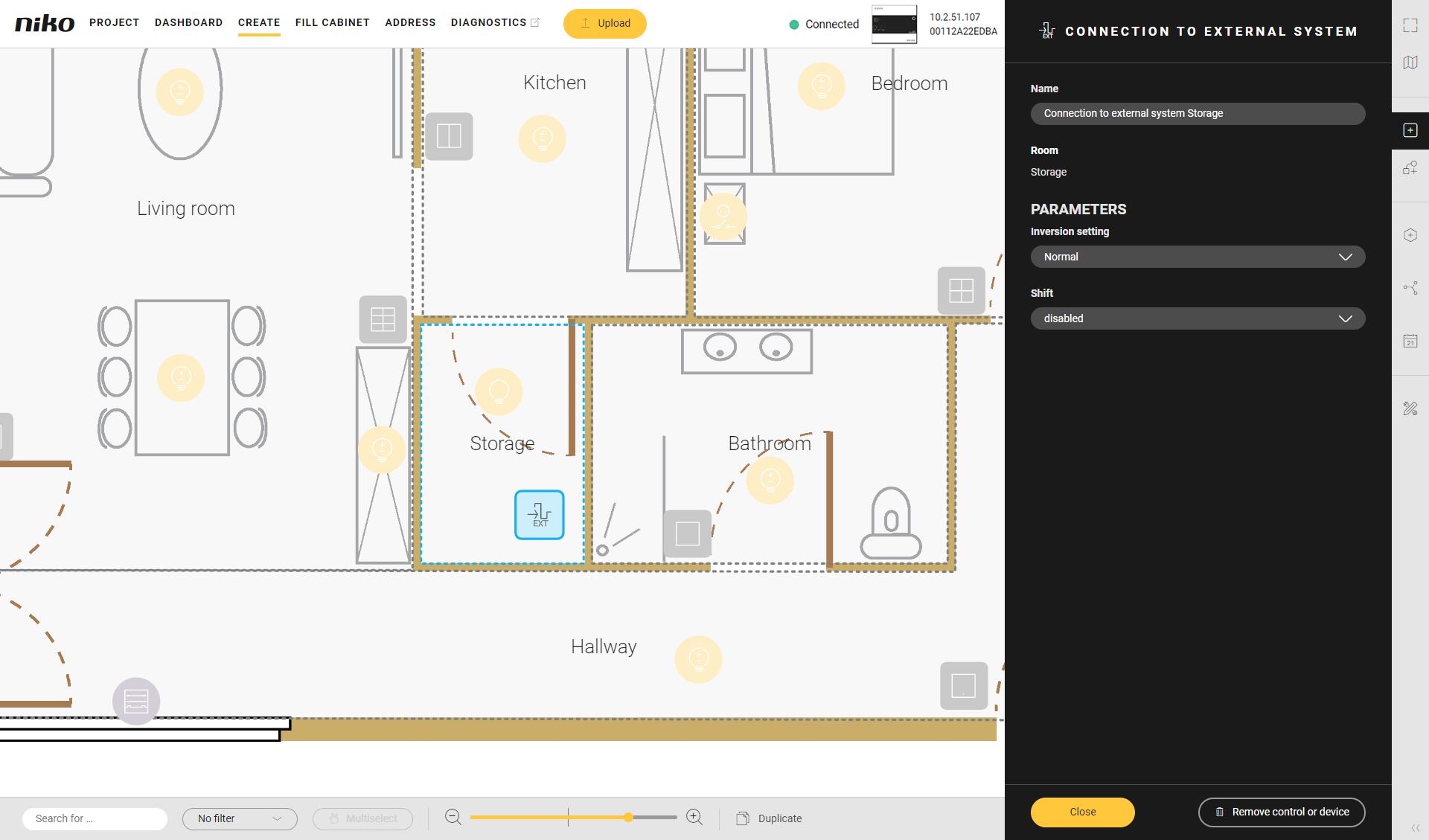
  1. Opret enheden Forbindelse til eksternt system.
    Alt text
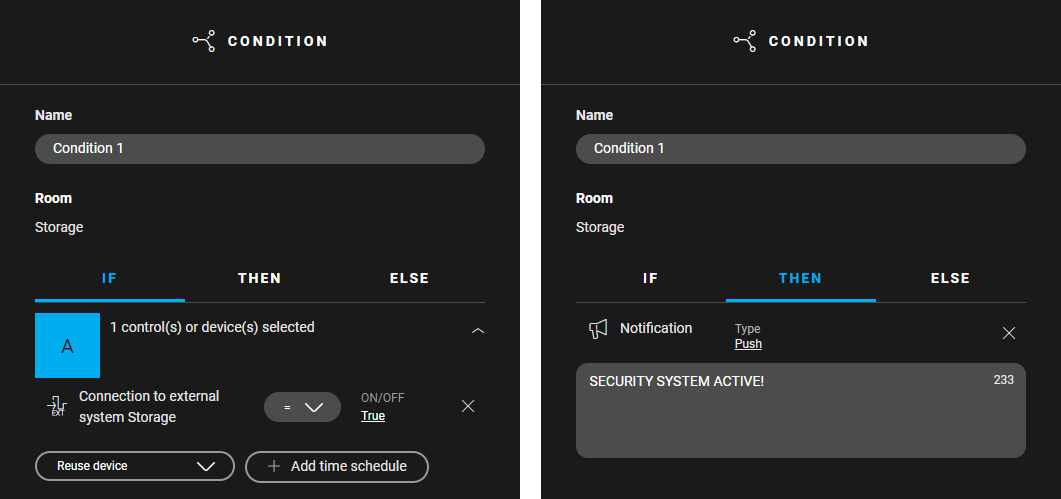
  2. Opret en logikprogrammering:

    1. Indstil IF: vælg enheden Tilslutning til eksternt system og indstil ON/OFF-værdien til TRUE.

    2. Indstil THEN: klik på Tilføj notifikation, vælg notifikationstype og angiv din notifikationsmeddelelse.
      Alt text
  3. Tilføj et digitalt sensormodul til tavlen.

  4. Tildel enheden Tilslutning af et eksternt system til modulet.

  5. Adresser det digitale sensormodul.

  6. Overfør konfigurationsfilen.