Niko Home Control is evolving into MOTIV Building Control. MOTIV is a new brand for intelligent building automation. Built on the trusted foundation of Niko Home Control, MOTIV solutions are designed to make buildings work more naturally for the people inside them. MOTIV helps professionals create smarter, more comfortable buildings. With technology that works quietly in the background. All existing Niko Home Control solutions remain fully compatible with MOTIV. Over time, the full portfolio will move to the MOTIV brand. During this transition, you will see both Niko Home Control (NHC) and MOTIV Building Control (MBC) appear in this documentation. Discover MOTIV at niko.eu/MOTIV
Software Manual
2.28.1 2.27.1 English Danish Dutch French German Slovak Swedish

Tilføje en controller til en installation

Udgangspunkt

  • Din computer har forbindelse til internettet.

  • Du har åbnet og logget ind i MOTIV Building Control programmeringssoftwaren,
    eller du har klikket på Hjem, mens et projekt var åbent.

  • Du har registreret installationen.

https://s3-eu-west-1.amazonaws.com/guideimages/Screenshots/V2.9/EN/s19_02_07_228_001.png

Fremgangsmåde

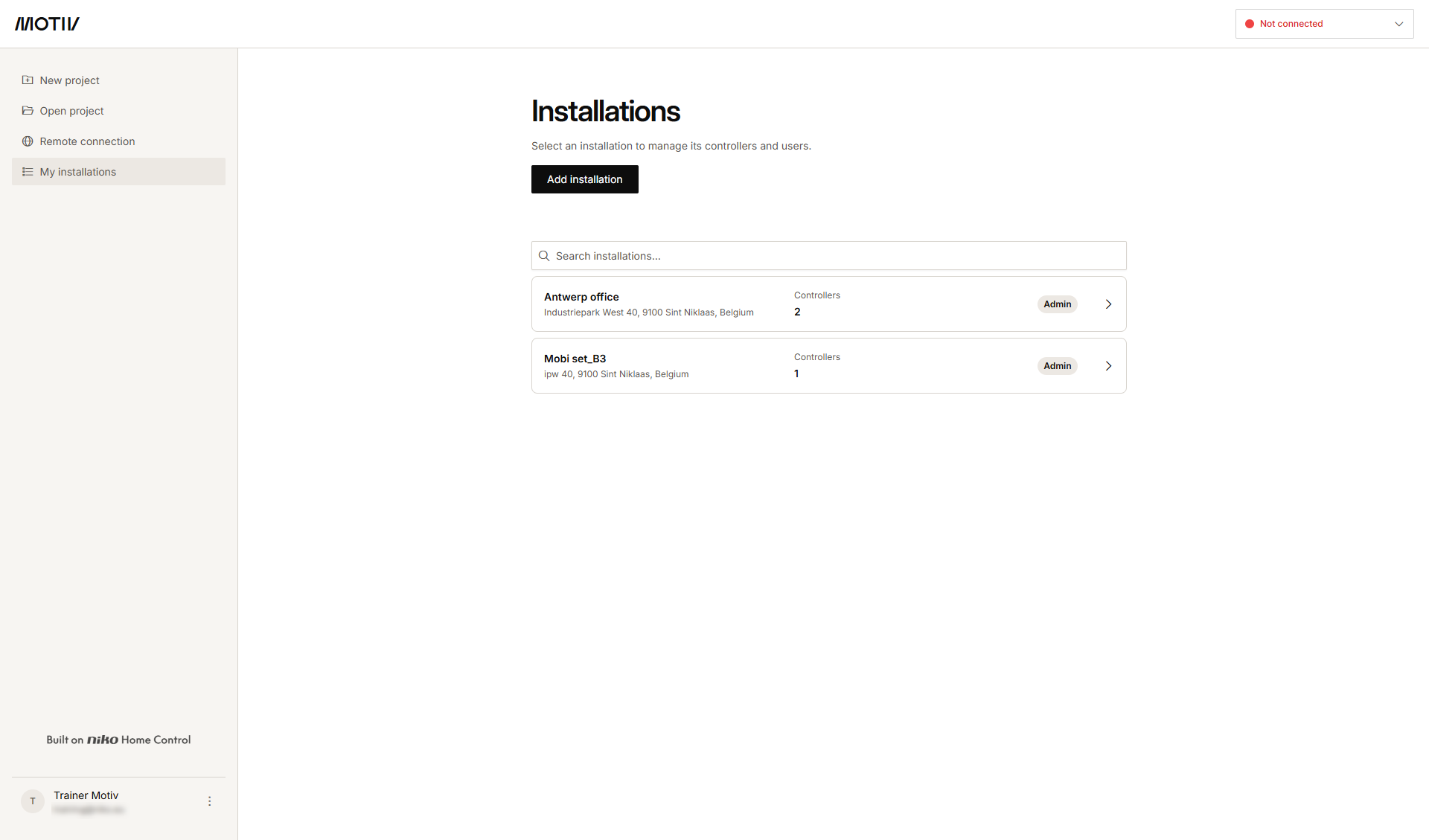
  1. Klik på Mine installationer i menuen til venstre.
    https://s3-eu-west-1.amazonaws.com/guideimages/Screenshots/V2.9/EN/s19_02_07_228_002.png
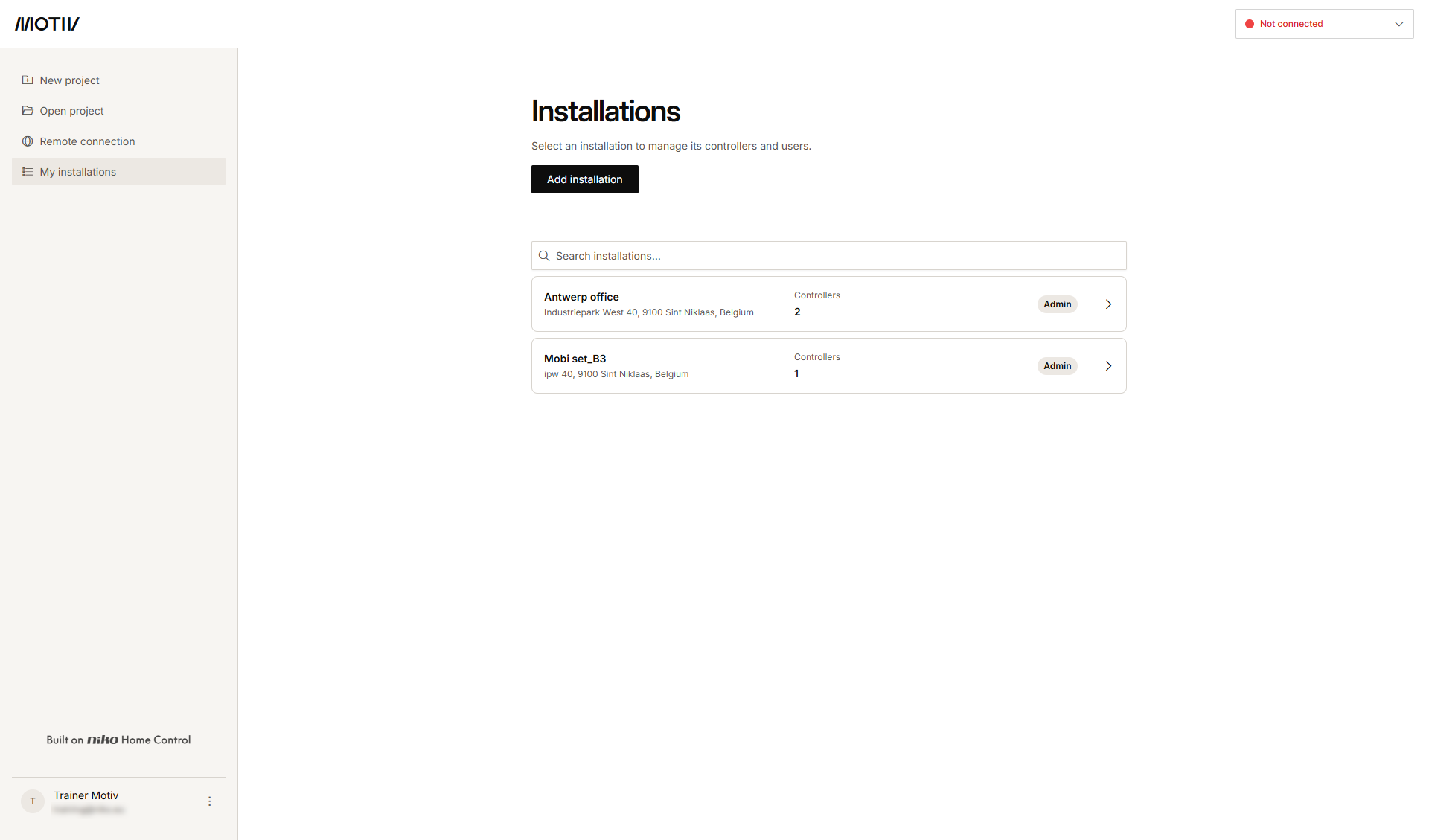
  2. Klik på pilen ud for den installation, hvor du vil tilføje controlleren.
    Resultat: Listen over controllere i installationen er vist med deres status.
    s19_02_07_228_003
  3. Klik på Tilføj controller.

    s19_02_07_228_004


  4. Udfyld MAC-adresse, serienummer og controllernavn.

  5. Klik på Tilføj controller.