
What can you do with Wever & Ducré and Niko Home Control?
If you connect your lights to Niko Home Control, you can create the ideal setting for your room.
You can:
-
Turn on/off one or more lights simultaneous
-
Dim up/down one or more lights simultaneous
-
Set the correct dim level
You can control the lights via push buttons, the Niko Home app on a tablet or smartphone, the Touchscreen and/or Digital black.
We recommend the following options to make even better use of this connection:
-
Combine this with audio, blinds, or heating to create the best settings for your room; see Custom routine
What do you need?
Niko requirements
Your Niko Home Control installation meets the following requirements:
-
It has a connected controller II and a DALI-2 addressable module and/or a DALI-2 broadcast module
Wever & Ducré requirements
Your system is one of the following DALI device types* (control gear):
-
DT0 (Fluorescent, lamp control gear)
-
DT1 (Self-contained emergency, control gear)
-
DT2 (Discharge HID, lamp control gear)
-
DT3 (Low-voltage halogen, lamp control gear)
-
DT4 (Incandescent lamp, dimmer)
-
DT5 (Conversion to DC voltage, 1-10V, 0-10V converter)
-
DT6 (LED lamp, control gear)
-
DT7 (Switching, relay control gear)
-
DT8 (Colour, control gear)
*Consult the website of the supplier for detailed specifications and the latest products.
Your system is one of the following Wever & Ducré products*:
-
Solli on strex 1.0
-
Ceno on strex 1.0
-
Ceno on strex 2.0
-
Ray on strex 1.0
-
Docus on strex 1.0
-
Box on strex 1.0
-
Hexo on strex 1.0
-
Roomor office
-
Gigant
-
Ello system 1.0
-
Odrey
-
Mick on strex 1.0
-
Mick on strex 2.0
-
Match on strex 3.0
-
Match on strex 5.0
*Consult the website of the supplier for detailed specifications and the latest products.
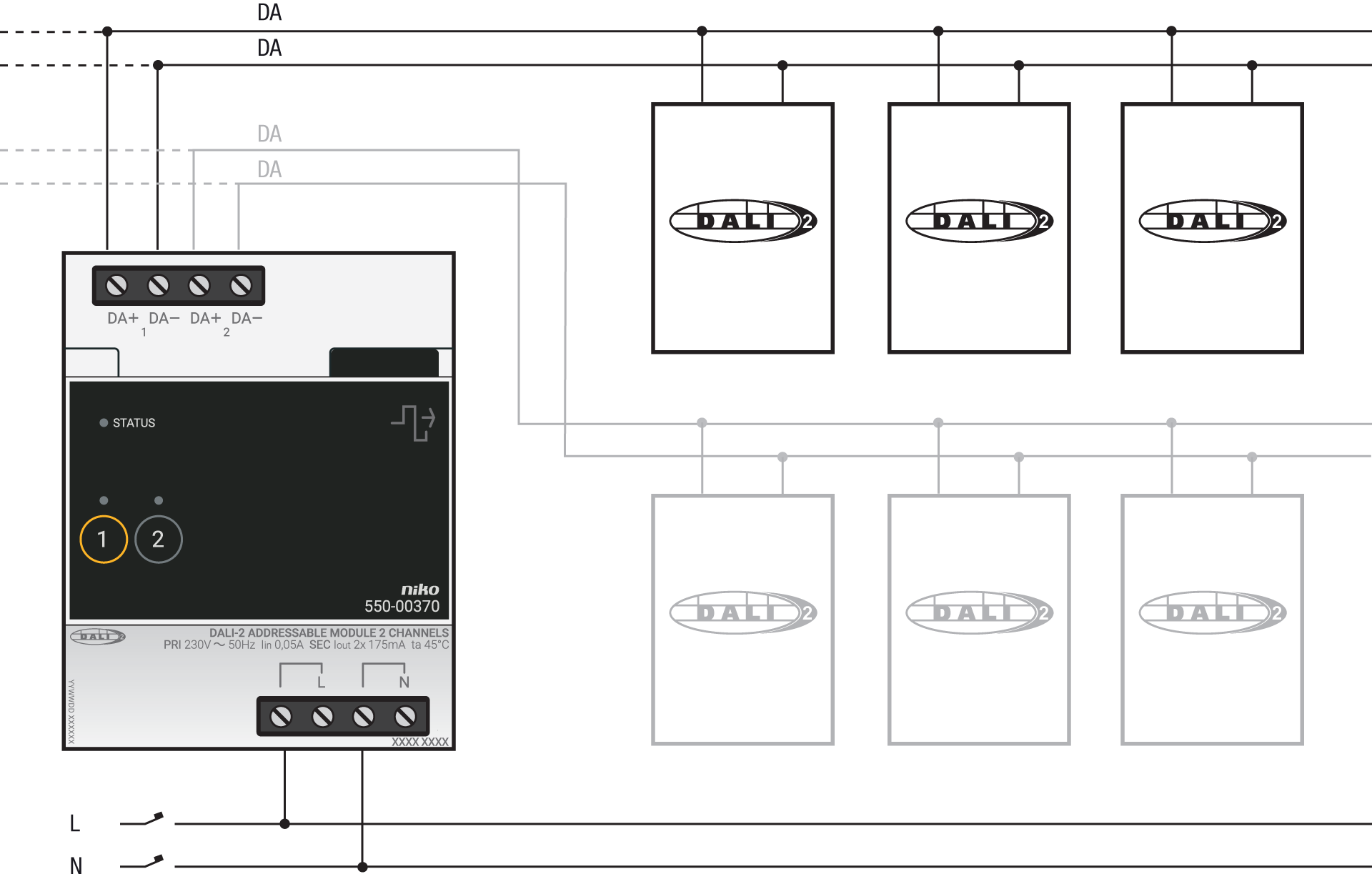
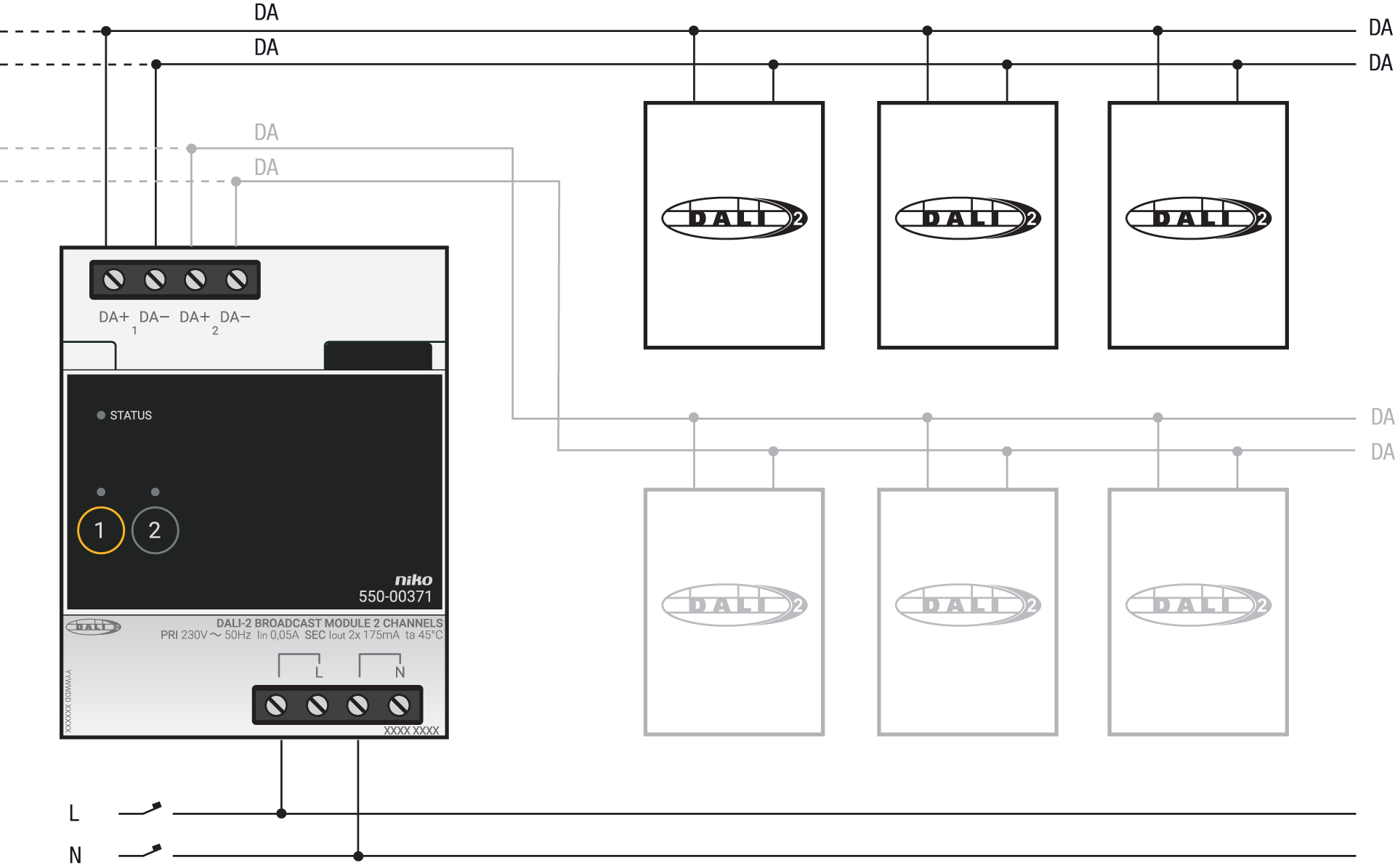
Wiring diagrams
DALI-2 addressable
DALI-2 broadcast
Programming
Create the DALI devices and configure the routines with DALI gear via the Niko Home Control programming software. For more information, see Creating a DALI device, Configuring the coulour settings of a DALI device, Scene and Custom routine.