Niko Home Control is evolving into MOTIV Building Control. MOTIV is a new brand for intelligent building automation. Built on the trusted foundation of Niko Home Control, MOTIV solutions are designed to make buildings work more naturally for the people inside them. MOTIV helps professionals create smarter, more comfortable buildings. With technology that works quietly in the background. All existing Niko Home Control solutions remain fully compatible with MOTIV. Over time, the full portfolio will move to the MOTIV brand. During this transition, you will see both Niko Home Control (NHC) and MOTIV Building Control (MBC) appear in this documentation. Discover MOTIV at niko.eu/MOTIV
Hardware Manual
English Danish Dutch French German Slovak Swedish

Connecting the smart hub to a smart/digital meter


The wireless smart hub is compatible with the following smart/digital meters:

  • Dutch smart meter (DSMR 2.2, 3,4 and 5)

  • Belgian digital meter (Fluvius, Ores, Sibelga, Resa)


P1 cable requirements

Depending on the distance between the smart hub and the smart/digital meter, you can use one of the following solutions:

Distance

Solution

< 2 m

Use the included P1 cable.

2 - 15 m

Assemble a longer cable:

  • Maximum length 15 m

  • UTP Cat 5e (or higher)

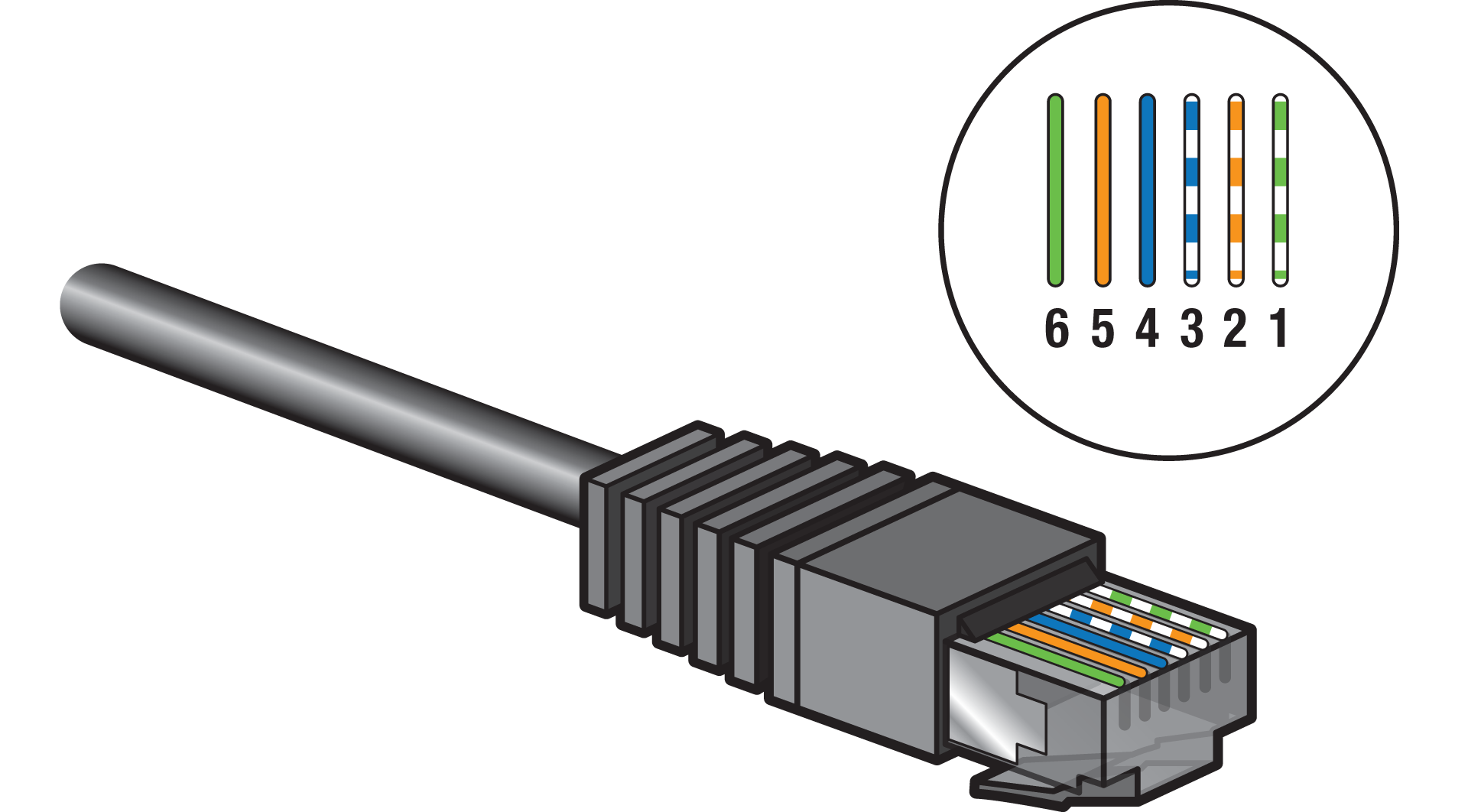
  • RJ12 6P6C connectors on both ends:

    • pin 1 and pin 6 are connected as a pair

    • pin 2 and pin 5 are connected as a pair

    • pin 3 and pin 4 are connected as a pair

    • one pair of the UTP cable will not be used (UTP cable has 4 pairs in total)

https://s3-eu-west-1.amazonaws.com/guideimages/HWScreenshots/V2.0/EN/552-0000X_TG005.png

> 15 m

Create a P1 cable extension, see https://guide.niko.eu/en/connhc2/lv/general-solution-p1-cable-extension-digital-meter

Avoid electrical equipment with high bursts (e.g. high-power devices, motorised devices) in the proximity of the cable.

Instructions

  1. Connect the P1 cable to the wireless smart hub's SMR port.

  2. Connect the P1 cable to the P1 port of the smart/digital meter.

  3. (optional) Contact your distribution company to activate the P1 port of the smart/digital meter.

https://s3-eu-west-1.amazonaws.com/guideimages/HWScreenshots/V2.0/EN/PM552-00001-023.png
https://s3-eu-west-1.amazonaws.com/guideimages/HWScreenshots/V2.0/EN/PM552-00001-024.png