Niko Home Control is evolving into MOTIV Building Control. MOTIV is a new brand for intelligent building automation. Built on the trusted foundation of Niko Home Control, MOTIV solutions are designed to make buildings work more naturally for the people inside them. MOTIV helps professionals create smarter, more comfortable buildings. With technology that works quietly in the background. All existing Niko Home Control solutions remain fully compatible with MOTIV. Over time, the full portfolio will move to the MOTIV brand. During this transition, you will see both Niko Home Control (NHC) and MOTIV Building Control (MBC) appear in this documentation. Discover MOTIV at niko.eu/MOTIV
Software Manual
Working version 2.27.1 English Dutch French Slovak Danish German Swedish

Adjusting the operating mode of a push button

You can adjust the operating mode of the following push buttons:

  • generic push buttons with or without LED

  • push-button interface used as 4-fold control

  • push button extension

  • wireless push buttons

  • Niko Rocker or Niko Toggle for Niko Home Control, configured as two separate generic buttons

  • MOTIV Sense3

You connect a push-button interface to an external (waterproof) push button to connect this to the bus. You can programme the interface in different ways: dim, roller shutter, ventilation or 4-fold control.

Startingpoint

Procedure

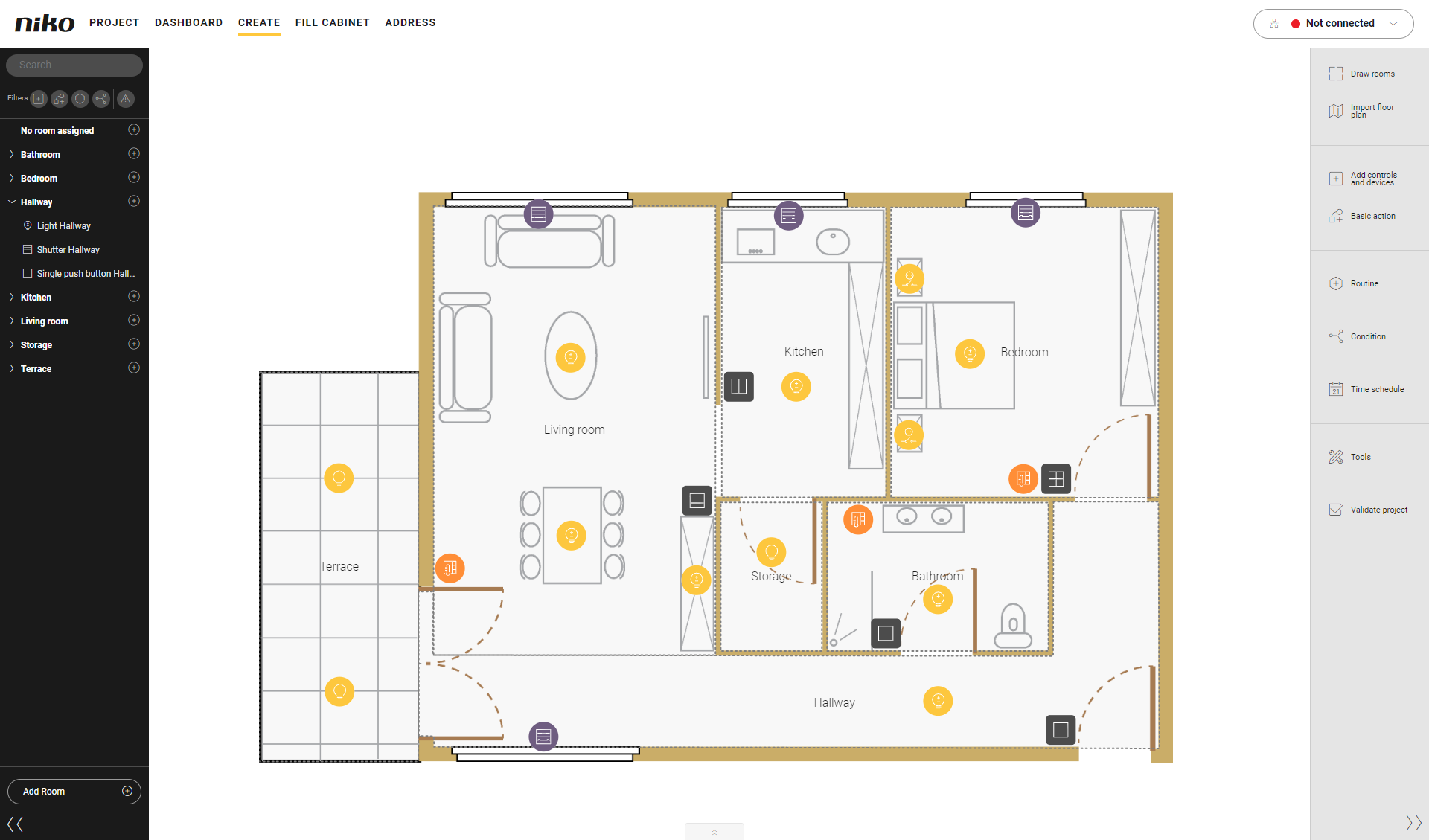
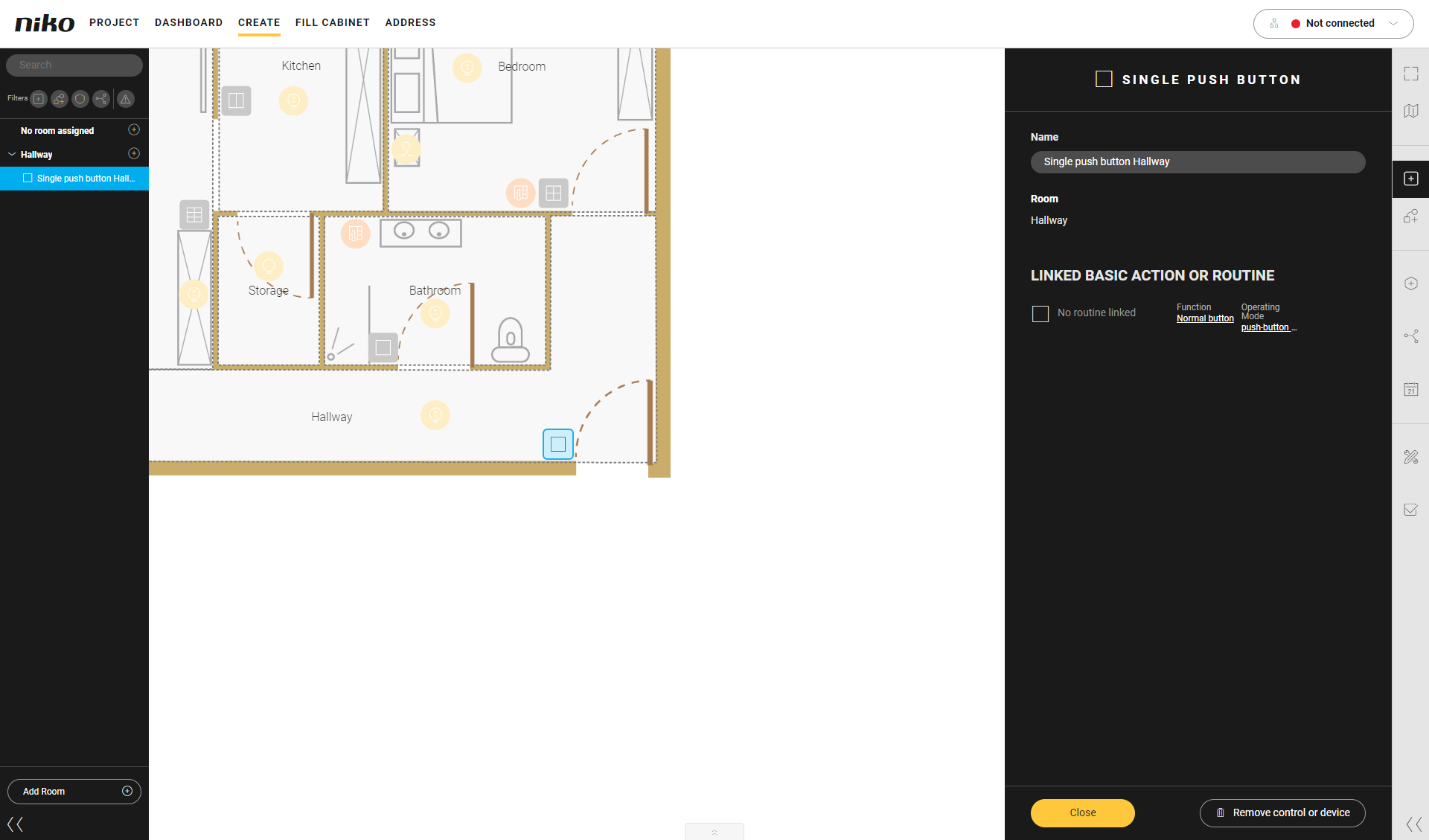
  1. Click on the push button.
    Result: The pane with the information appears.
    https://s3-eu-west-1.amazonaws.com/guideimages/Screenshots/V2.9/EN/s07_02_02_225_002.png

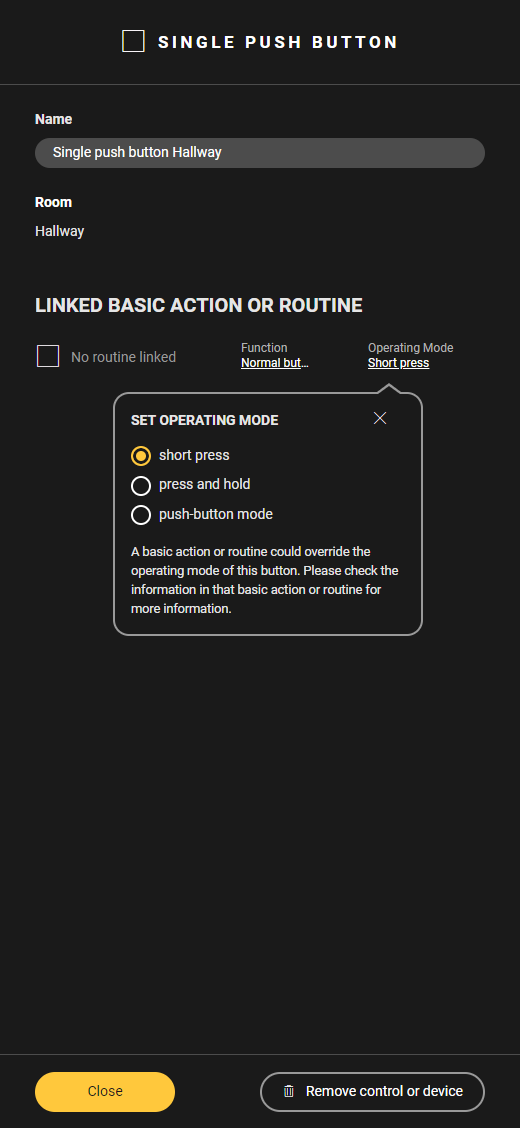
  2. Click on Operating mode
    Result: The Set operating mode menu appears.
    https://s3-eu-west-1.amazonaws.com/guideimages/Screenshots/V2.9/EN/s07_02_02_222_003.png

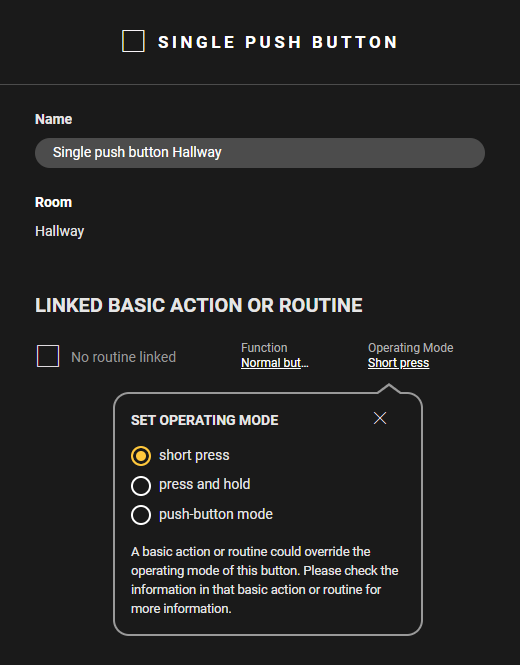
  3. Adjust the operating mode as follows:

  • Choose Short press to activate the basic action or routine by briefly pressing the push button.
    https://s3-eu-west-1.amazonaws.com/guideimages/Screenshots/V2.9/EN/s07_02_02_222_004.png
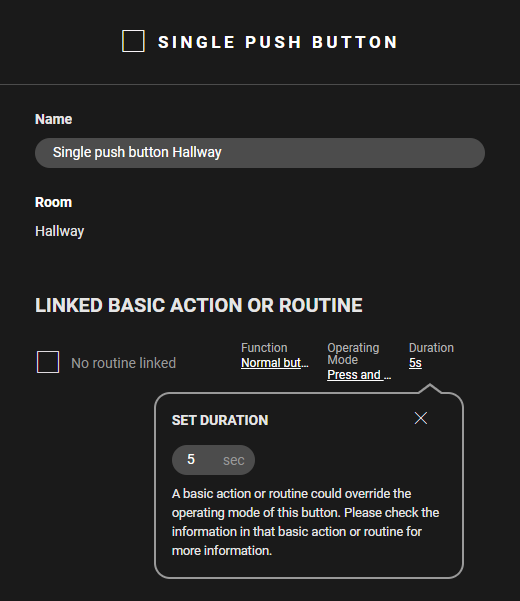
  • Choose Press and hold to activate the basic action or routine by holding down the push button. Set the Duration (minimum 1 sec. - maximum 59 sec.).
    https://s3-eu-west-1.amazonaws.com/guideimages/Screenshots/V2.9/EN/s07_02_02_222_005.png
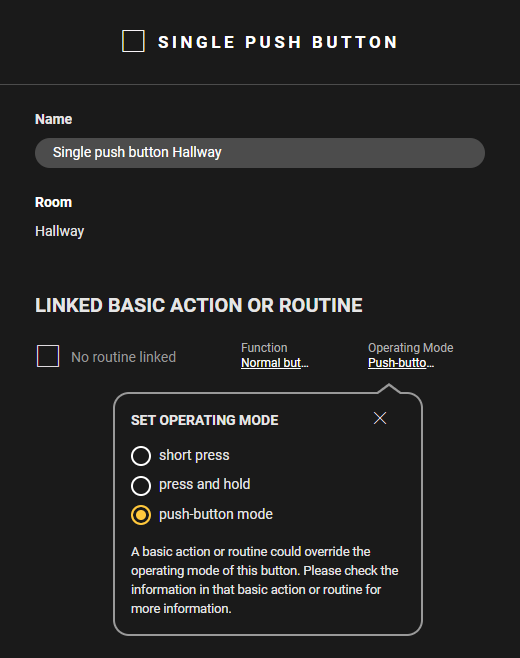
  • Select Push button mode to activate the basic action or routine for as long as you keep the push button pressed.
    https://s3-eu-west-1.amazonaws.com/guideimages/Screenshots/V2.9/EN/s07_02_02_222_006.png

Videos

See some examples here. Turn on the sound to watch the video.

Short press


Press and hold


Push button mode