
Point de départ
-
Votre ordinateur est connecté à une unité de contrôle.
-
Votre installation a déjà été programmée au moins une fois.
-
Vous avez ouvert le logiciel de programmation MOTIV Building Control (n'importe quel menu ou l'onglet Accueil).
Procédure
-
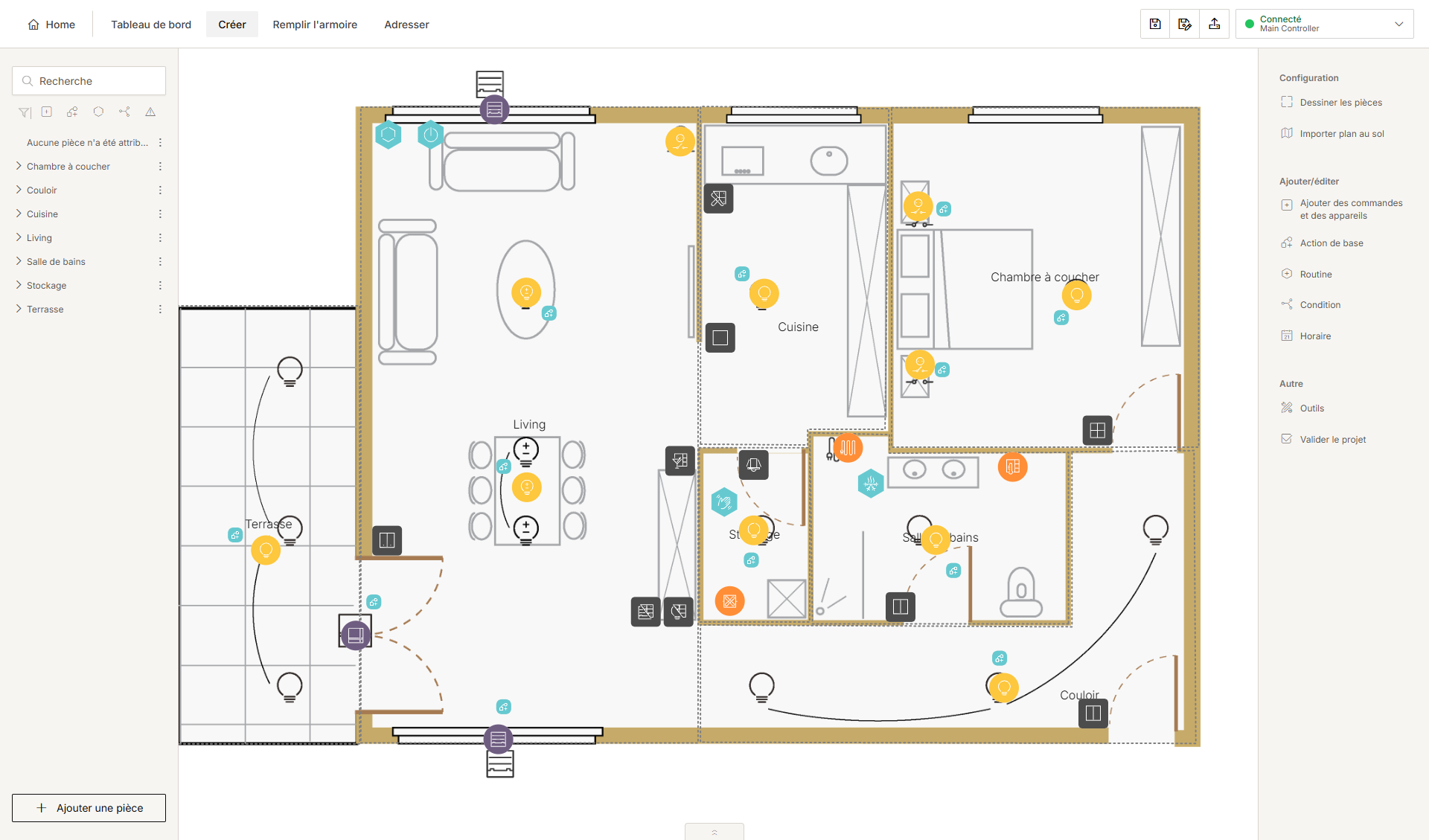
Dans la partie droite de la barre supérieure, cliquez sur le bouton Centre de connexion.
Résultat :
Le Centre de connexion s'ouvre.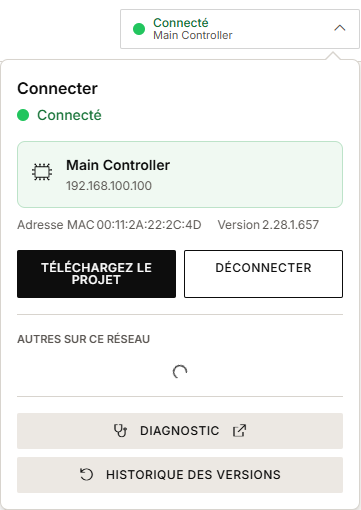
-
Cliquez sur Historique des versions.
Résultat :
Vos versions chargées précédemment apparaissent dans l'aperçu.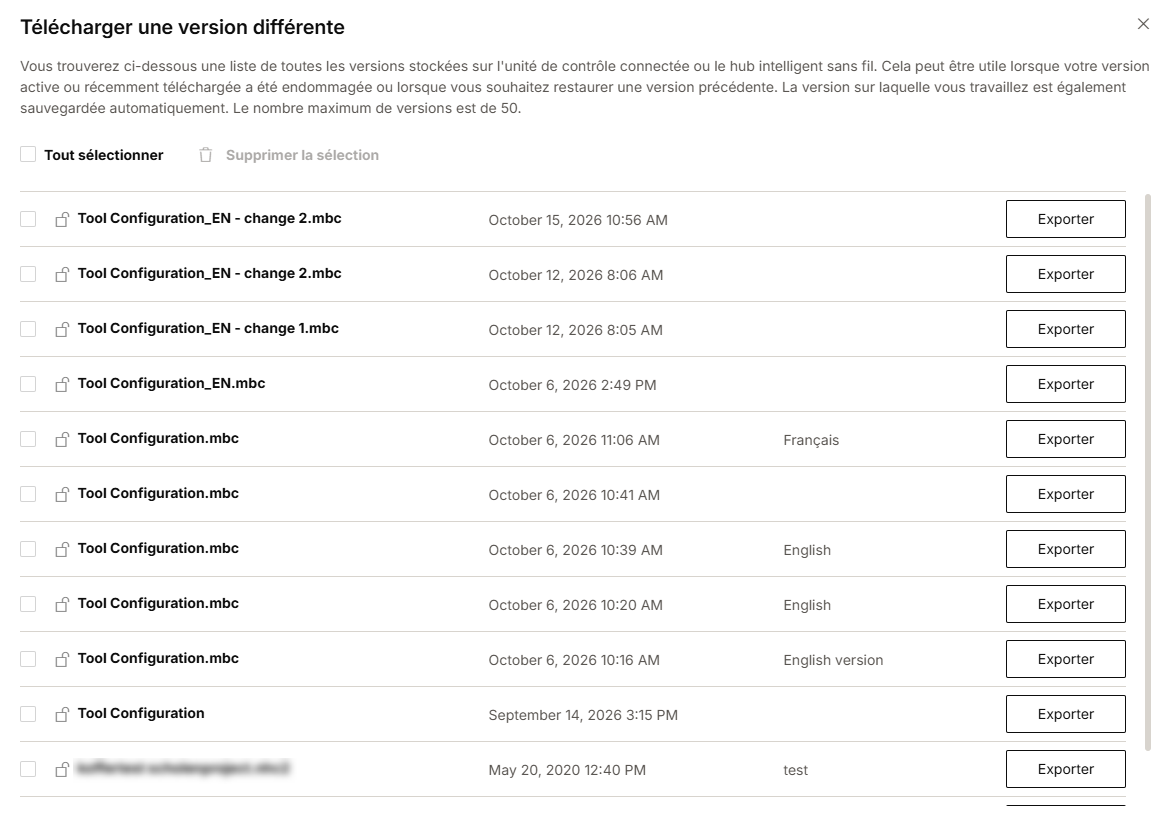
-
Sélectionnez un projet.
-
Cliquez sur Exporter pour enregistrer le projet comme fichier .mbc sur votre ordinateur.
-
Choisissez un dossier et un nom.
-
Cliquez sur Enregistrer.
-
Vous pouvez stocker un maximum de 50 projets sur votre installation.
-
Vous pouvez effacer un seul projet à la fois en le sélectionnant et en cliquant sur Supprimer l'élément sélectionné. Pour supprimer plusieurs projets ou tous les projets, cochez les cases souhaitées ou cochez Sélectionner tout et cliquez sur Supprimer la sélection.
-
Cliquez sur le verrou pour verrouiller un projet, afin qu'il ne puisse pas être supprimé par inadvertance.