Niko Home Control is evolving into MOTIV Building Control. MOTIV is a new brand for intelligent building automation. Built on the trusted foundation of Niko Home Control, MOTIV solutions are designed to make buildings work more naturally for the people inside them. MOTIV helps professionals create smarter, more comfortable buildings. With technology that works quietly in the background. All existing Niko Home Control solutions remain fully compatible with MOTIV. Over time, the full portfolio will move to the MOTIV brand. During this transition, you will see both Niko Home Control (NHC) and MOTIV Building Control (MBC) appear in this documentation. Discover MOTIV at niko.eu/MOTIV
Software Manual
2.28.1 2.27.1 English Danish Dutch French German Slovak Swedish

Een project aanmaken

Startpunt

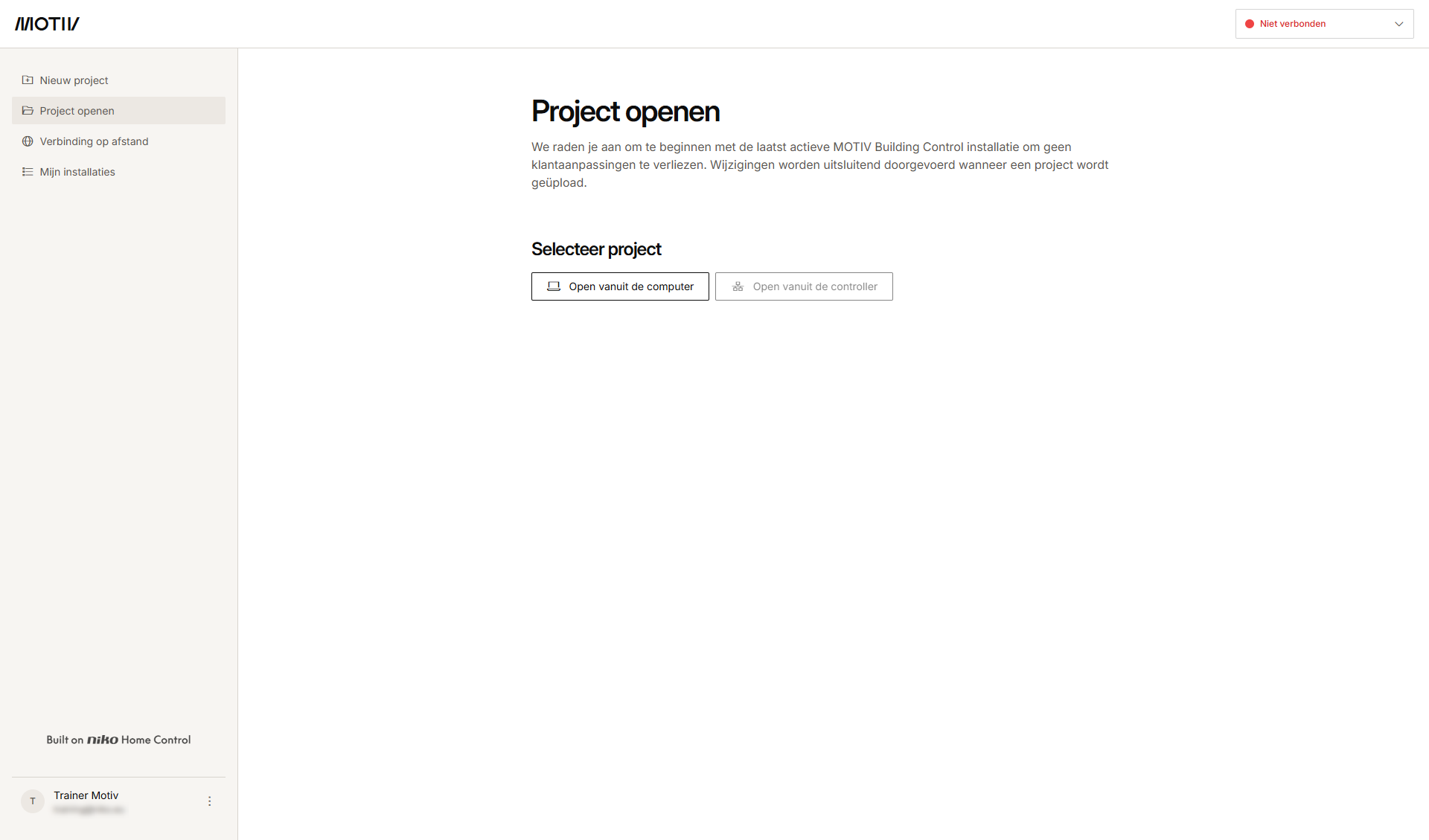
Je hebt de MOTIV Building Control programmeersoftware geopend
of je hebt op Home geklikt in een open project.
https://s3-eu-west-1.amazonaws.com/guideimages/Screenshots/V2.9/NL/s02_01_00_228_001.png

Procedure

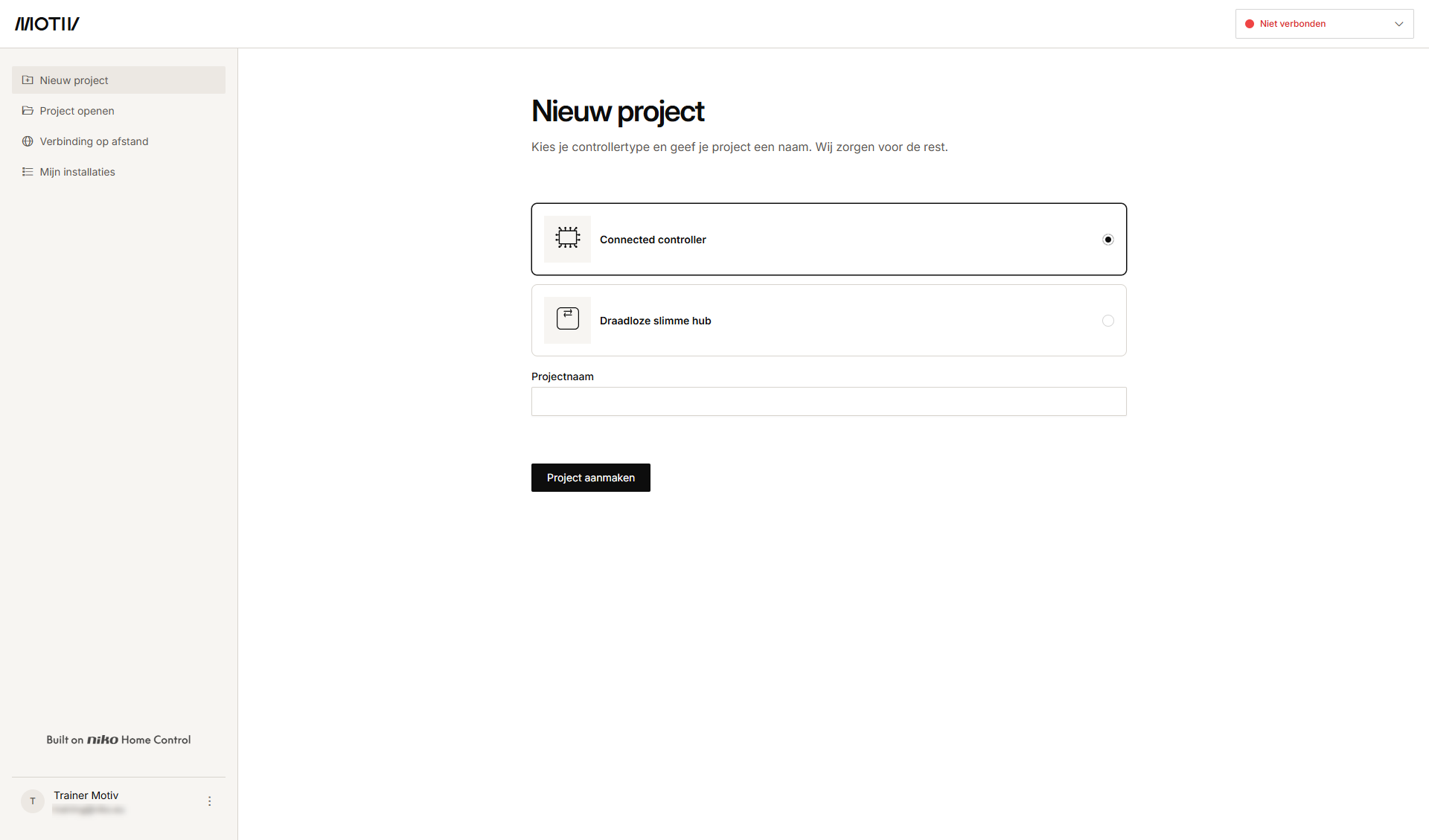
  1. Klik in het linkermenu op Nieuw project.
    s02_01_00_228_002
  2. Selecteer je installatietype.

  3. Vul de Projectnaam in en klik op Project aanmaken. Als er een project openstond, wordt je gevraagd om de wijzigingen op te slaan voordat je het sluit.
    Resultaat
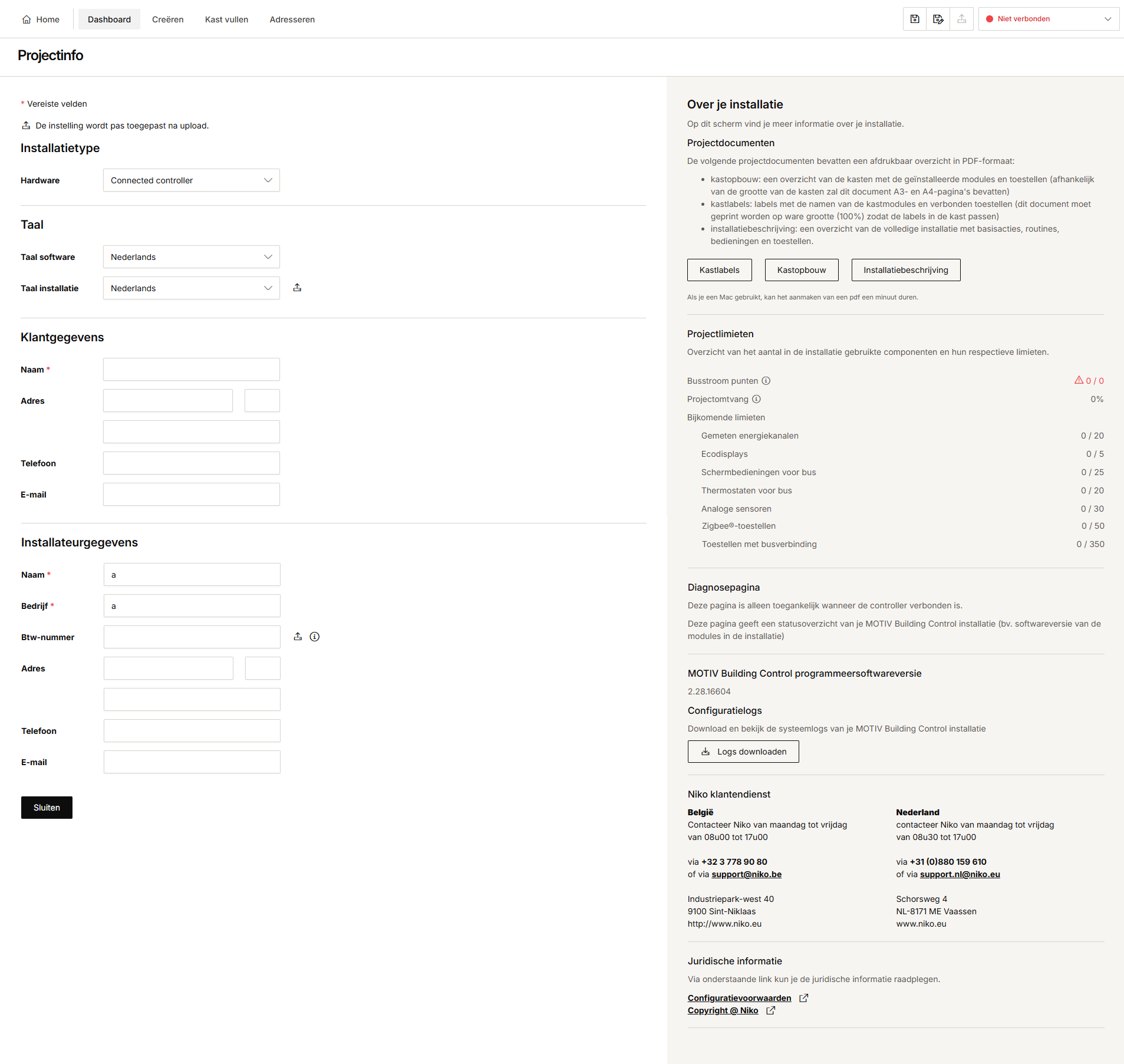
    : Het overzichtsvenster Dashboard verschijnt en toont de projectinformatie. Afhankelijk van je installatietype zal de getoonde informatie verschillen.
    https://s3-eu-west-1.amazonaws.com/guideimages/Screenshots/V2.9/NL/s02_01_00_228_002.png

    https://s3-eu-west-1.amazonaws.com/guideimages/Screenshots/V2.9/NL/s02_01_00_228_003.png

    Installatietype connected controller

    Installatietype draadloze slimme hub


  4. Vul de velden in. Verplichte velden zijn aangeduid met een sterretje.

  5. Klik op Sluiten om terug te keren naar het overzichtsvenster Dashboard.