Niko Home Control is evolving into MOTIV Building Control. MOTIV is a new brand for intelligent building automation. Built on the trusted foundation of Niko Home Control, MOTIV solutions are designed to make buildings work more naturally for the people inside them. MOTIV helps professionals create smarter, more comfortable buildings. With technology that works quietly in the background. All existing Niko Home Control solutions remain fully compatible with MOTIV. Over time, the full portfolio will move to the MOTIV brand. During this transition, you will see both Niko Home Control (NHC) and MOTIV Building Control (MBC) appear in this documentation. Discover MOTIV at niko.eu/MOTIV
Software Manual
2.28.1 2.27.1 English Danish Dutch French German Slovak Swedish

Shiftfunctie

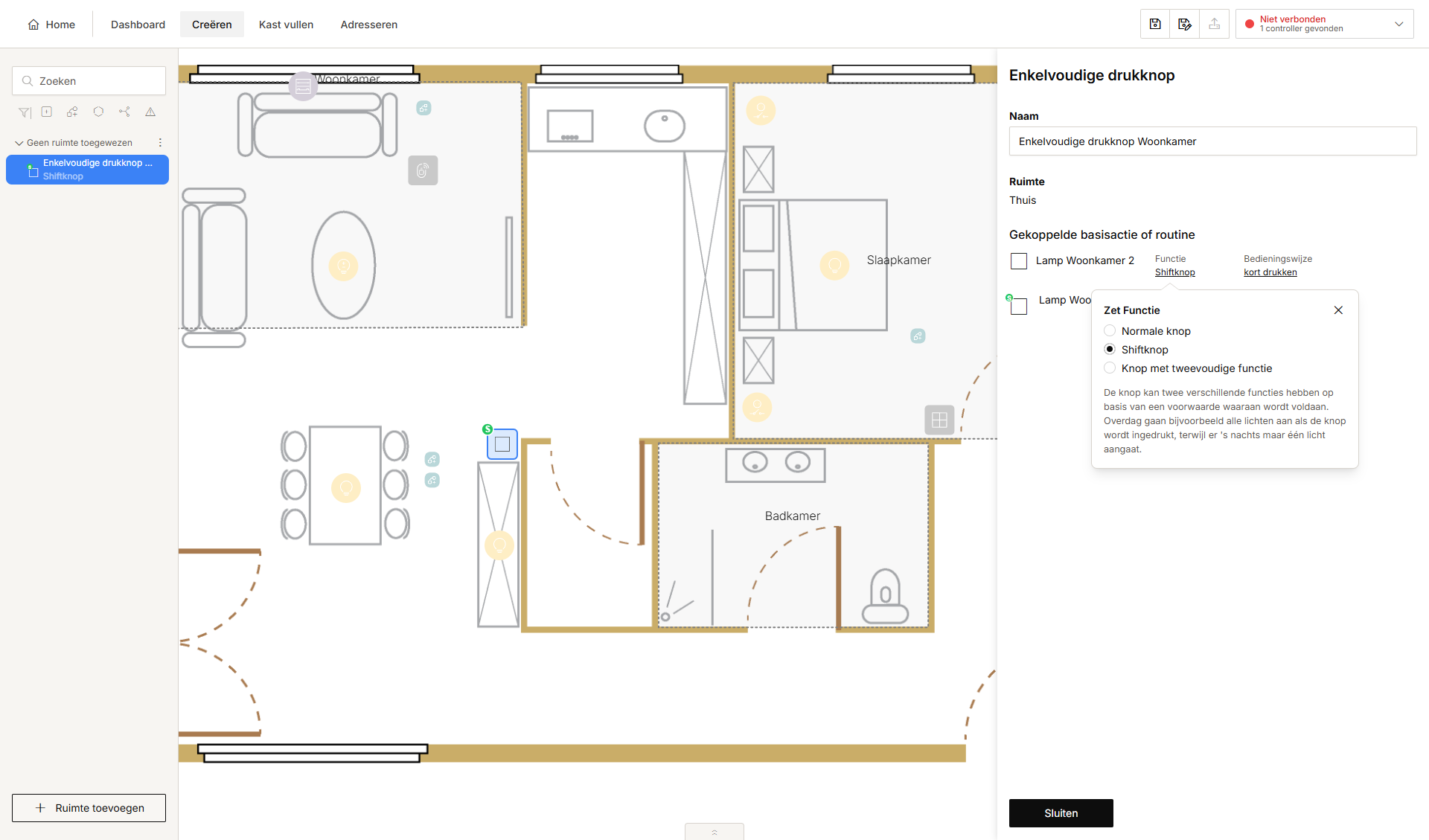
Een shiftfunctie laat toe om twee basisacties en/of routines aan een knop te koppelen. Een voorwaarde bepaalt welke actie uitgevoerd wordt wanneer je op de knop drukt.

Het symbool van de bediening krijgt de aanduiding "S" op het tekenvlak.

Wanneer je een basisactie of routine op de bediening maakt en de functie Shift-toets selecteert, worden volgende knoppen zichtbaar:

  • shift niet actief (gewone) bediening

  • shift actief bediening.

Gebruik een voorwaarde om te bepalen wanneer de bediening het gewone gedrag of het shifted gedrag moet uitvoeren.

Lees ook 'Menu Creëren - Shiftfunctie'.

Voorbeeld:

Druk je overdag op de lichtschakelaar in de woonkamer, dan brandt de bijhorende lichtkring op 100%.

Druk je 's nachts op de lichtschakelaar in de woonkamer, dan brandt de bijhorende lichtkring op 30%.

https://s3-eu-west-1.amazonaws.com/guideimages/Screenshots/V2.9/NL/s01_10_00_215_001.png


https://s3-eu-west-1.amazonaws.com/guideimages/Screenshots/V2.9/NL/s01_15_00_228_002.png