
Starting point
-
You addressed at least one DALI-2 broadcast module or DALI-2 addressable module.
-
The DALI control gear (DALI lamps) are connected in the installation.
-
Your computer is connected to the installation.
-
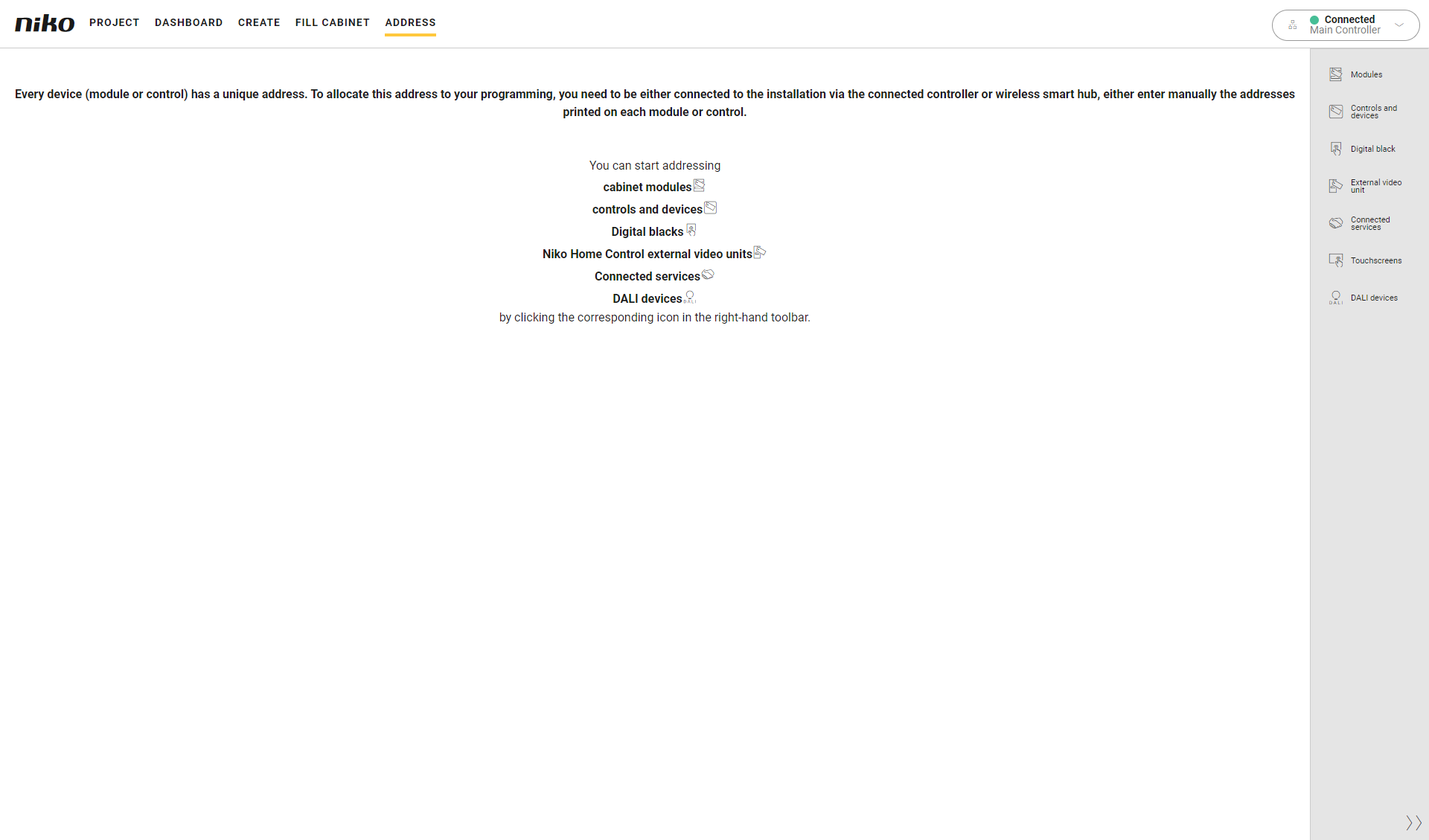
You are in the Address overview window.
Procedure
-
In the right-hand button bar, click on the button DALI devices.
Result:
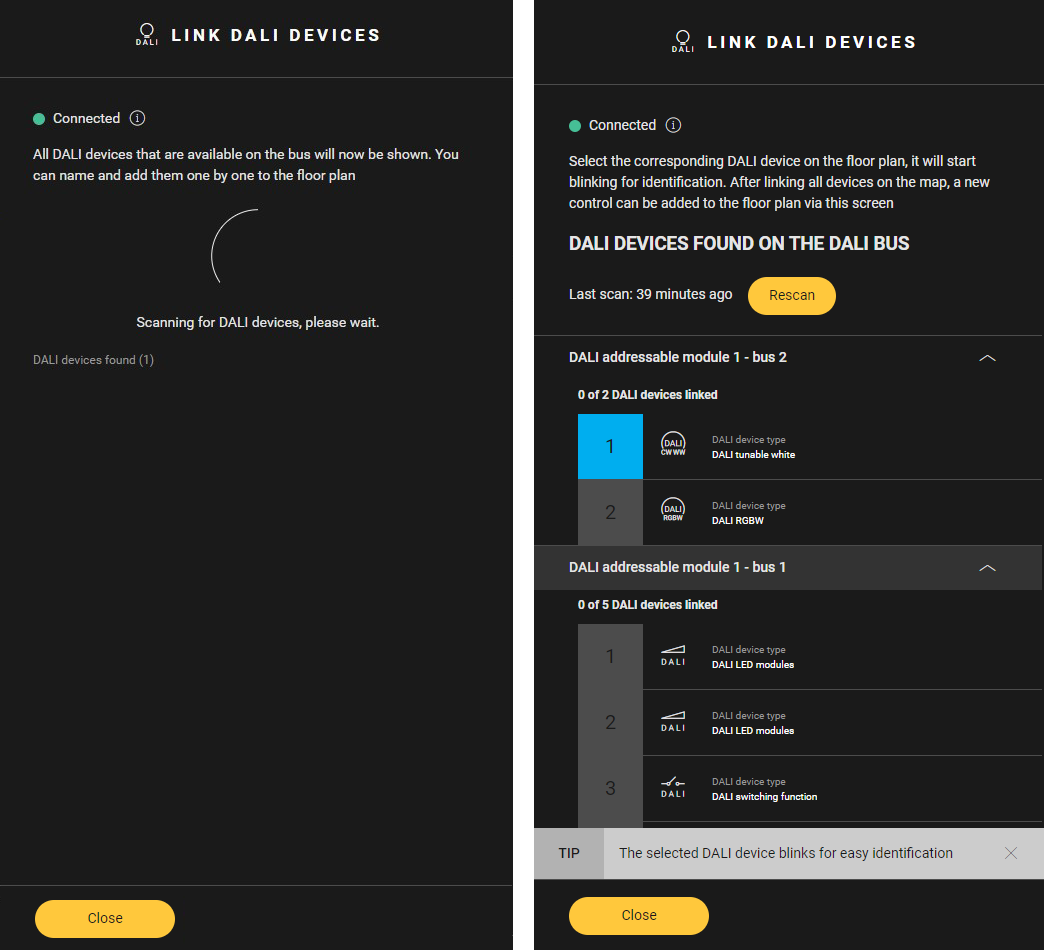
The Link DALI devices pane appears. -
If the DALI bus has not been scanned before, it is automatically scanned for DALI devices. If it has been scanned before, click the Rescan button to perform a new scan.
-
The discovered DALI devices are shown. They are sorted per DALI module and per bus.
-
For each DALI device:
-
Select the device in the Link DALI devices pane. Click on the arrow next to a DALI module - bus to display the DALI devices.
-
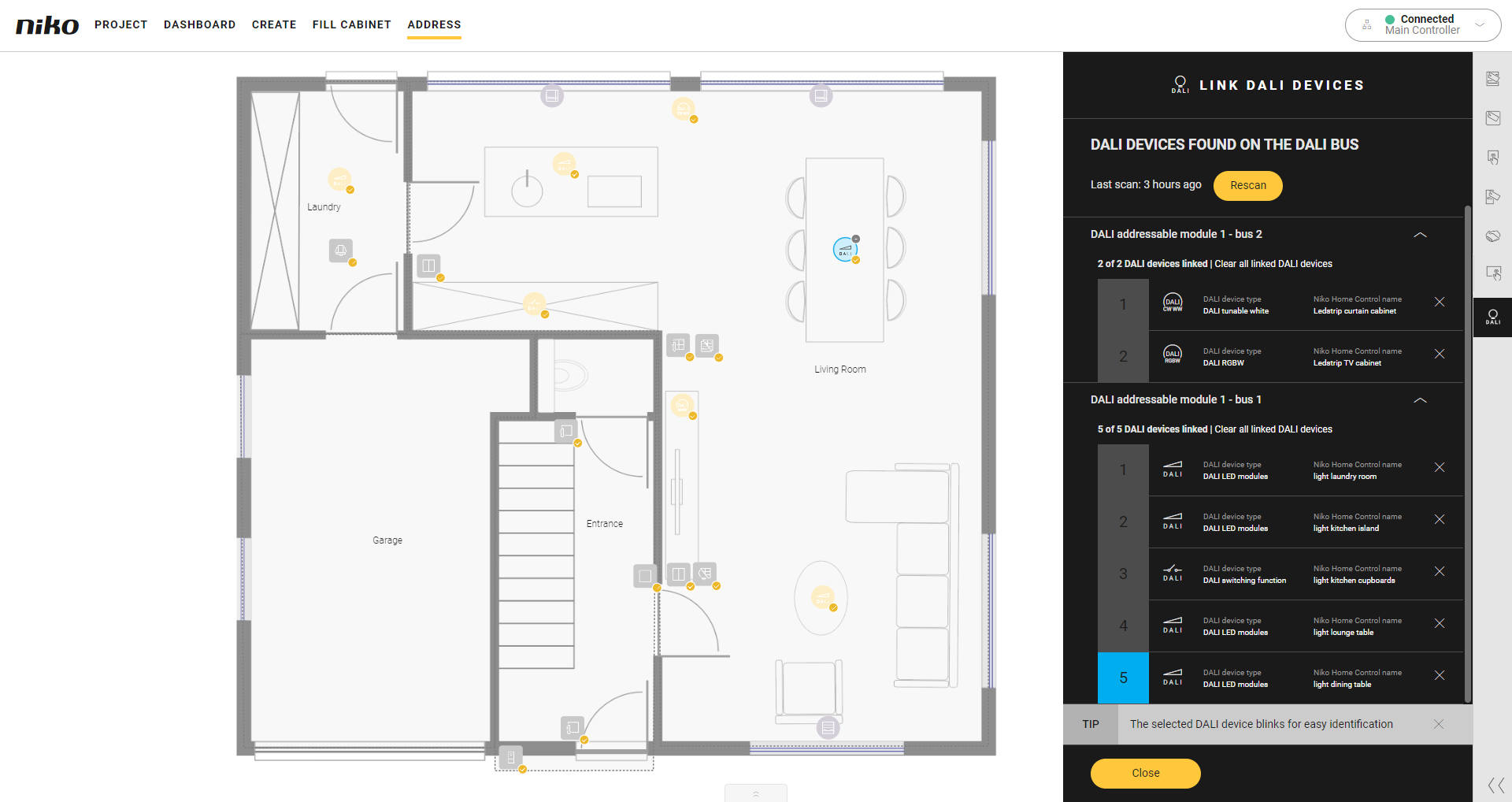
The corresponding DALI gear in your installation blinks.
-
Click on the plus sign of the corresponding device on the floor plan to link them.
-
-
Click the Close button to return to the Address overview window.
The time of the last scan is displayed. If you have made changes to the DALI configuration since the last scan, click the Rescan button to scan for the DALI devices on the DALI bus again.