
Vous pouvez également intégrer (adresser) le Digital black à l'aide de l'application Niko Home.
Point de départ
-
Vous avez installé physiquement le Digital black (24 V - 230 V).
-
Le Digital black est connecté au même réseau que votre installation (24 V - 230 V).
-
Votre ordinateur est connecté à l'installation.
-
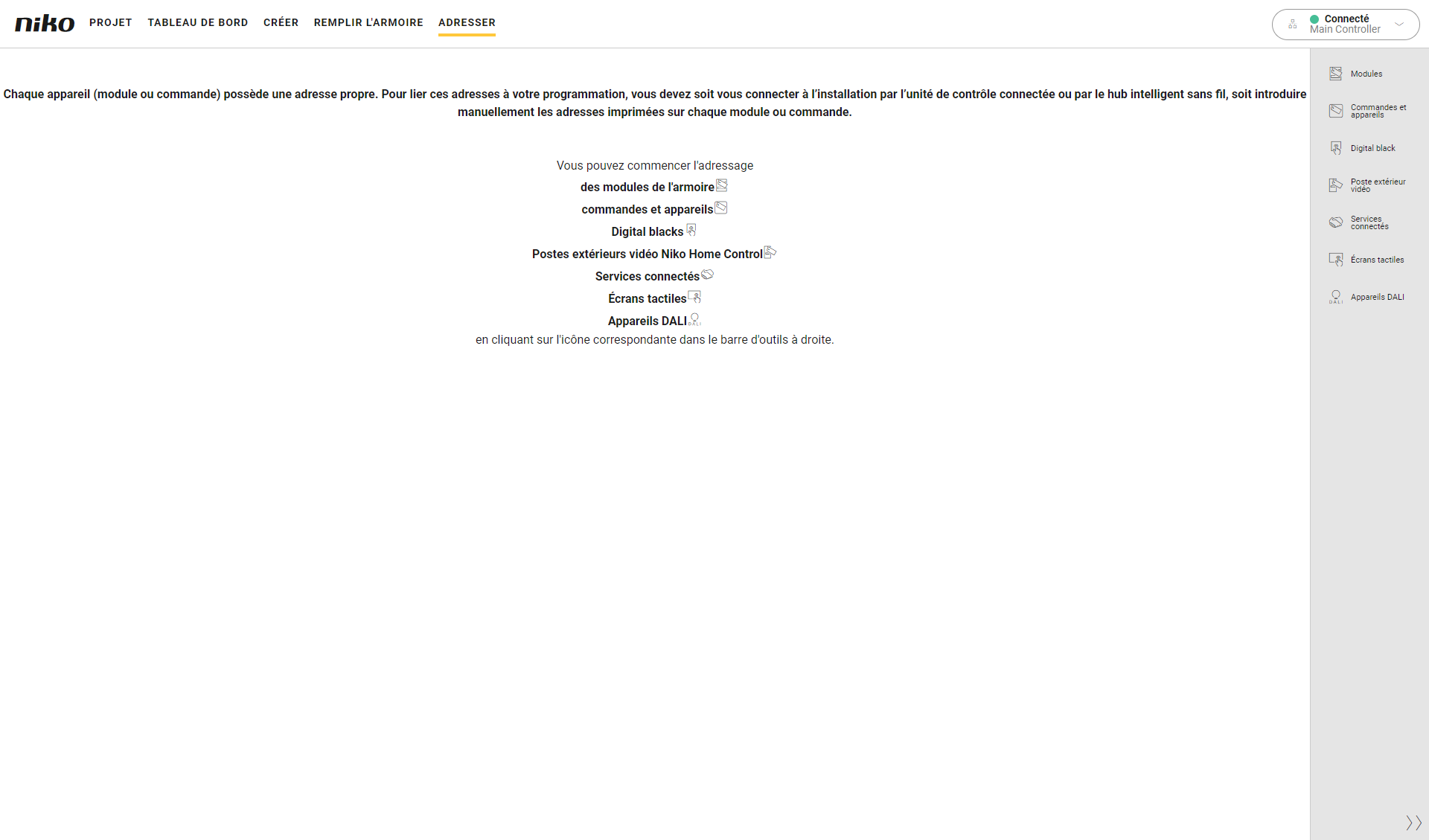
Vous êtes dans la fenêtre d'aperçu Adressage.
Procédure
-
Dans la barre de boutons à droite, cliquez sur le bouton Digital black.
Résultat :-
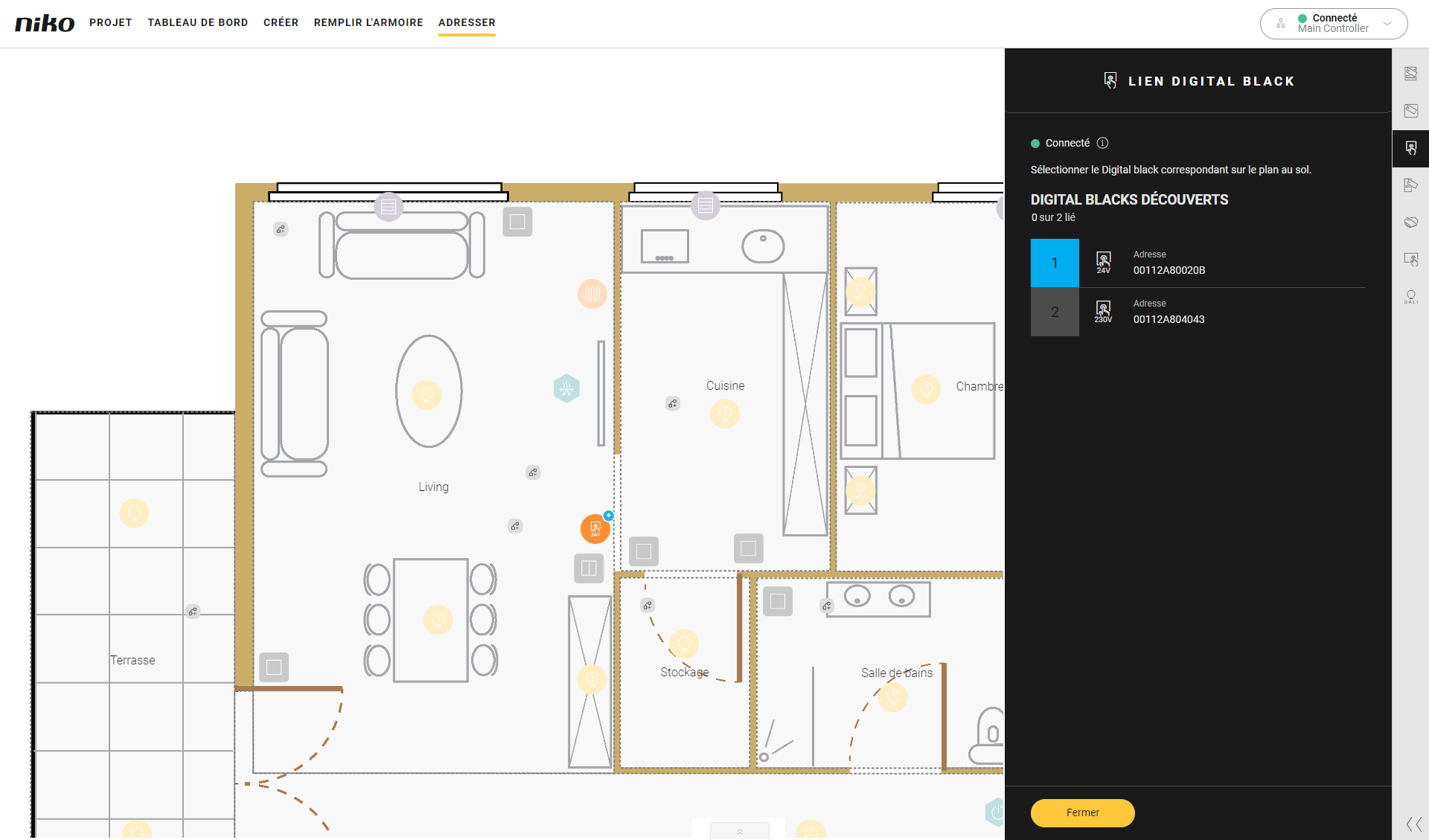
Le volet Lien Digital black s'affiche et présente les Digital black 24 V/230 V trouvés dans le réseau domestique, avec l'adresse MAC correspondante. Cette adresse MAC s'affiche également sur le Digital black.
-
Les Digital black sont présentés dans la zone de dessin.
-
-
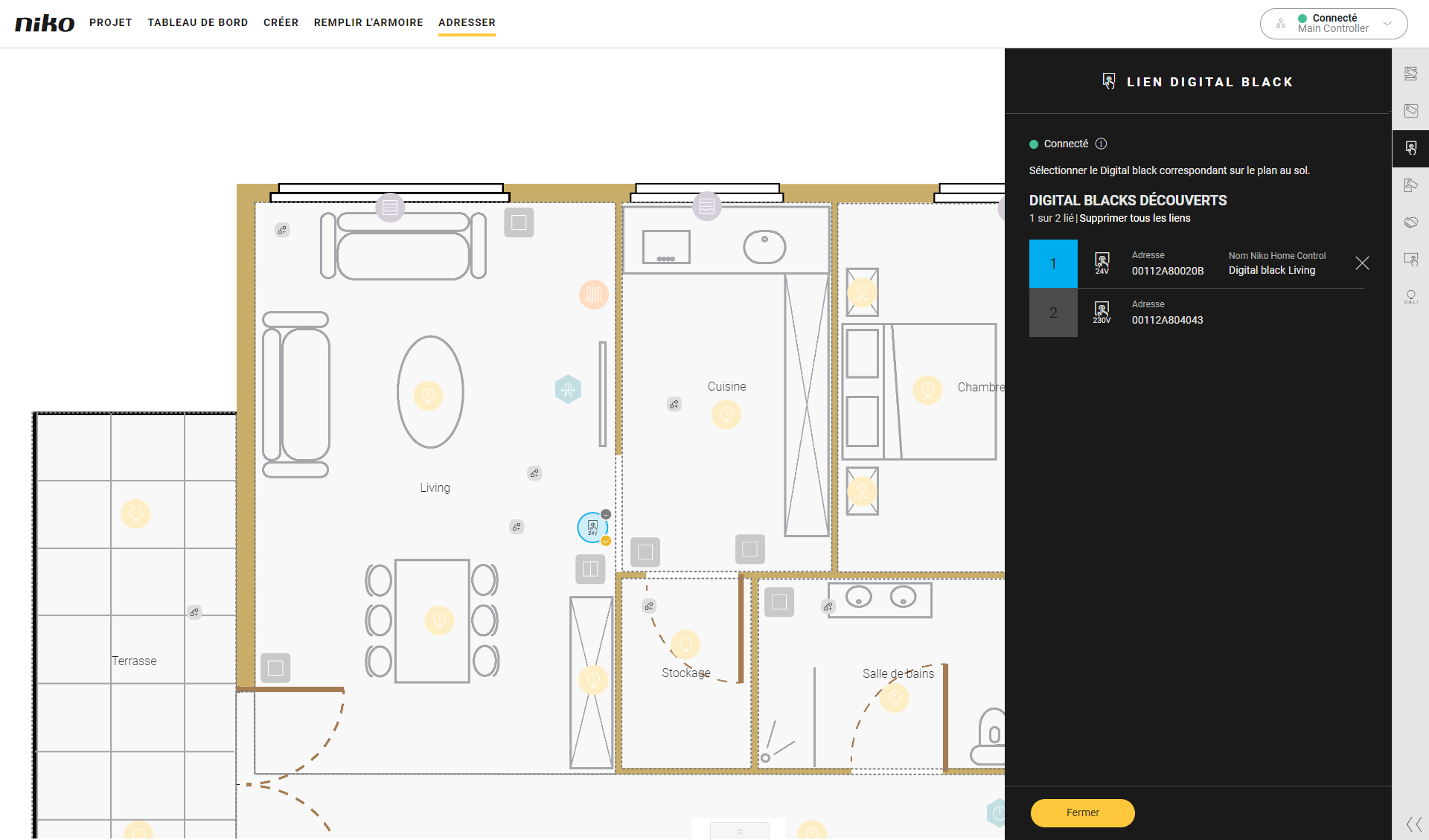
Cliquez sur les signes plus des Digital black sur le plan au sol pour les lier.
-
Cliquez sur le bouton Fermer pour revenir à la fenêtre d'aperçu Adresser.