
Startpunt
-
Je hebt de noodzakelijke bedieningen aangemaakt, inclusief een Niko touchscreen voor Niko Home Control en/of een MOTIV Touch10.
-
Alle componenten die je wilt adresseren zijn aanwezig en aangesloten in de installatie.
-
Je computer is verbonden met de installatie.
-
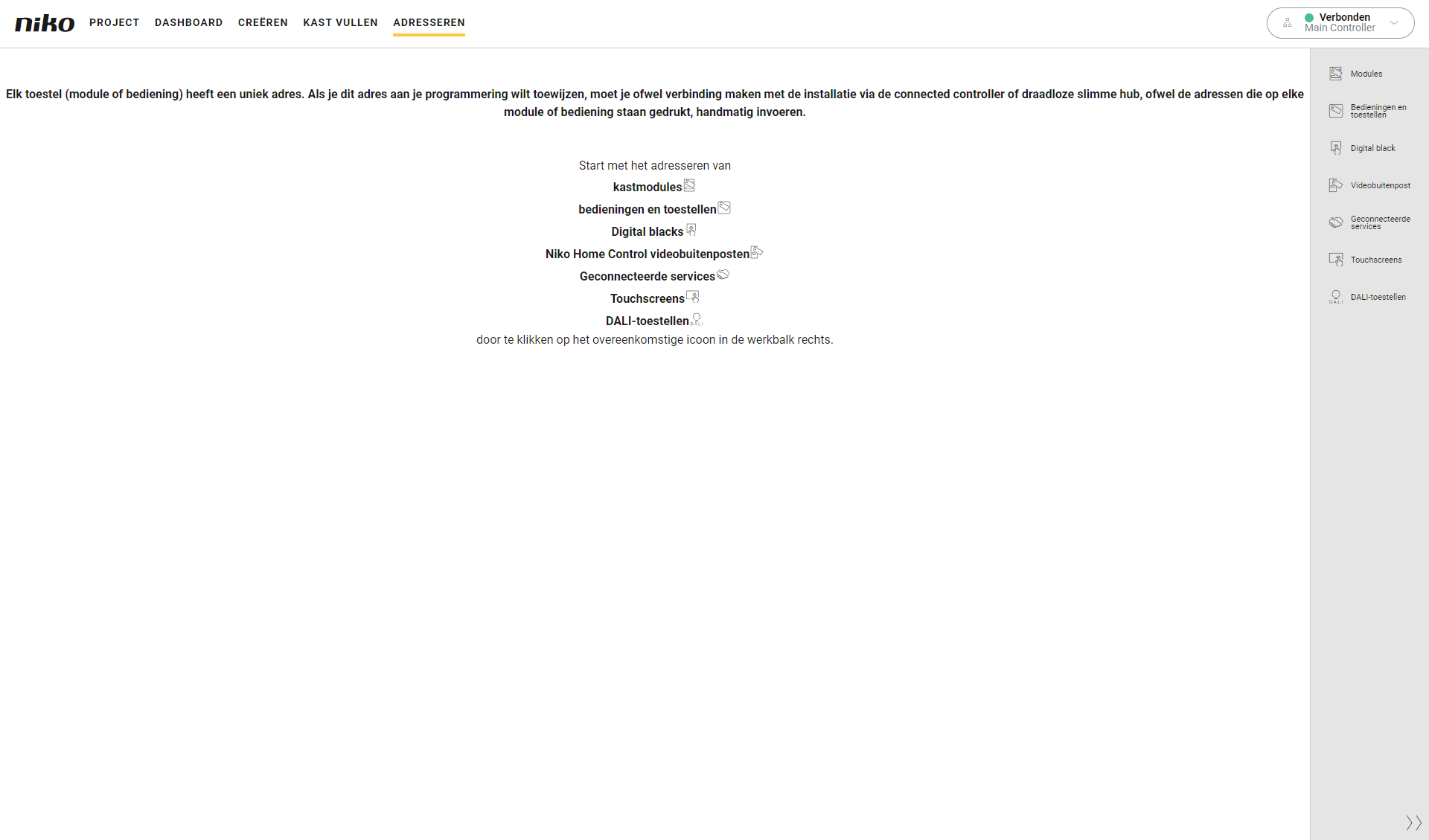
Je bevindt je in het overzichtsvenster Adresseren.
Procedure
-
Druk in de rechterknoppenbalk op de knop Touchscreens.
Resultaat:-
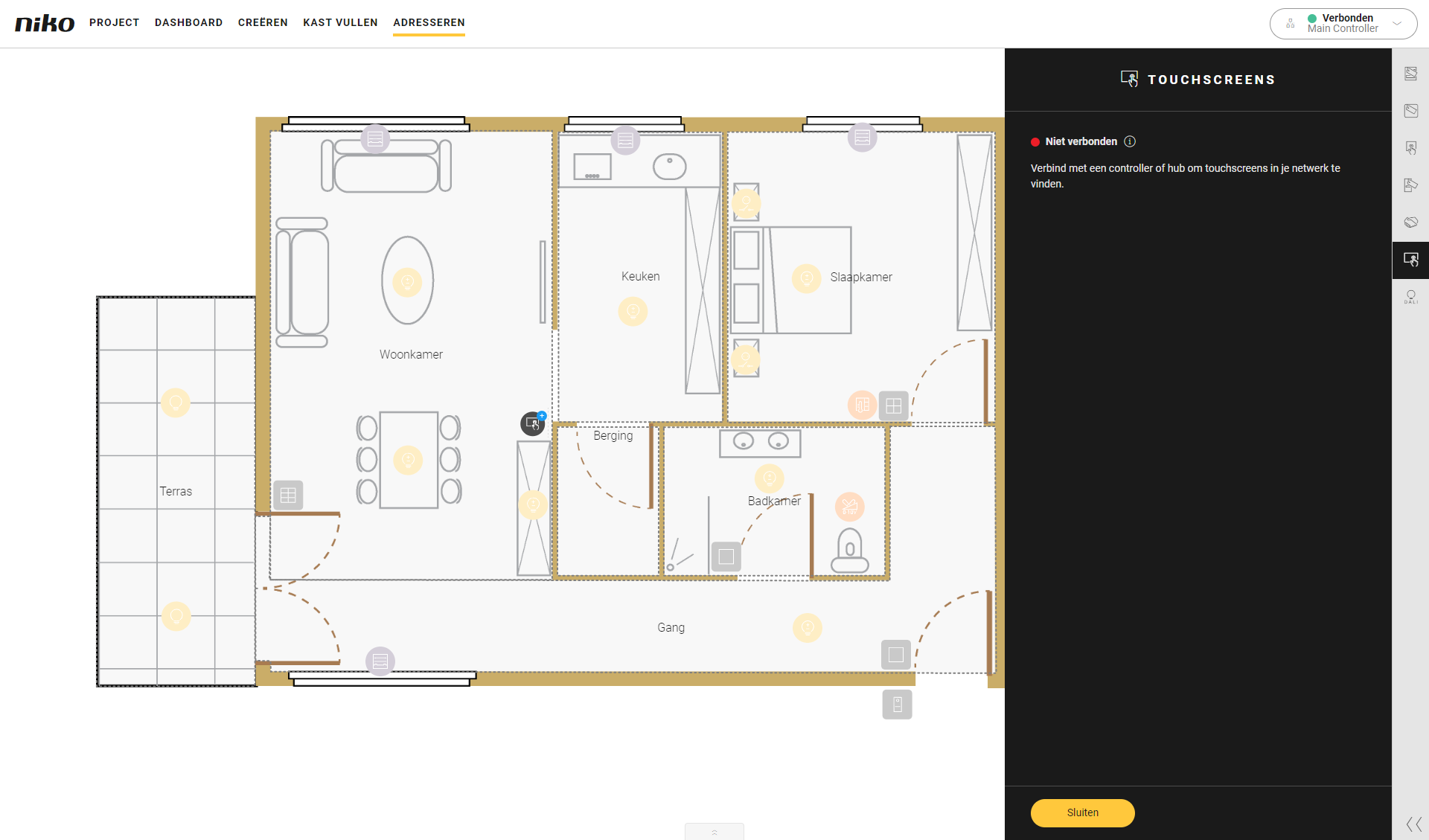
Het deelvenster Touchscreen koppelen verschijnt en toont de gevonden touchscreens in de installatie.
-
Het tekenvlak toont de touchscreens.
-
-
Klik op het plusteken van een touchscreen op het grondplan om het te koppelen.
Resultaat:
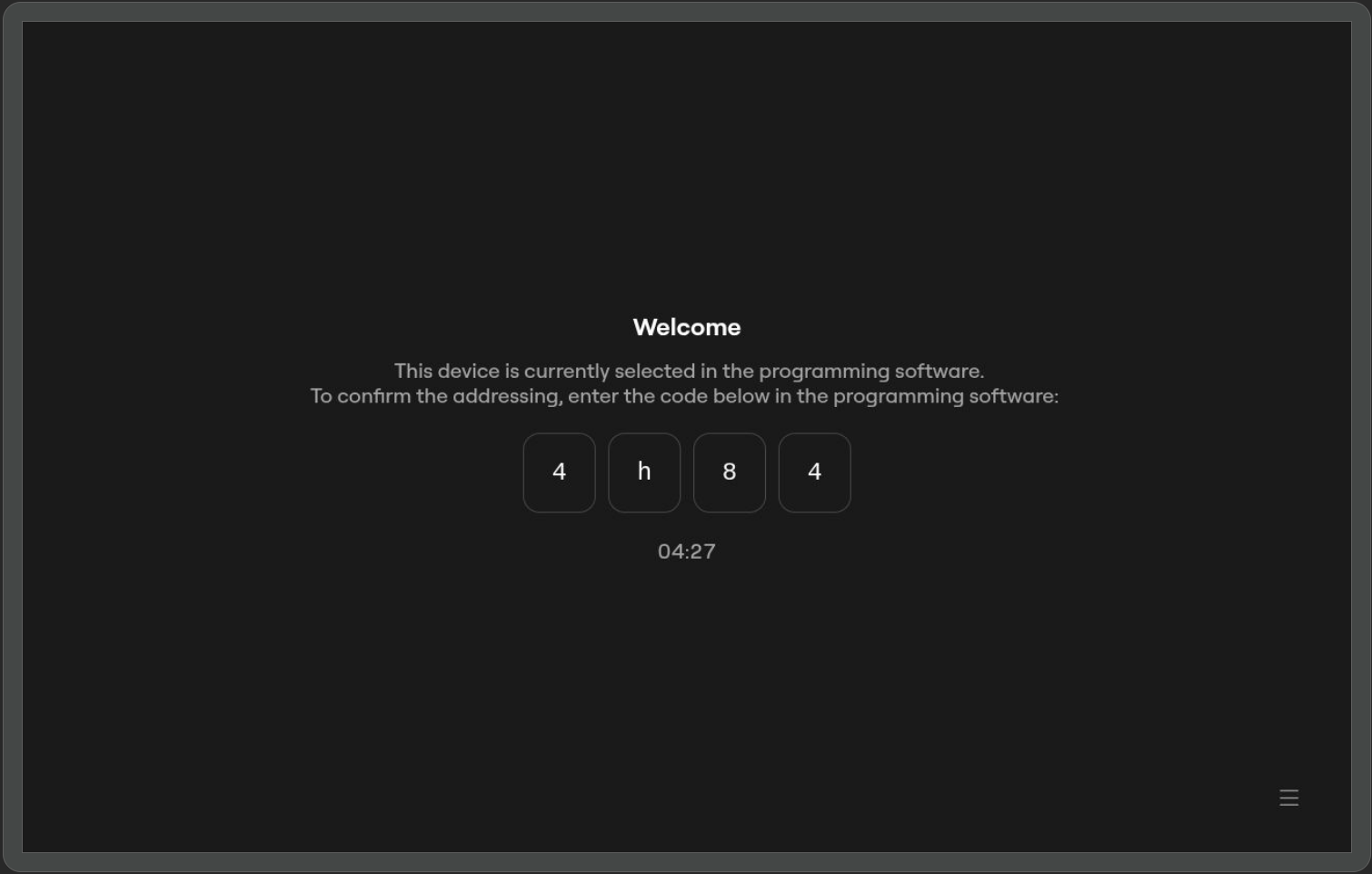
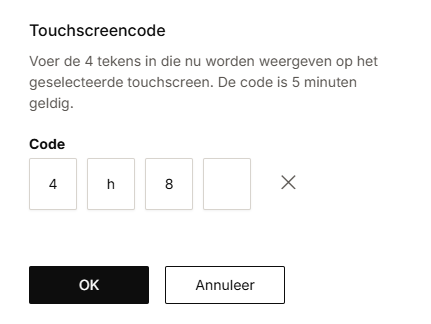
De naam van het touchscreen is toegevoegd naast het adres.Touchscreen
Programmeersoftware
-
Typ de onboardingcode uit het touchscreen in de pop-up in de programmeersoftware.
-
Druk op de knop OK.
-
Herhaal stap 2 tot 4 voor elk touchscreen in je installatie.
-
Druk op de knop Sluiten om terug te keren naar het overzichtsvenster Adresseren.
Als je een touchscreen adresseert dat eerder in de installatie is geadresseerd, hoef je de onboardingcode niet opnieuw in te voeren.