
Startpunt
-
Je hebt minstens één DALI-2-broadcastmodule of DALI-2-adresseerbare module geadresseerd.
-
De DALI control gear (DALI-lampen) zijn aangesloten in de installatie.
-
Je computer is verbonden met de installatie.
-
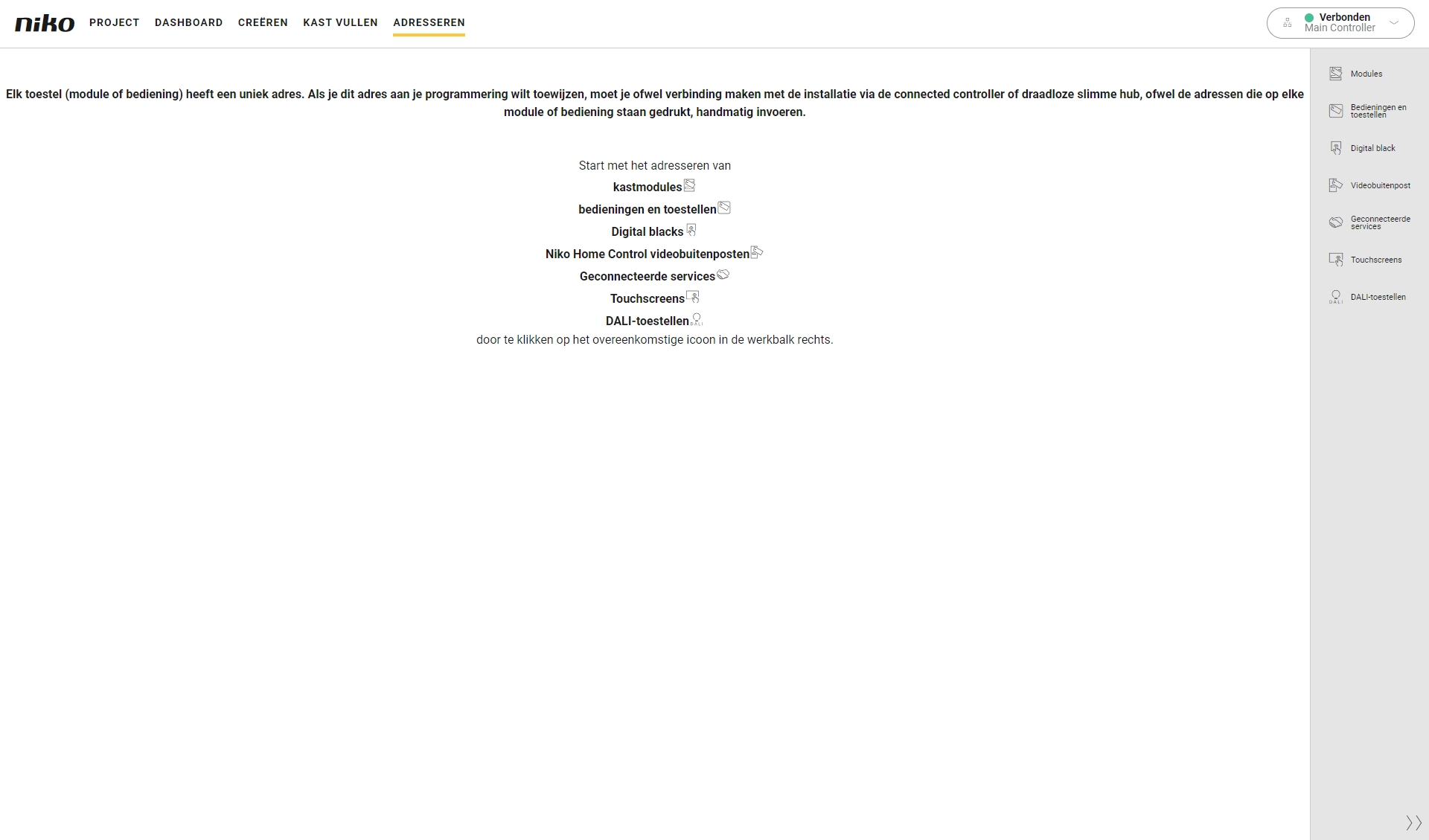
Je bevindt je in het overzichtsvenster Adresseren.
Procedure
-
Klik in de rechterknoppenbalk op de knop DALI-toestellen.
Resultaat:
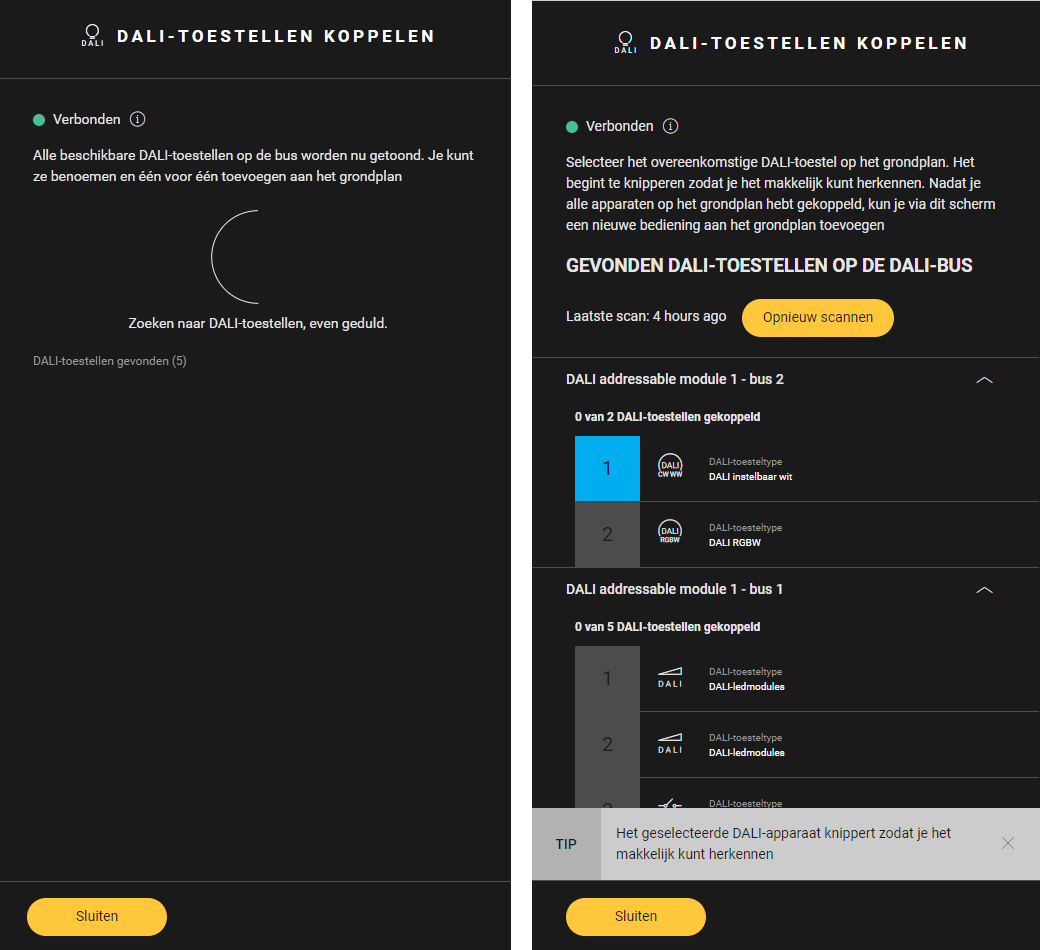
Het deelvenster DALI-toestellen koppelen verschijnt -
Als de DALI-bus nog niet eerder is gescand, wordt deze automatisch gescand op DALI-apparaten. Als de DALI-bus al eerder is gescand, klik je op de knop Opnieuw scannen m een nieuwe scan uit te voeren.
-
De gevonden DALI-toestellen worden getoond. Ze worden gesorteerd per DALI-module en per -bus.
-
Voor elk DALI-toestel:
-
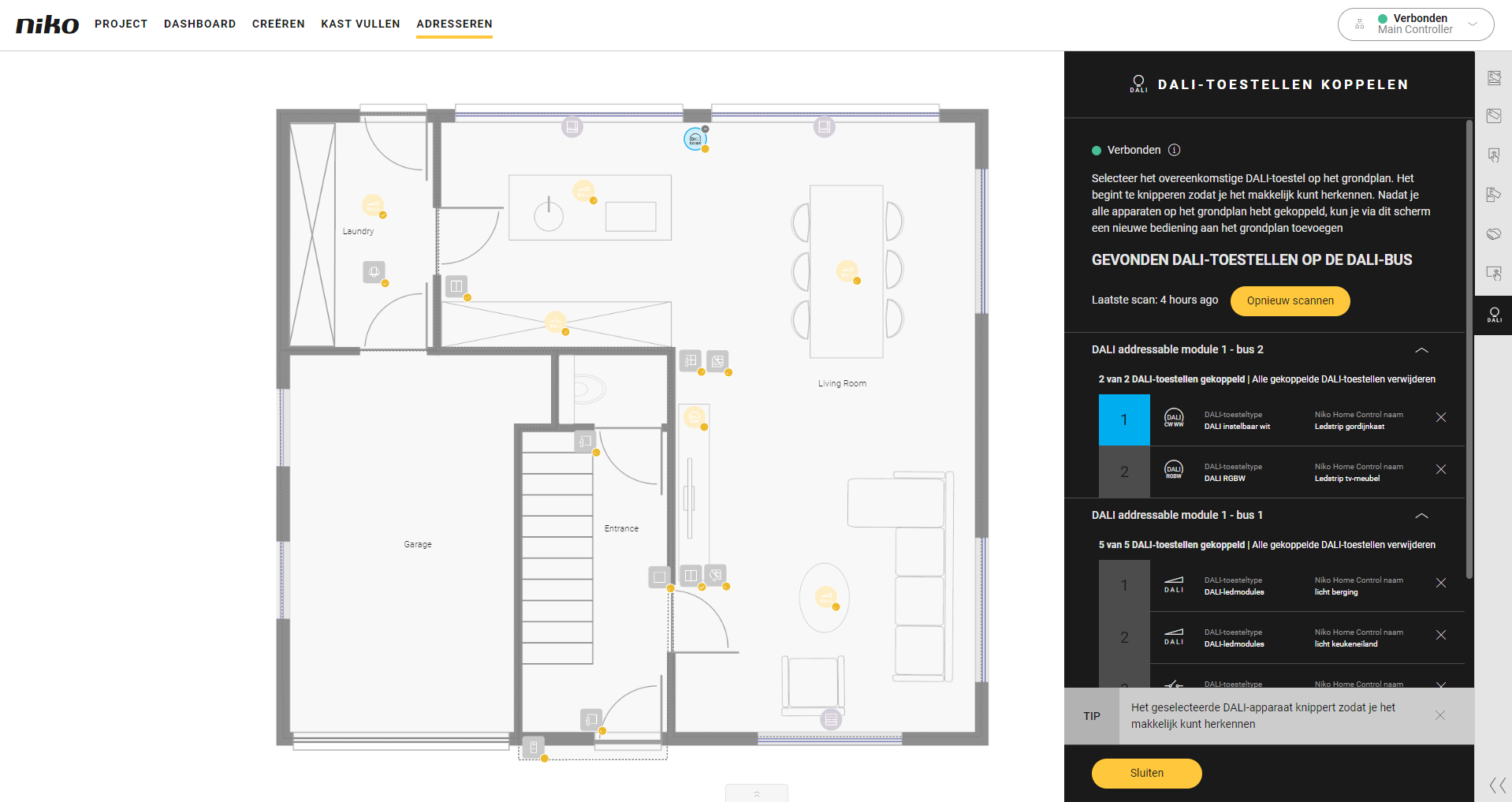
Selecteer het toestel in het deelvenster DALI-toestellen koppelen. Klik op het pijltje naast een DALI-module of -bus om de DALI-toestellen weer te geven.
-
De overeenkomstige DALI-apparatuur in je installatie knippert.
-
Klik op het plusteken van het overeenkomstige toestel op het grondplan om de koppeling te maken.
-
-
Druk op de knop Sluiten om terug te keren naar het overzichtsvenster Adresseren.
De tijd van de laatste scan wordt weergegeven. Als je sinds de laatste scan wijzigingen aan de DALI-configuratie hebt aangebracht, klik je op de knop Opnieuw scannen om opnieuw te scannen naar de DALI-apparaten op de DALI-bus.