
Je kunt de Digital black ook onboarden (adresseren) via de Niko Home app.
Startpunt
-
Je hebt de Digital black (24 V - 230 V) fysiek geïnstalleerd.
-
De Digital black is verbonden met hetzelfde netwerk als je installatie (24 V - 230 V).
-
Je computer is verbonden met de installatie.
-
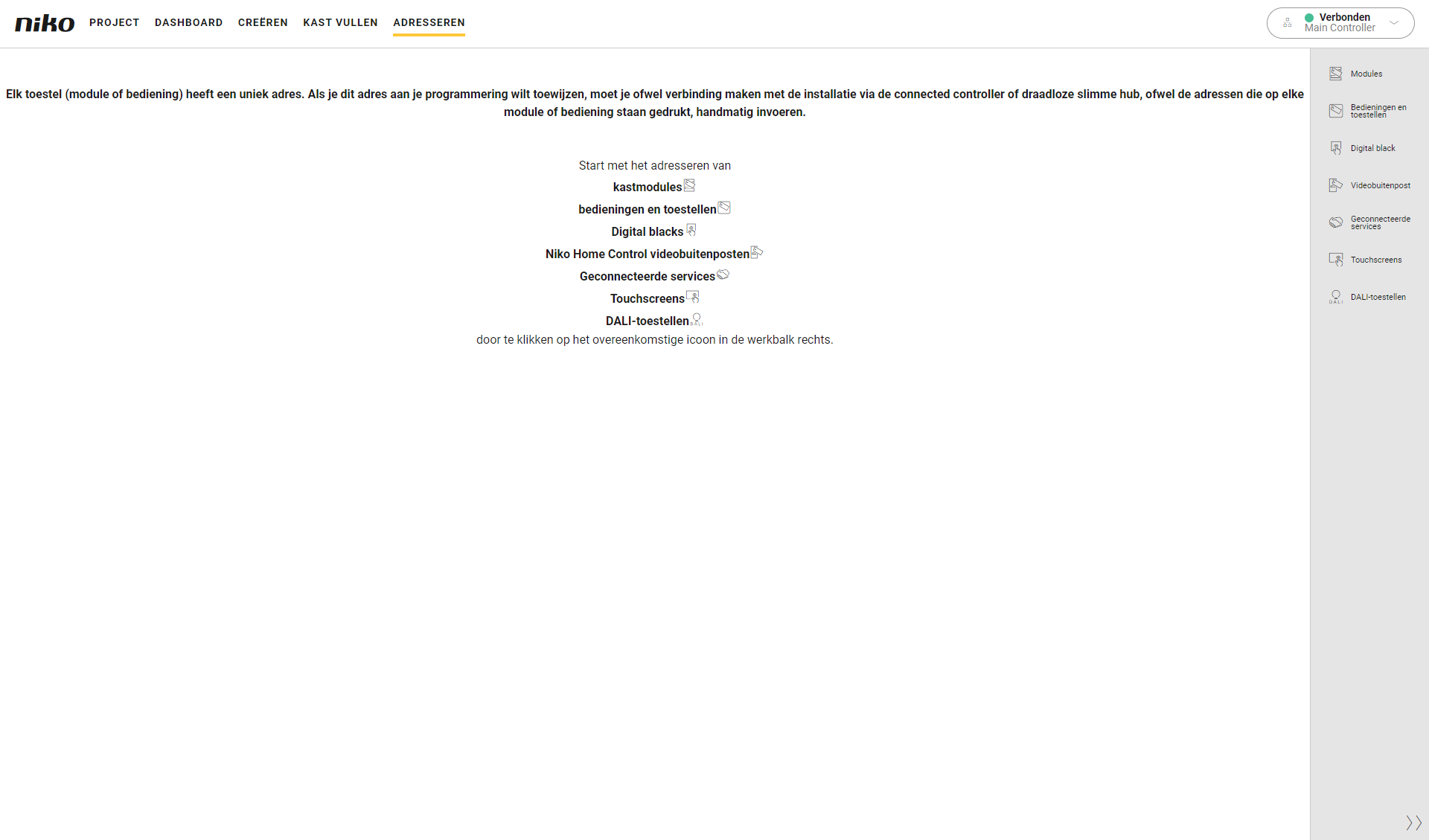
Je bevindt je in het overzichtsvenster Adresseren.
Procedure
-
Druk in de rechterknoppenbalk op de knop Digital black.
Resultaat:-
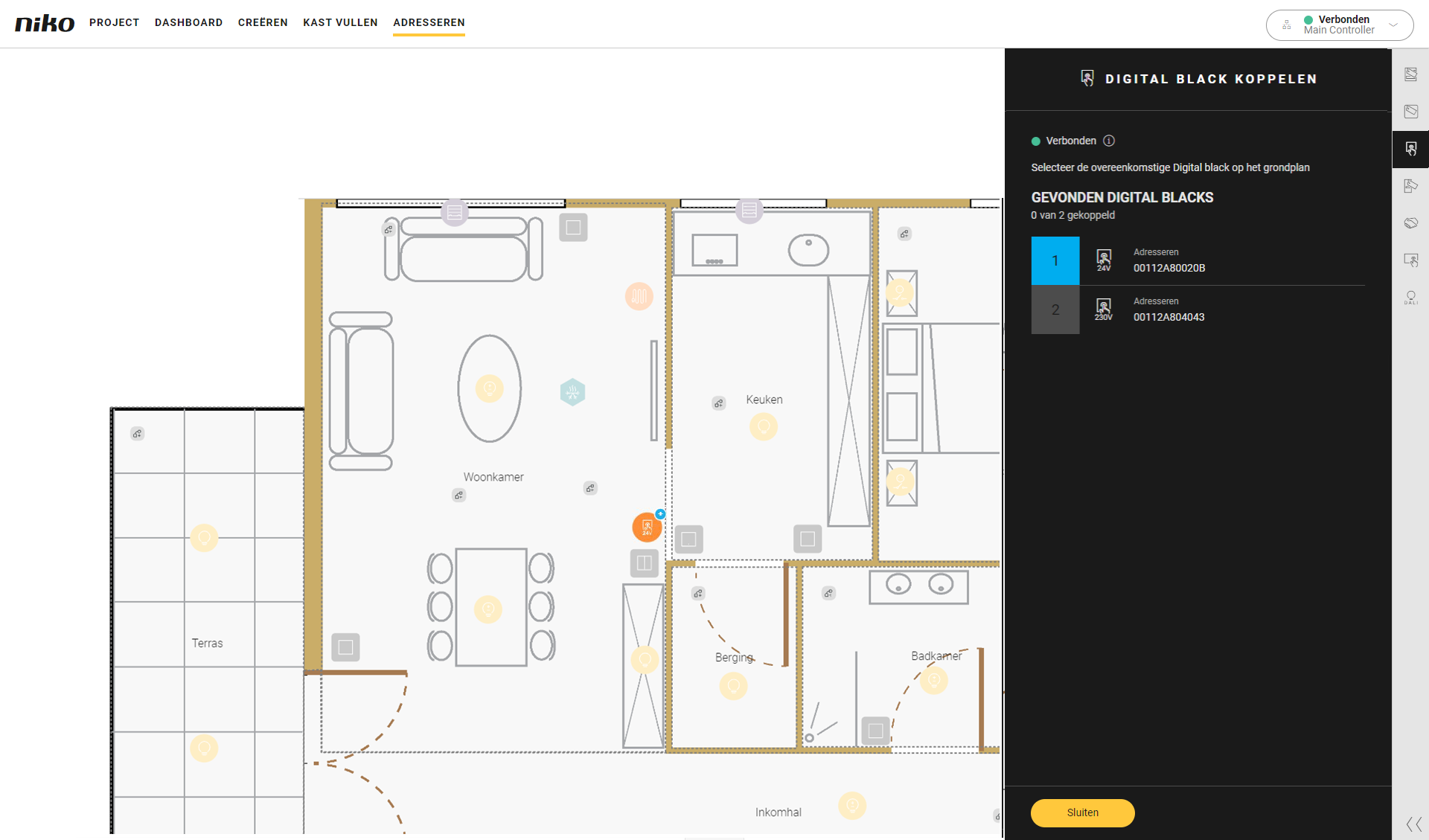
Het deelvenster Digital black koppelen verschijnt en toont de Digital blacks, 24 V/230 V gevonden in het thuisnetwerk, met het overeenkomstige MAC-adres. Dat MAC-adres wordt ook weergegeven op de Digital black.
-
Het tekenvlak toont de Digital blacks.
-
-
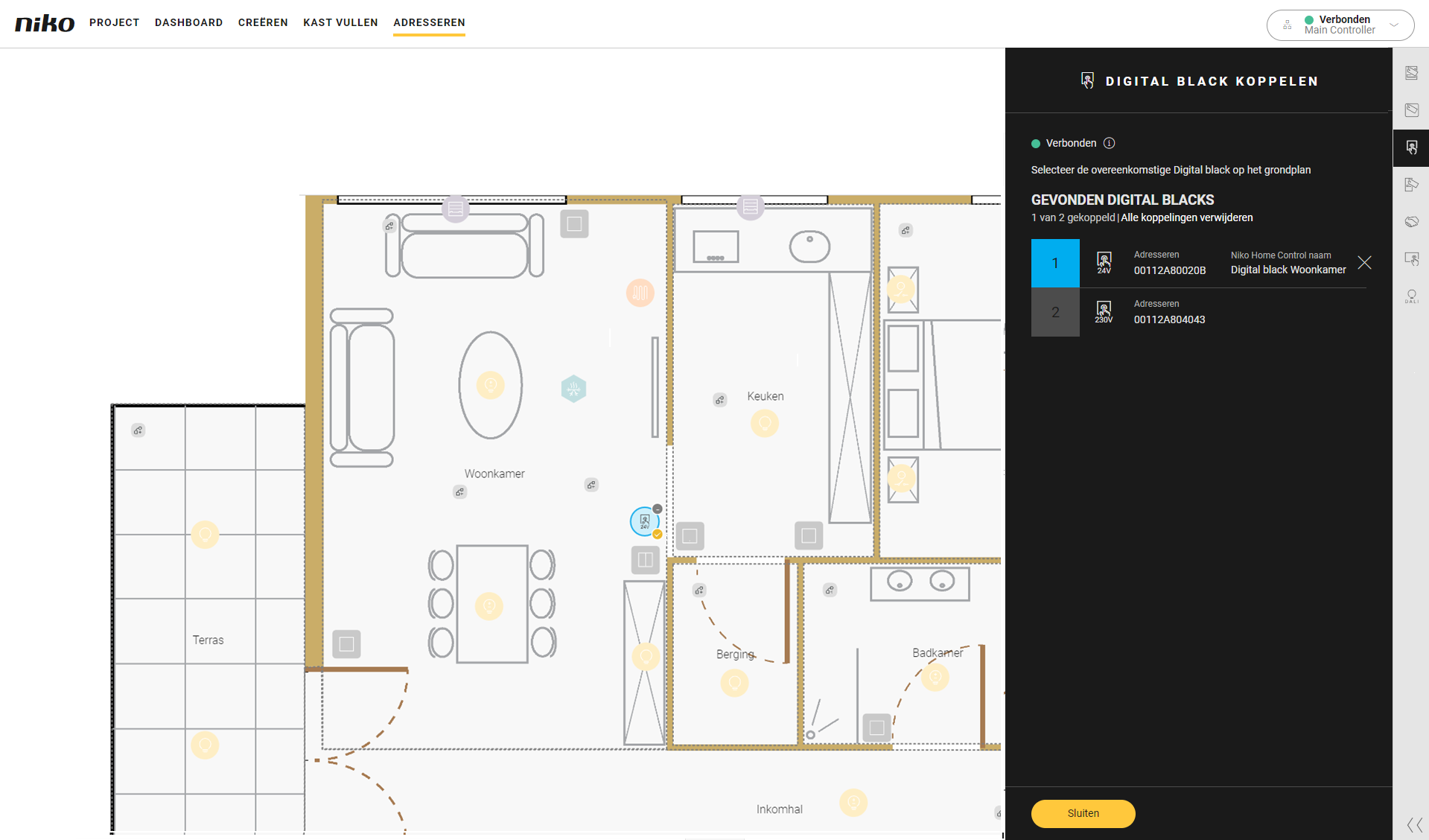
Klik op de plustekens van de Digital black op het grondplan om de koppeling te maken.
-
Druk op de knop Sluiten om terug te keren naar het overzichtsvenster Adresseren.