
Product description
The MOTIV DALI bridge is a two-channel interface that connects the Niko Lighting Management system to a Building Management System (BMS). It enables communication between the DALI lighting installation and the BMS, allowing lighting data to be exchanged and lighting functions to be monitored and controlled from the building automation platform.
For more information, go here: Why do you need the DALI bridge?
Dimensions
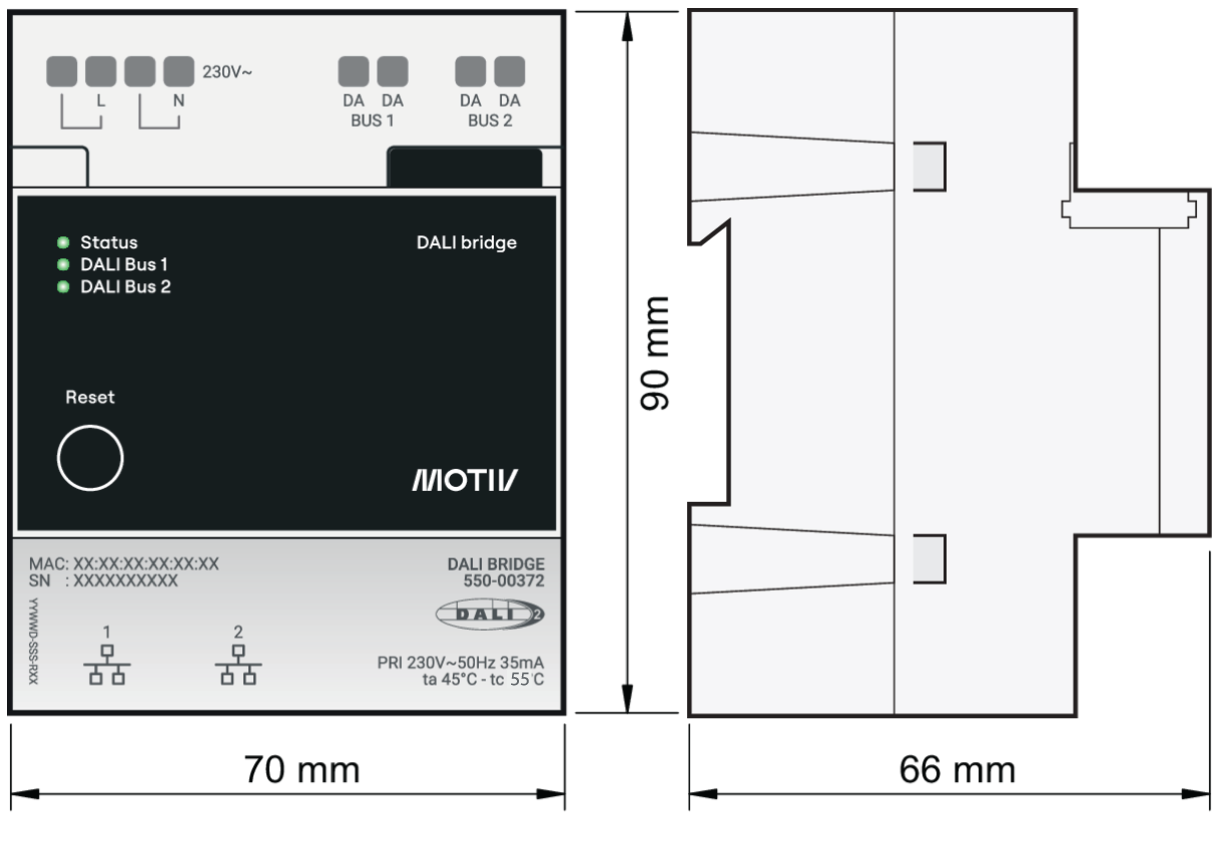
Product overview
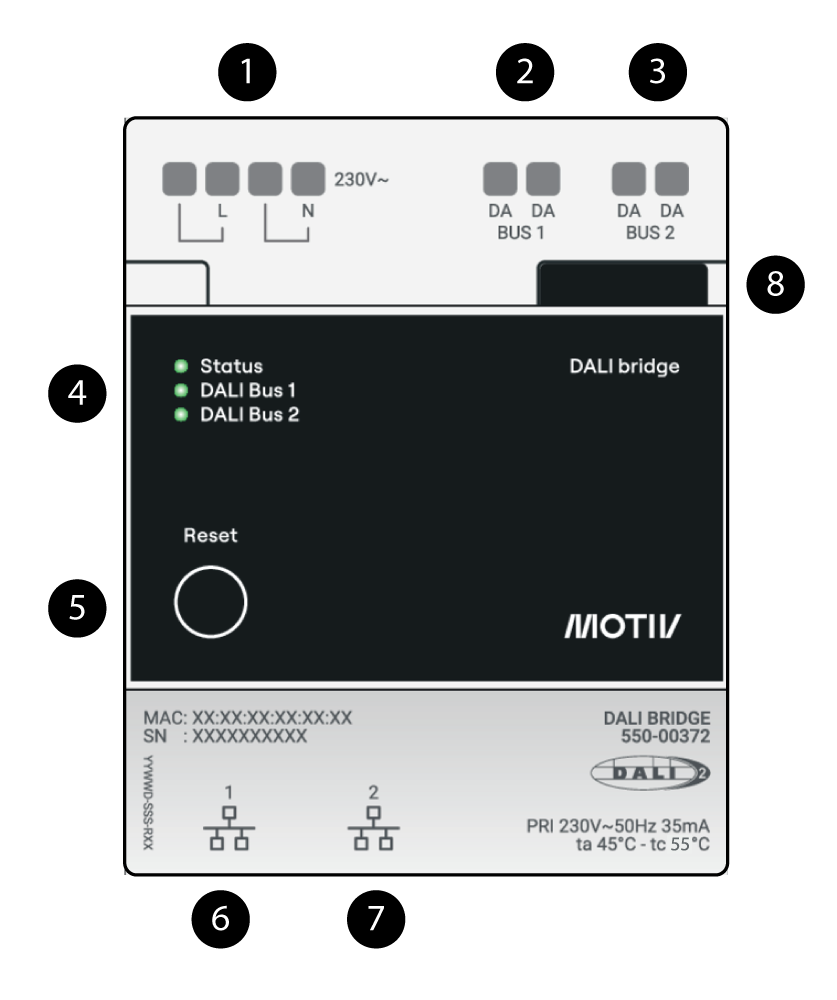
|
Part |
Description |
|---|---|
|
1 |
Power line connection |
|
2 |
DALI bus 1 connection |
|
3 |
DALI bus 2 connection |
|
4 |
LEDs |
|
5 |
Reset button |
|
6 |
Ethernet 1 connection |
|
7 |
Ethernet 2 connection |
|
8 |
Slider (for later use) |
LED Overview
For more information, go here: LED Behaviour
Typical use cases
The DALI bridge enables a Building Management System (BMS) to monitor and control the DALI lighting installation. By providing energy consumption, operational status, and diagnostic information, it helps commercial buildings meet the requirements of regulations such as the Energy Performance of Buildings Directive (EPBD) and national standards, for example BR18. Typical applications include:
-
Energy monitoring: The BMS retrieves the total energy consumption (Wh) of the complete DALI lighting installation. The reported value includes all DALI-2 compliant luminaires, detectors, and other control devices connected to the DALI bus. Energy data can also be requested for individual lighting zones.
-
Occupancy and energy analysis: The BMS collects energy consumption, luminaire status (On/Off), and dimming levels from the lighting system to support occupancy analysis, energy optimisation, and operational reporting.
-
Fault monitoring and maintenance: The DALI bridge forwards warnings and fault information from the DALI installation to the BMS. This enables maintenance personnel to identify and resolve failures quickly, reducing system downtime.
-
Temporary zone override: The BMS can temporarily switch on a specific lighting zone by sending an override command to the master detector. Once the configured override period has expired, the lighting application automatically resumes normal operation.
-
Event lighting control: During special events, the BMS can override the lighting application and set one or more lighting zones to a predefined dimming level, for example 60%. After the event, the override is removed and the lighting system automatically returns to its previous operating mode.
-
Emergency lighting override: In emergency situations, the BMS can force all connected luminaires to switch on at 100% output by applying an indefinite override. Normal lighting control resumes only after the emergency override is cancelled.