
Use case
Your customer has a staircase with several floors and corresponding lighting with push buttons and teleruptors.
For some reason, you, as an installer, are unable to install push-button interfaces to easily implement a Niko Home Control solution.
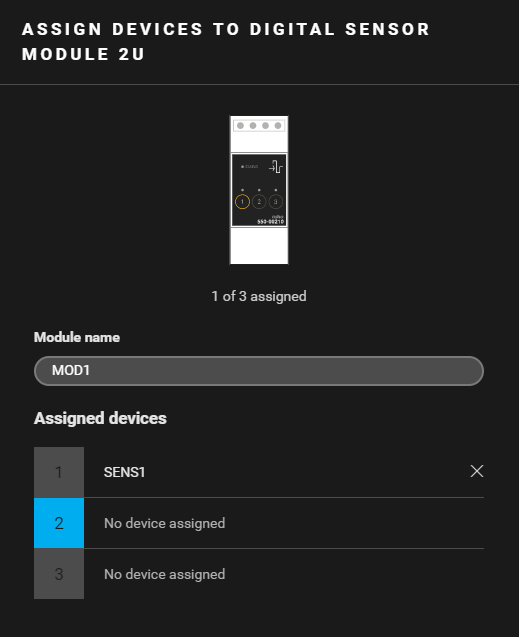
To provide your customer with a solution, you can keep the push buttons in the staircase and use a digital potential-free sensor module in the cabinet.
Procedure
Creating the controls and devices
-
Create a digital sensor (SENS1).
-
Create a virtual device (VIRT1).
-
Create the lighting (LAMP1).

Creating the routine
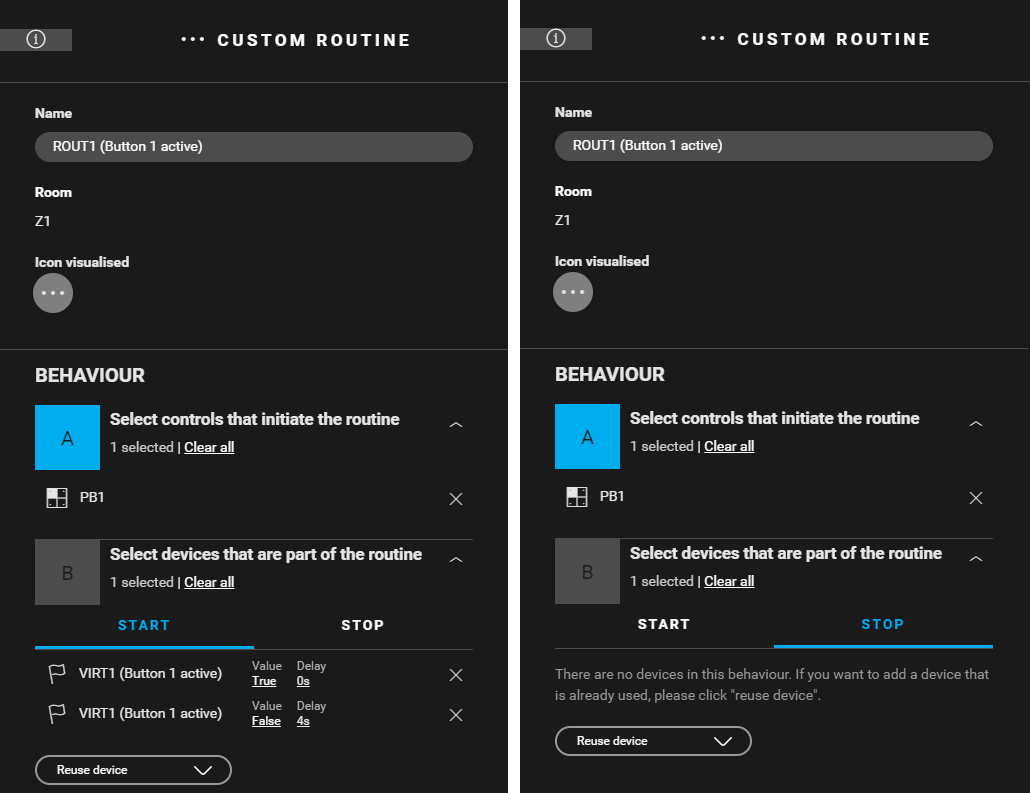
Create a custom routine (ROUT1) to activate VIRT1 with the digital sensor (SENS1). VIRT1 is deactivated after 0.1 s. Use the following behaviour:
-
Control that initiates the routine: digital sensor (SENS1).
-
Devices that are part of the routine: VIRT1
-
Start behaviour: VIRT1: Value = true, Delay = 0 s
-
Stop behaviour: VIRT1: Value = false, Delay = 0.1 s
-

Creating the conditions
-
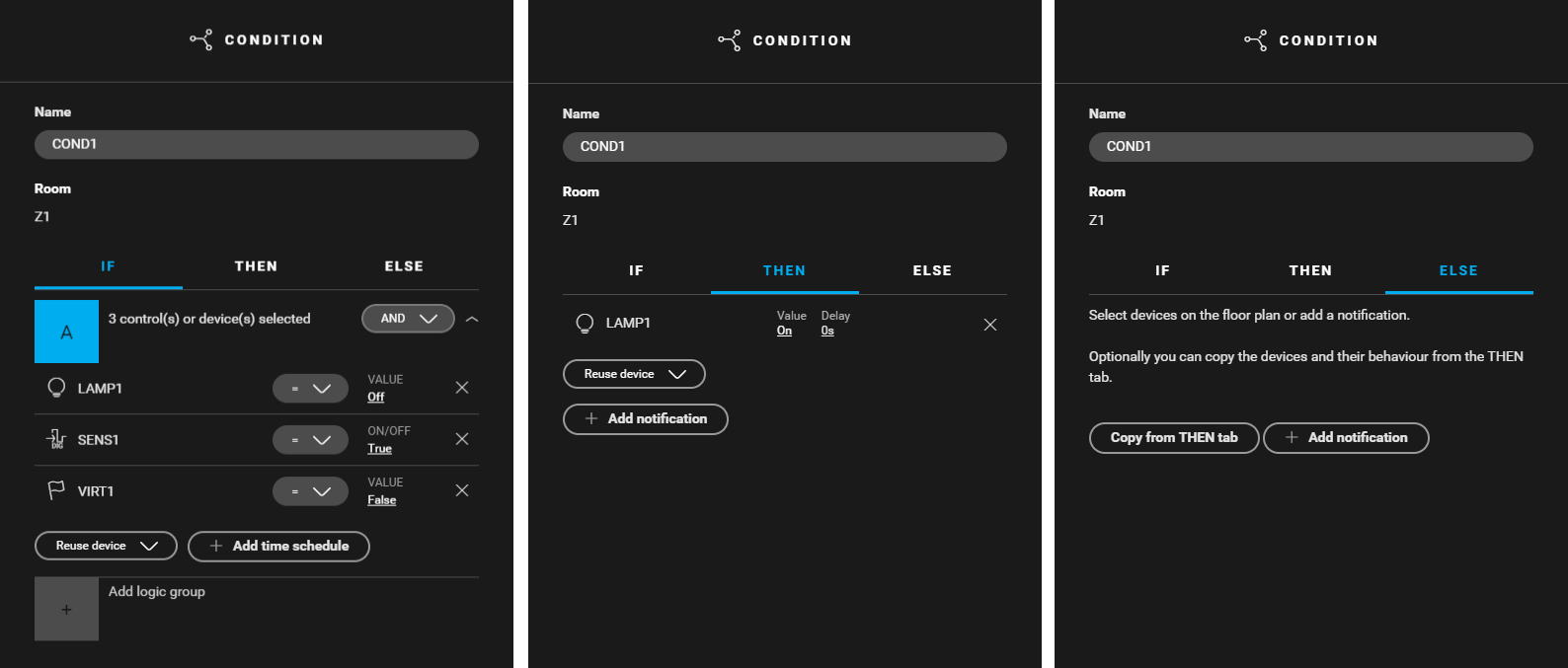
Create a condition (
COND1
) that activates LAMP1 when the push button is pressed. Use the following logic:
-
IF (LAMP1: Value = off) and (SENS1: Value = true) and (VIRT1: Value = false)
-
THEN (LAMP1: Value = on, Delay = 0 s)
-
ELSE leave empty
-
-
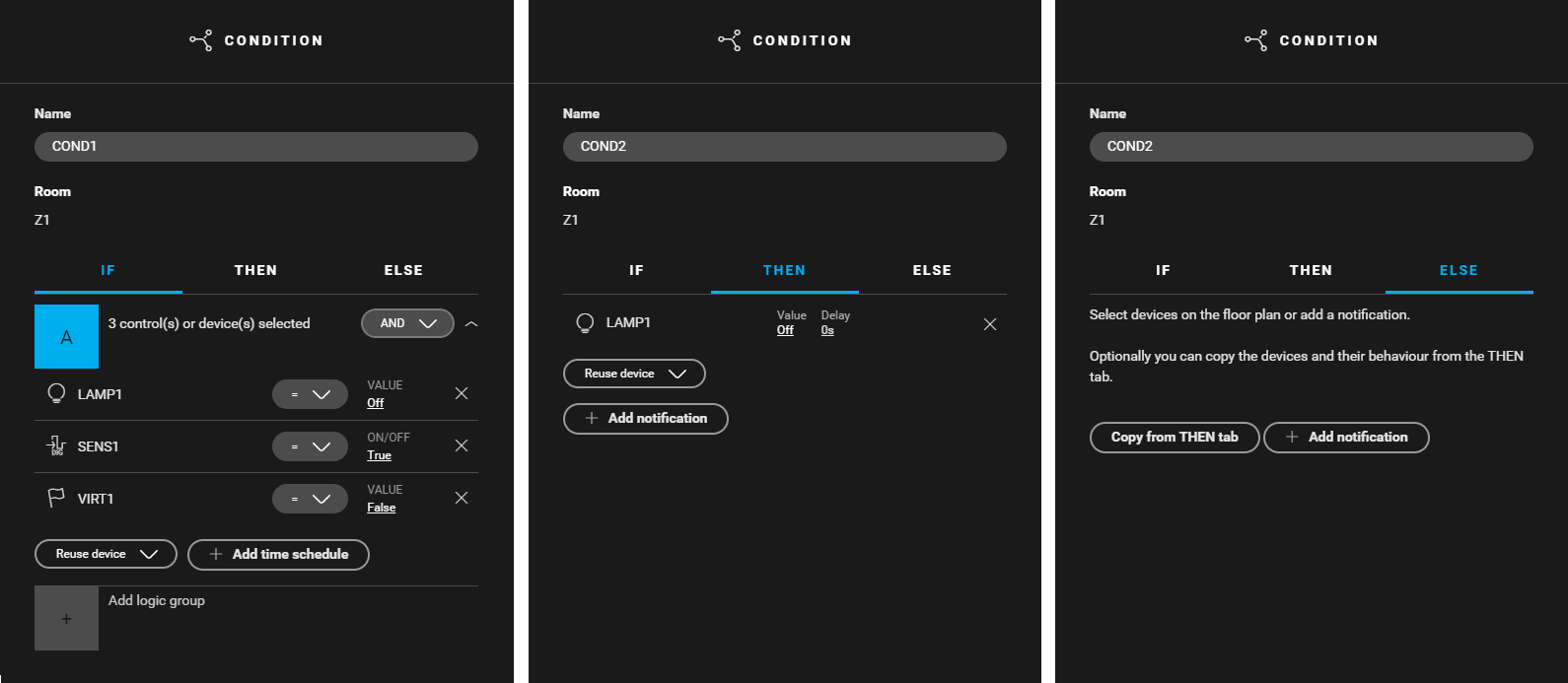
Create a condition (
COND2
) that deactivates LAMP1 when the push button is pressed again. Use the following logic:
-
IF (LAMP1: Value = on) and (SENS1: Value = true) and (VIRT1: Value = false)
-
THEN (LAMP1: Value = off, Delay = 0 s)
-
ELSE leave empty
-

Filling the cabinet and addressing the device
Example
Click here to download the programming example (nhc2 file).