
Use case
The sports hall is divided in 2 play areas divided by an automatic curtain.
When the curtain is closed, the lighting in both areas is controlled separately with 2 push buttons.
When the curtain is open, the lighting in both areas is controlled as a whole with one of the 2 push buttons.
Procedure
Creating the controls and the devices
-
Create 2 single push buttons, one for each play area (PB1 and PB2).
-
Create 2 lighting circuits, one for each play area (LAMP1 and LAMP2)
-
Create an external contact: connection to external system (OUT1). This contact is closed when the curtain is closed.

Creating the condition
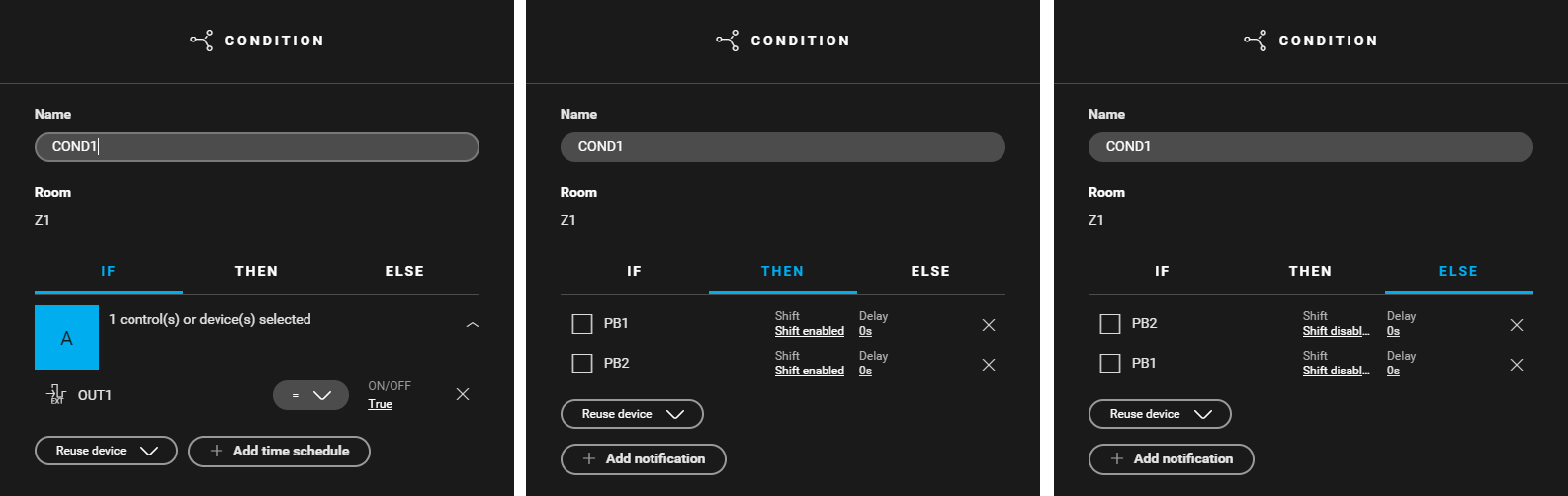
Create a condition (COND1) for activating the shift function on both push buttons when the curtain is closed (OUT1=true). Use the following logic:
-
IF external contact OUT1: On/off = true
-
THEN (PB1: Shift = shift enabled) and (PB2: Shift = shift enabled)
-
ELSE (PB1: Shift = shift disabled) and (PB2: Shift = shift disabled)
With the shift function you can make a button perform different actions (basic actions or routines) depending on its mode (normal or shift).

Creating the basic actions
-
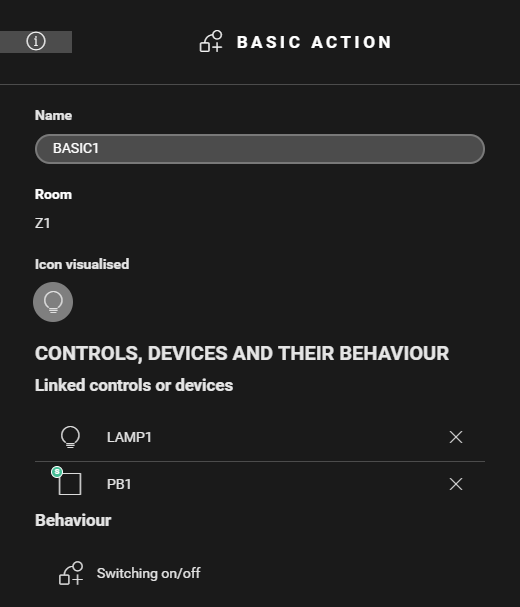
Create a basic action (BASIC1) to control the lighting in play area 1, when the curtain is closed. Select LAMP1 and PB1-shift.
-
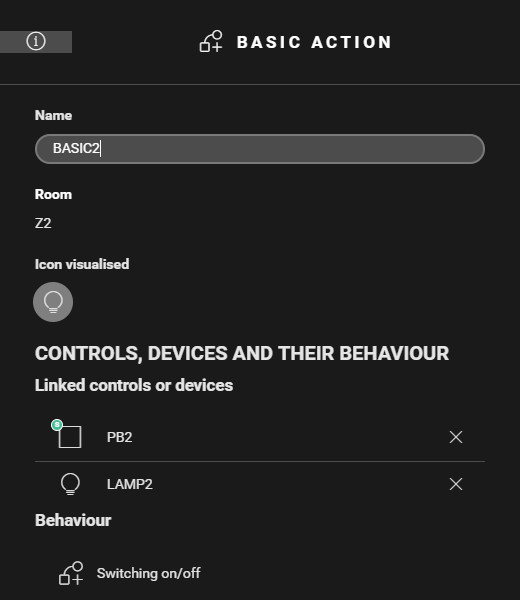
Create a basic action (BASIC2) to control the lighting in play area 2, when the curtain is closed. Select LAMP2 and PB2-shift.
-
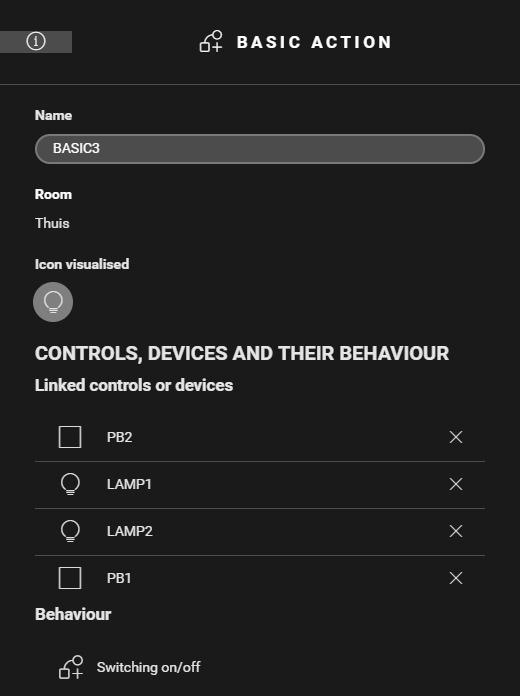
Create a basic action(BASIC3) to control the lighting in both areas, when the curtain is open. Select LAMP1, LAMP2, PB1-normal en PB2-normal.

Filling the cabinet and addressing the devices
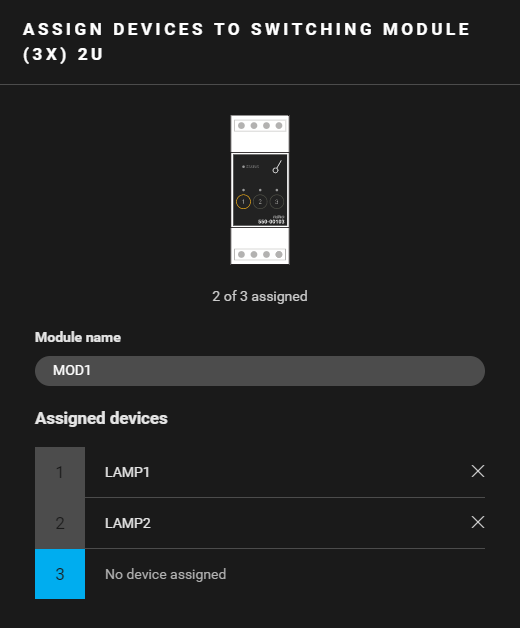
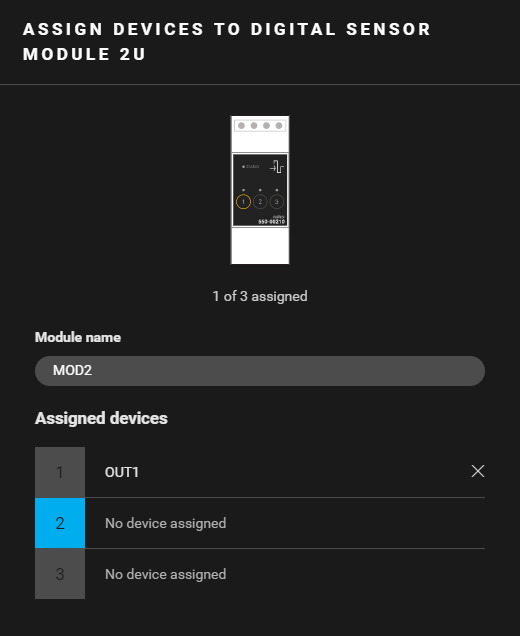
Example
Click here to download the programming example (nhc2 file).