
Use case
Your customer wants to automatically control the lighting and the ventilation in the toilet room using a mini detector.
When movement is detected:
-
the lighting is activated. The lighting is deactivated 1 min after the last movement detection.
-
the switch ventilator is activated after 5 min. The switched ventilator is deactivated 1 min after the last movement detection. In this manner, the ventilator is not activated when a person is in the toilet room for less than 5 min.
Procedure
Creating the controls and devices
-
Create a mini detector (DET1)
-
Create the following devices:
-
a virtual device (VIRT1)
-
a lamp (LAMP1)
-
a switch ventilator (FAN1)
-

Creating the routine
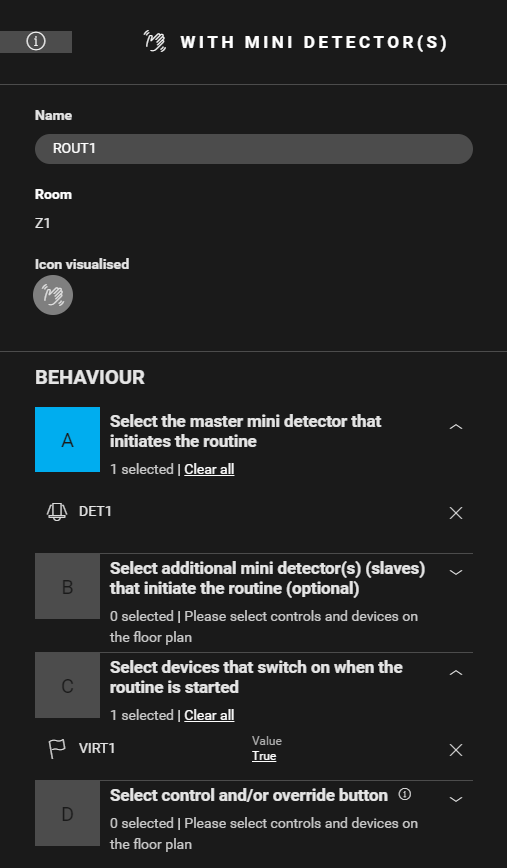
Create a routine Motion detection with mini detector(s) (ROUT1) to activate the virtual device (VIRT1). Configure the following behaviour:
-
Master mini detector that initiates the routine: DET1
-
Device that is switched on when the routing is started: VIRT1: Value = true

Creating the condition
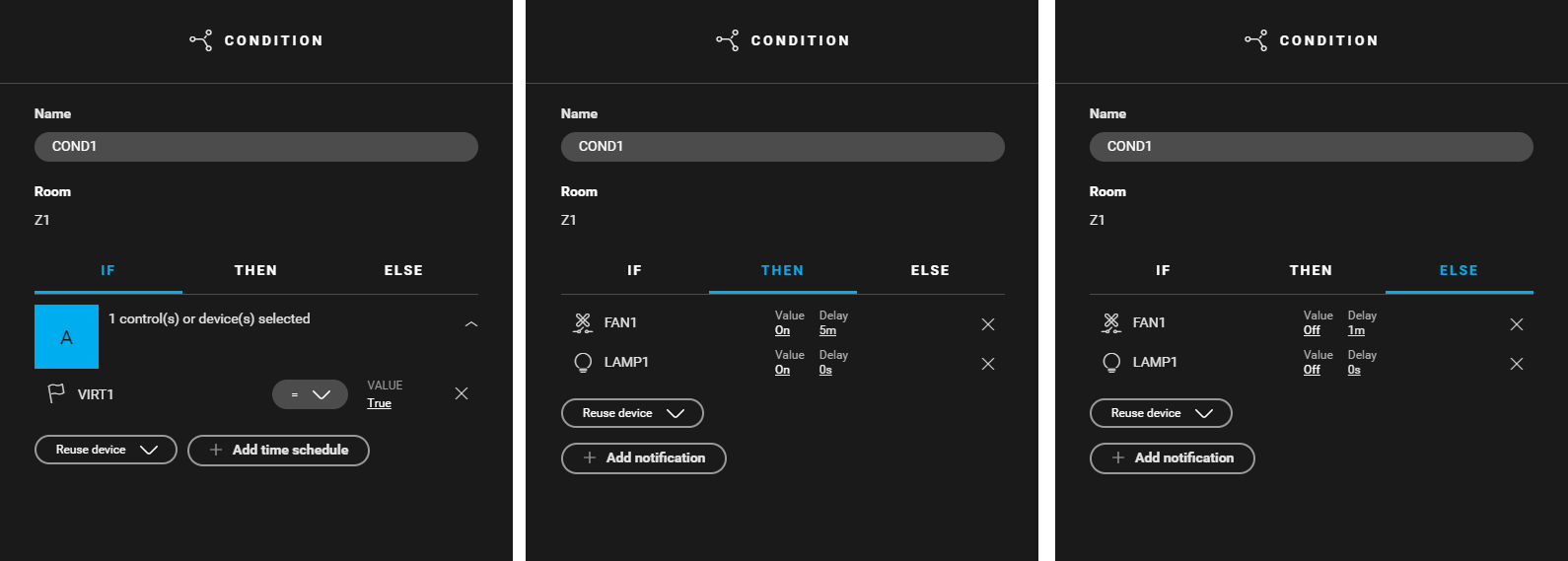
Create a condition (COND1) that activates LAMP1 immediately and FAN1 after 5 min, and deactivates both 1 min after the last movement detection. Use the following logic:
-
IF (VIRT1: Value = true)
-
THEN (LAMP1: Value = on, Delay = 0 s) and (FAN1: Value = on, Delay = 5 min)
-
ELSE (LAMP1: Value = off, Delay = 0 s) and (FAN1: Value = off, Delay = 1 min)

Filling the cabinet and addressing the devices
|
Fill the cabinet with ... |
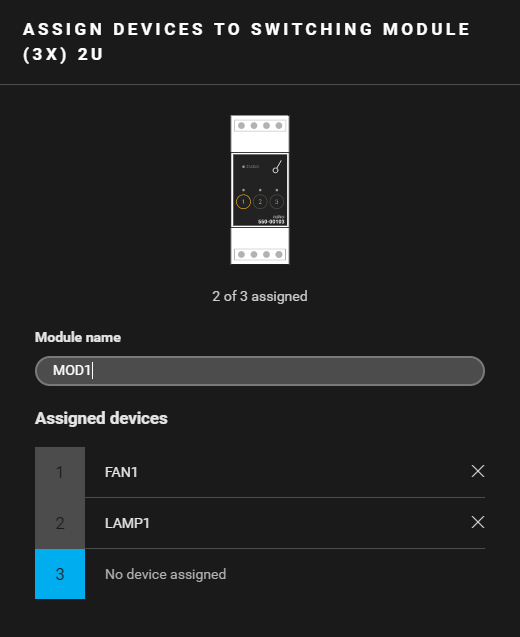
and address the following devices ... |
|---|---|
|
a switching module (3X) 2U ( MOD1 ) |
|
Example
Click here to download the programming example (nhc2 file).