Niko Home Control is evolving into MOTIV Building Control. MOTIV is a new brand for intelligent building automation. Built on the trusted foundation of Niko Home Control, MOTIV solutions are designed to make buildings work more naturally for the people inside them. MOTIV helps professionals create smarter, more comfortable buildings. With technology that works quietly in the background. All existing Niko Home Control solutions remain fully compatible with MOTIV. Over time, the full portfolio will move to the MOTIV brand. During this transition, you will see both Niko Home Control (NHC) and MOTIV Building Control (MBC) appear in this documentation. Discover MOTIV at niko.eu/MOTIV
Programming Examples
English Danish Dutch French German Slovak Swedish

Turning off the volume of Sonos/Bose speakers when someone is at the door

Use case

Your customer would like to mute the volume of their Sonos/Bose speakers when someone rings at the external video unit. After the call the volume of the speaker is unmuted.


Procedure

Creating the control and the device
  1. Create an external video unit (VDS1).

  2. Create a Sonos/Bose speaker (LS1).

https://s3-eu-west-1.amazonaws.com/guideimages/Screenshots/V2.9/EN/SPE_013_213_01.png

Creating the routine

Create a routine Access control (ROUT1). Configure the following behaviour:
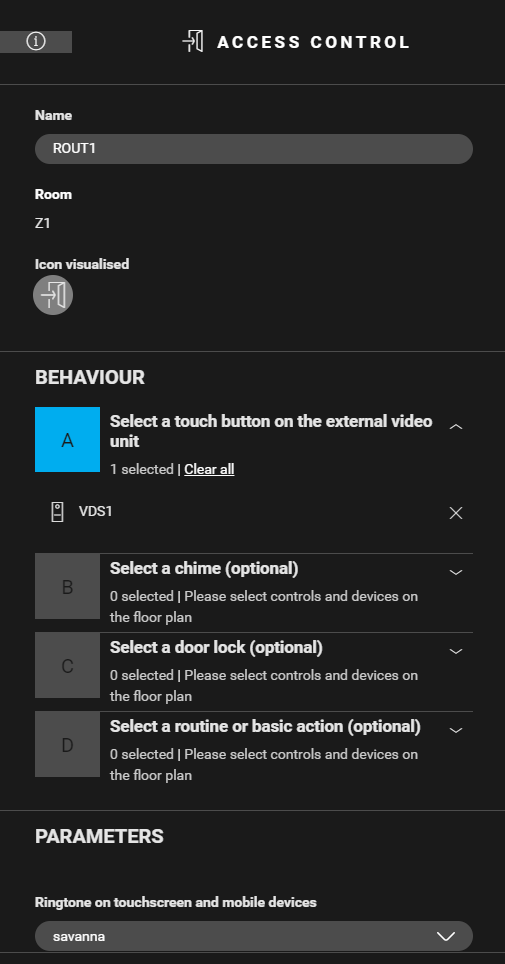
  • Select a button on the external video unit (VDS1).

  • (optional) Select a chime, a door lock and/or a routine or a basic action.

  • (optional) Select a different ringtone.

https://s3-eu-west-1.amazonaws.com/guideimages/Screenshots/V2.9/EN/SPE_013_213_02.png

Creating the condition

Create a condition (COND1) for muting the speakers when someone is at the door and unmuting when the call has ended. Use the following logic:
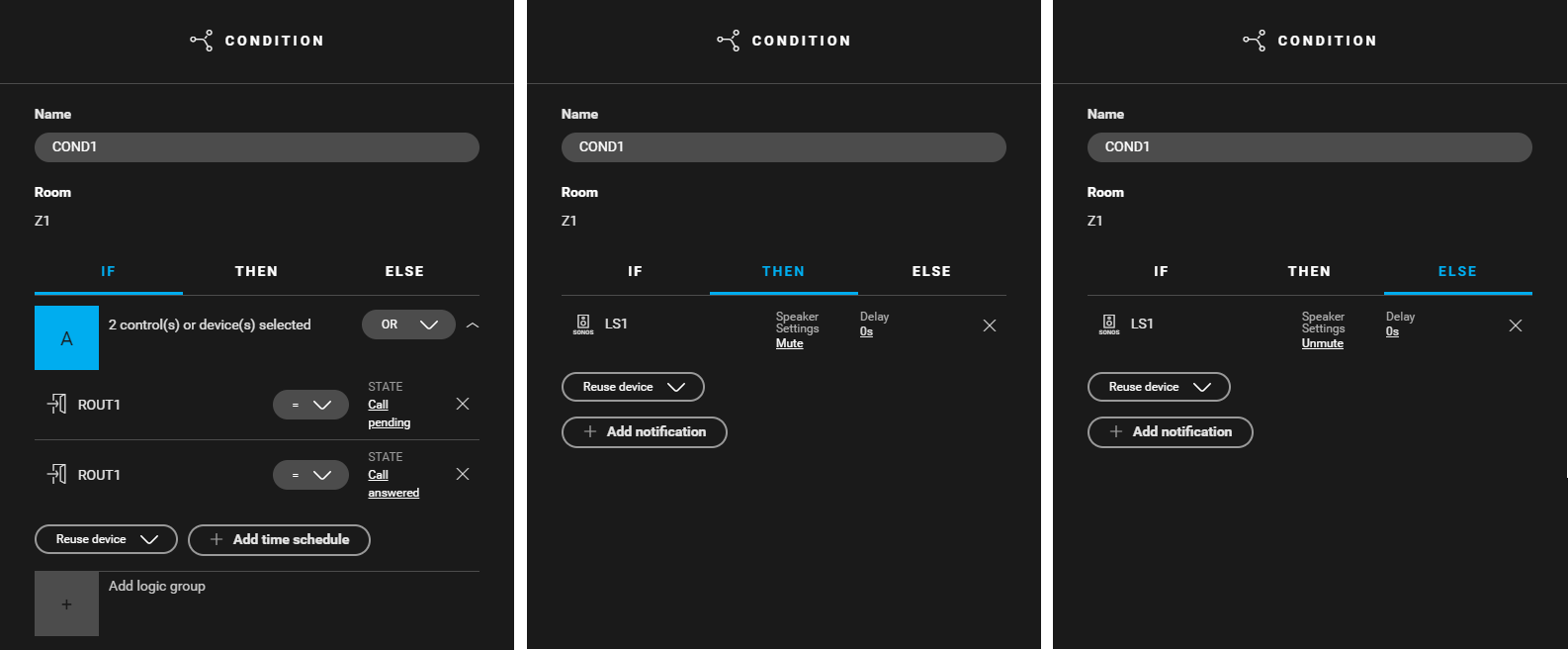
  • IF (ROUT1: State = calling pending) or (ROUT1: State = call answered)

  • THEN LS1: Speaker settings = mute

  • ELSE LS1: Speaker settings = unmute

https://s3-eu-west-1.amazonaws.com/guideimages/Screenshots/V2.9/EN/SPE_013_213_06.png

Editing the touchscreen profile

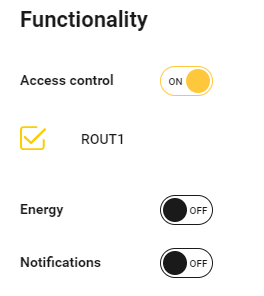
To be able to answer the call with the touchscreen turn on the access control functionality in the touchscreen profile. You can find the touchscreen profile(s) in the Dashboard menu.

Example

Click here to download the programming example (nhc2 file).