
Use case
Your customer wants to send a short pulse (0.1 s) to a device when the lighting is activated and when it is deactivated.
Procedure
Creating the control, the devices and the basic action
-
Create a single push button (PB1).
-
Create a lamp (LAMP1).
-
Create an other switched device (OUT1).
-
Create a basic action (BASIC1) to control the lamp with the push button.

Creating the routines
-
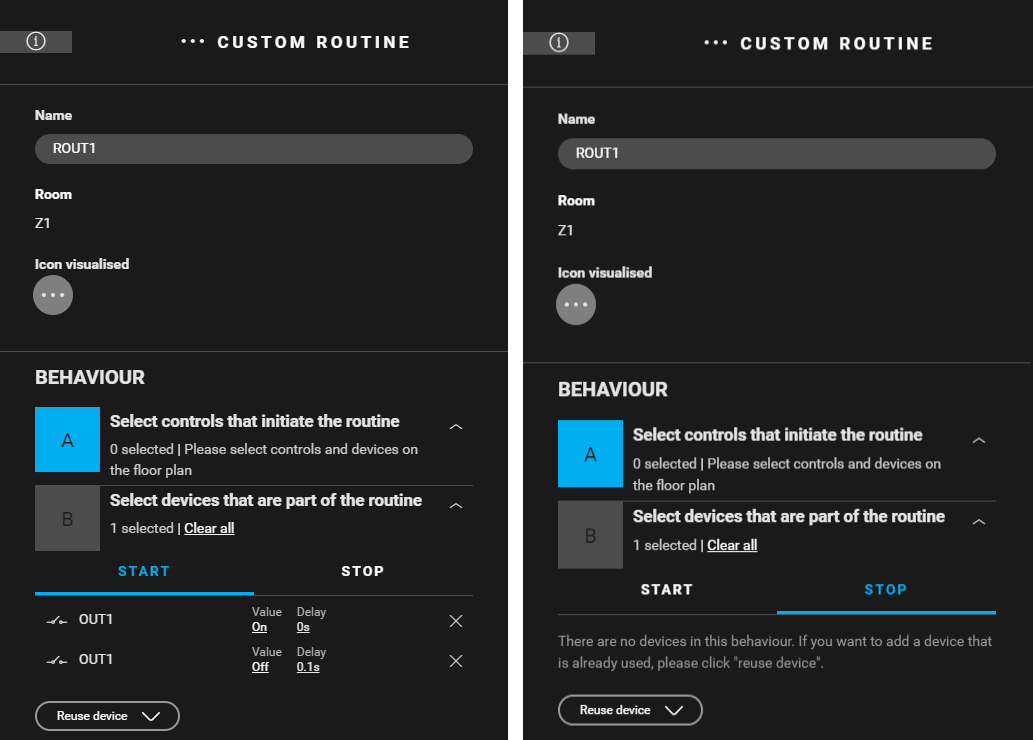
Create a Custom routine (
ROUT1
) to activate OUT1 and deactivate OUT1 with a delay of 0.1 s. Use the following behaviour:
-
Control that initiates the routine: leave empty
-
Devices that are part of the routine: OUT1
-
Start behaviour:
-
OUT1: Value = on, Delay = 0 s
-
(reuse device) OUT1: Value = off, Delay = 0.1 s
-
-
Stop behaviour: leave empty
-
-
-
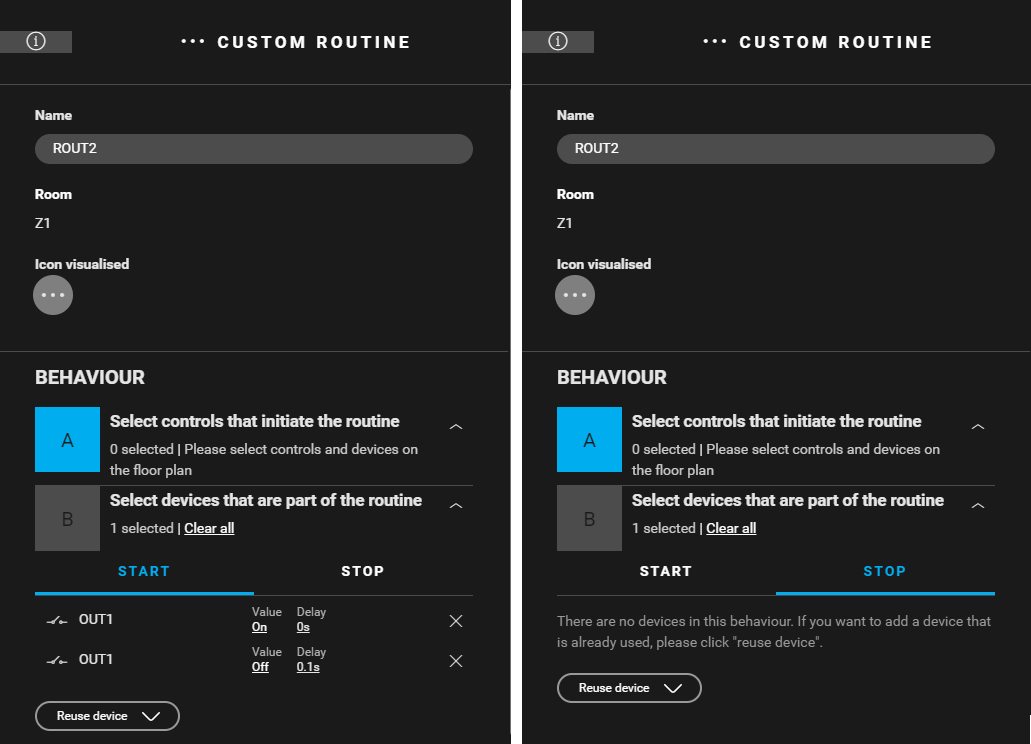
Create a Custom routine (
ROUT2
) to activate OUT1 and deactivate OUT1 with a delay of 0.1 s. Use the following behaviour:
-
Control that initiates the routine: leave empty
-
Devices that are part of the routine: OUT1
-
Start behaviour:
-
OUT1: Value = on, Delay = 0 s
-
(reuse device) OUT1: Value = off, Delay = 0.1 s
-
-
Stop behaviour: leave empty
-
-

Creating the condition
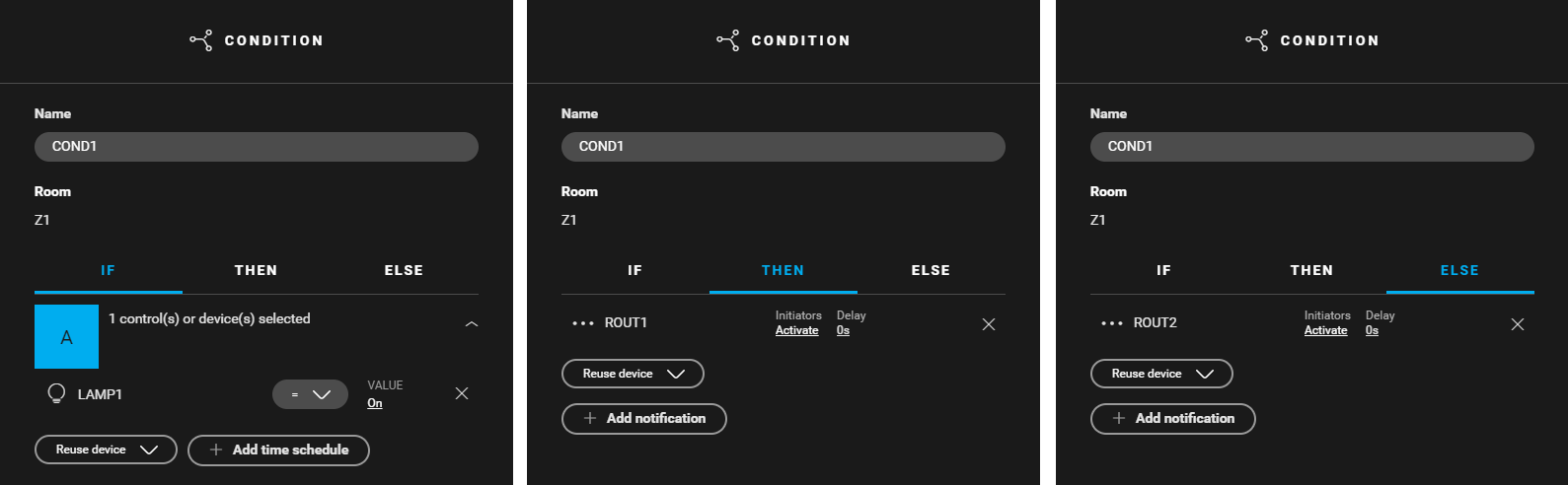
Create a condition (COND1) that controls the custome routines (ROUT1 and ROUT2). When the lamp is activated, ROUT1 is activated. When the lamp is deactivated, ROUT2 is activated. Use the following logic:
-
IF LAMP1: Value = on
-
THEN ROUT1: Intiators = activate, Delay = 0 s
-
ELSE ROUT2: Intiators = activate, Delay = 0 s

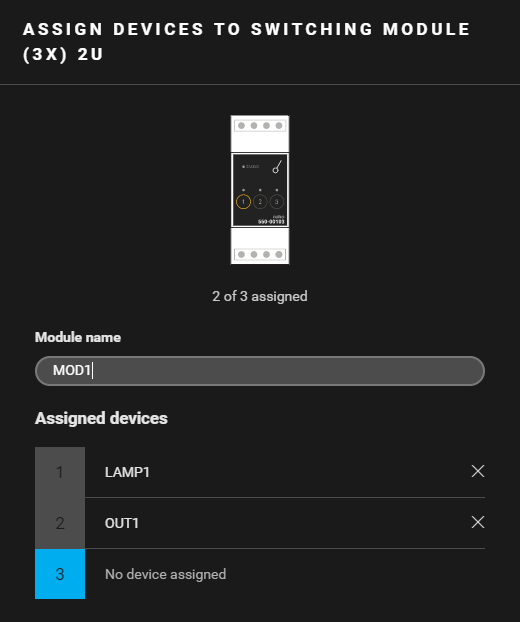
Filling the cabinet and addressing the device
|
Fill the cabinet with ... |
and address the following devices ... |
|---|---|
|
a switching module (3x) 2U ( MOD1 ) |
|
Example
Click here to download the programming example (nhc2 file).