
Use case
Your customer wants to automatically control the outdoor lighting.
-
In the morning:
-
Activate the lighting when it is still dark, but only after 7:00. This means that the lighting is activated when the sun rises after 7:00.
-
Deactivate the lighting at sunrise, if it was activated.
-
-
In the evening:
-
Activate the lighting when it becomes dark, but only before 19:00. This means that the lighting is activated when the sun sets before 19:00.
-
Deactivate the lighting at 19:00, if it was activated.
-
For this example, there are 2 solutions. Both are described below:
-
a solution with 2 time schedules
-
a solution with 6 time schedules
Procedure - using 2 time schedules
Creating the control and the time schedules
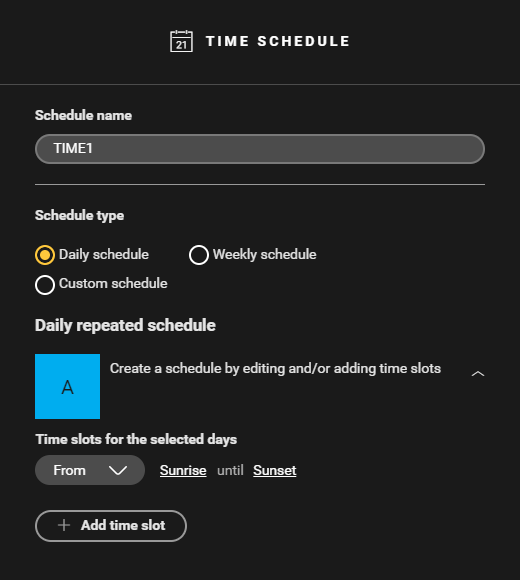
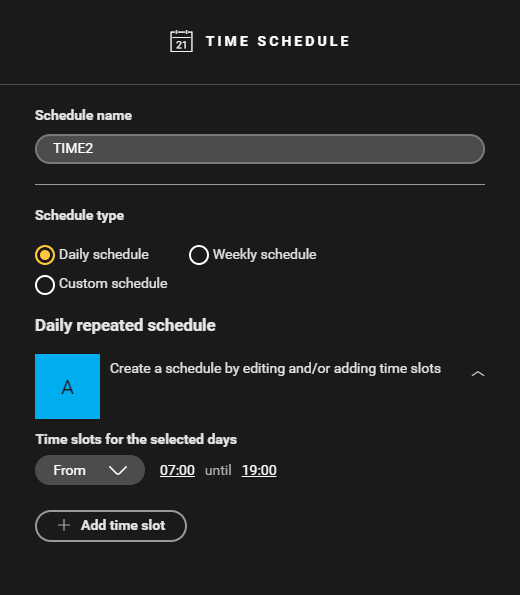

Creating the condition
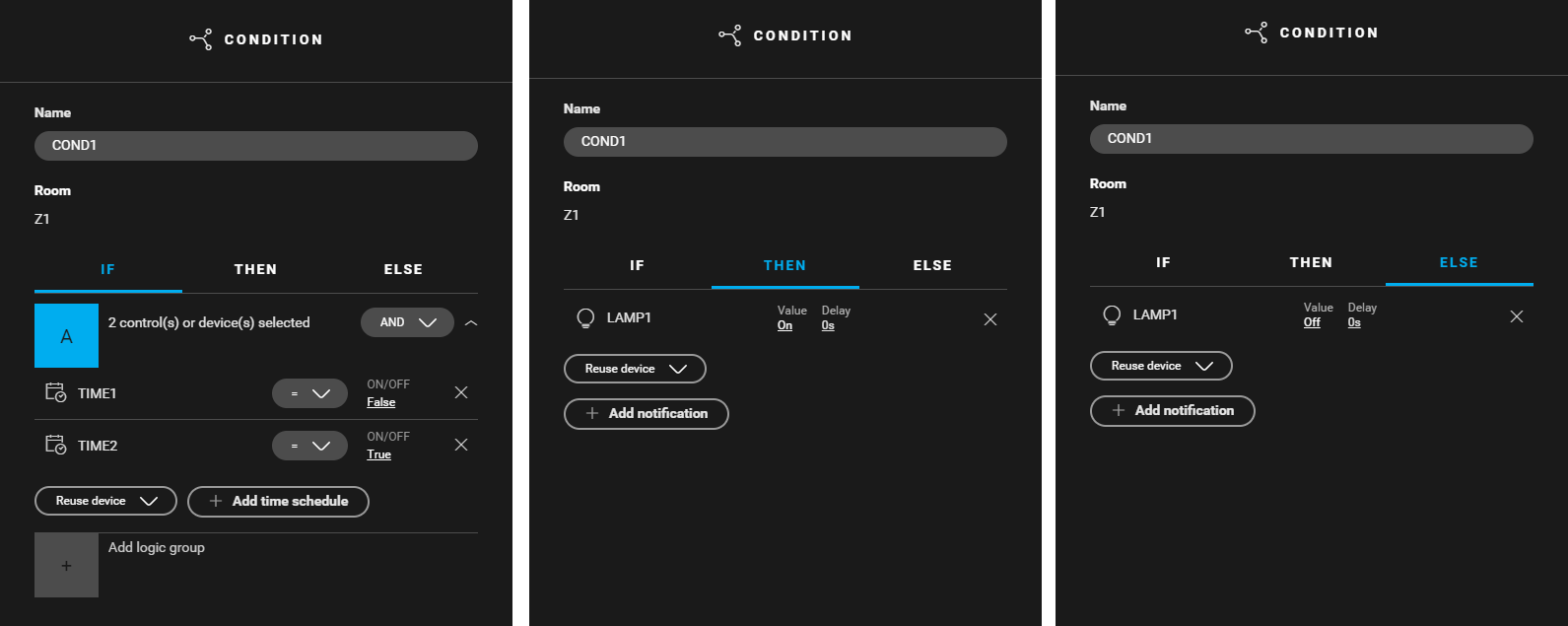
Create a condition (COND1) that uses the time schedules to control the outdoor lighting. From sunset until sunrise (TIME1 = false) and from 7:00 until 19:00 (TIME2 = true) the outdoor lighting is activated. Use the following logic:
-
IF (TIME1: On/off = false) and (TIME2: On/off = true)
-
THEN LAMP1: Value = on
-
ELSE LAMP1: Value = off

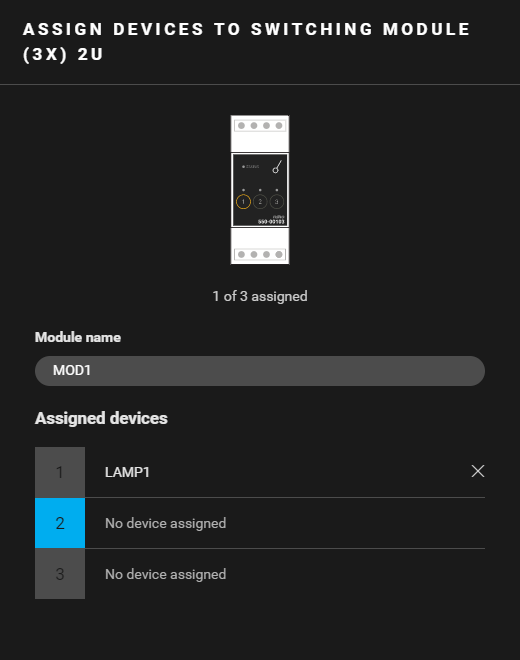
Filling the cabinet and addressing the device
|
Fill the cabinet with ... |
and address the following device ... |
|---|---|
|
a switching module (3X) 2U ( MOD1 ) |
lamp LAMP1. |
Example
Click here to download the programming example (nhc2 file).
Procedure - using 6 time schedules
Creating the control and the time schedules
-
Create a lamp (LAMP1).
-
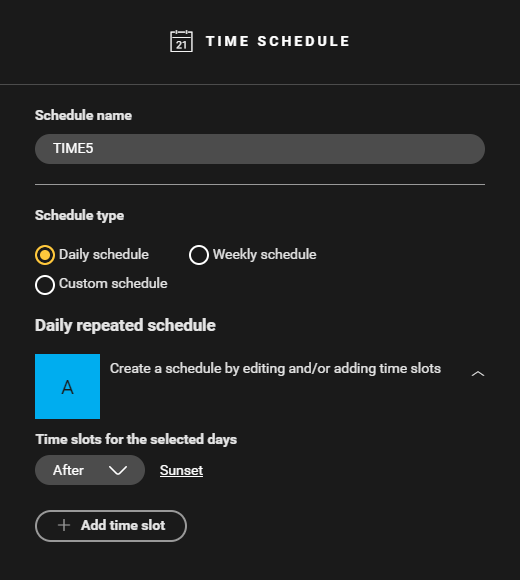
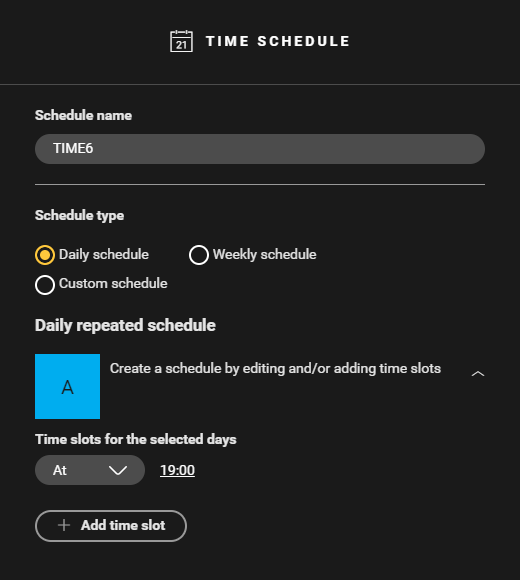
Create the following time schedules:
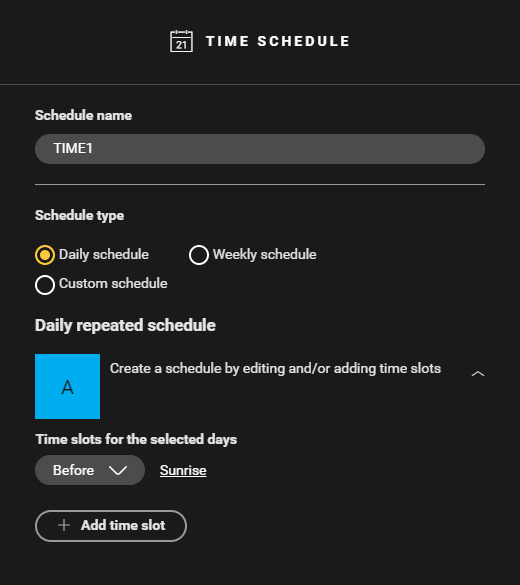
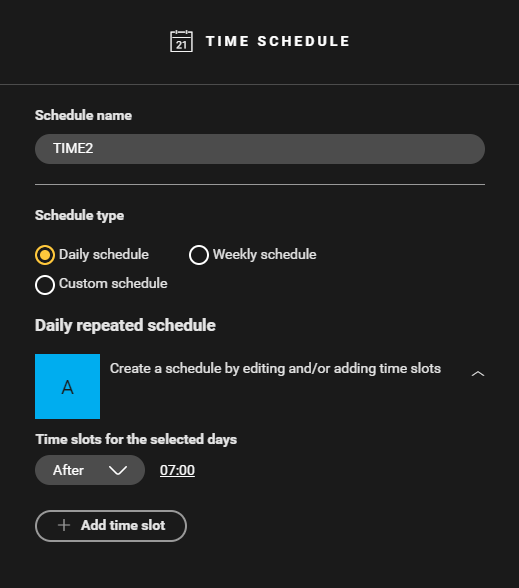
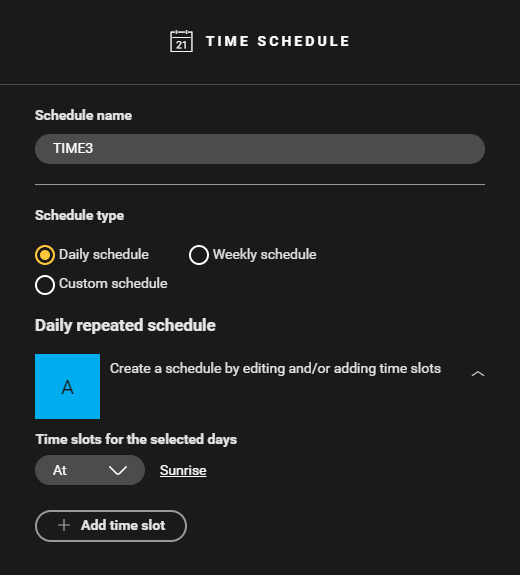
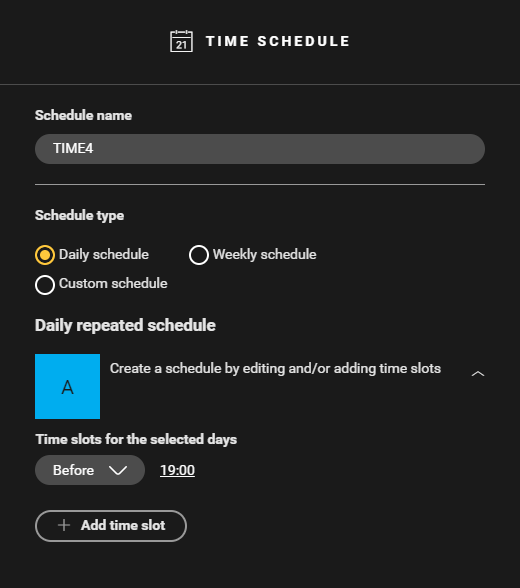

Creating the conditions
-
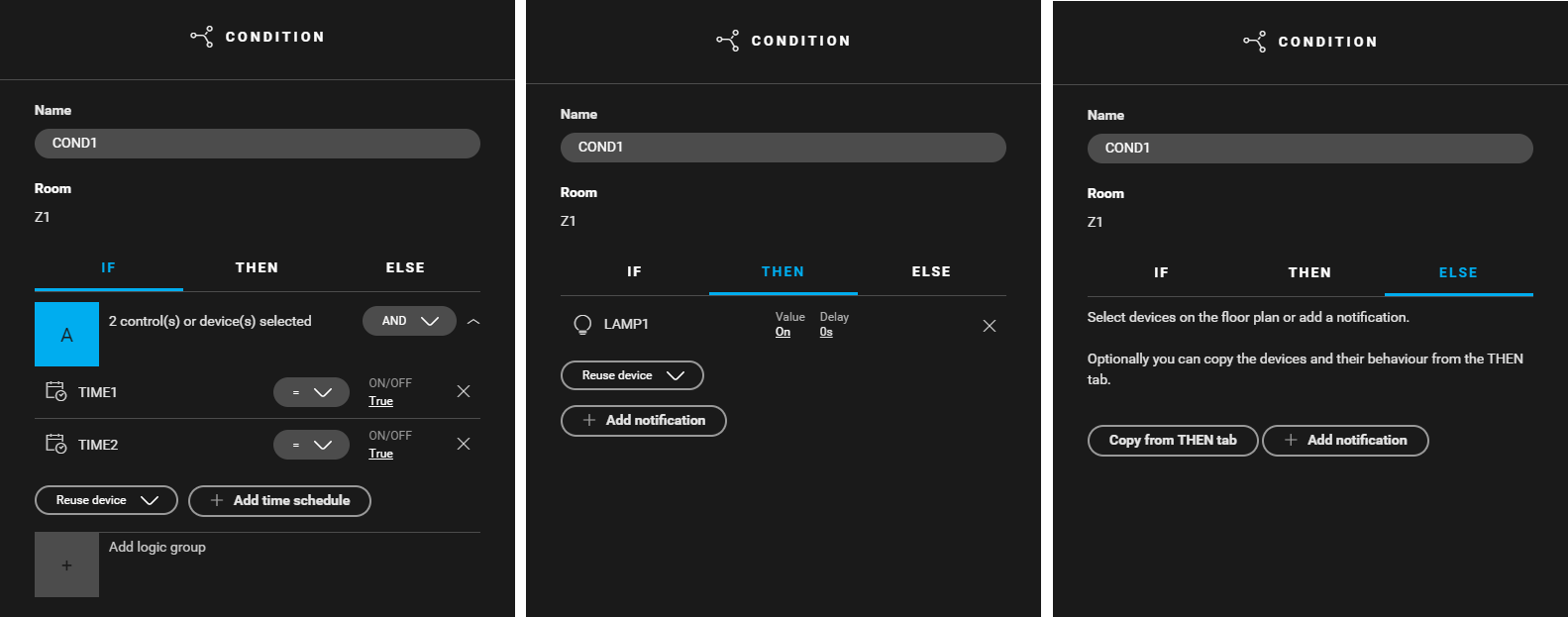
Create a condition (
COND1
) that activates the lighting before sunrise and after 7:00. Use the following logic:
-
IF (TIME1: On/off = true) and (TIME2: On/off = true)
-
THEN LAMP1: Value = on
-
ELSE leave empty
-
-
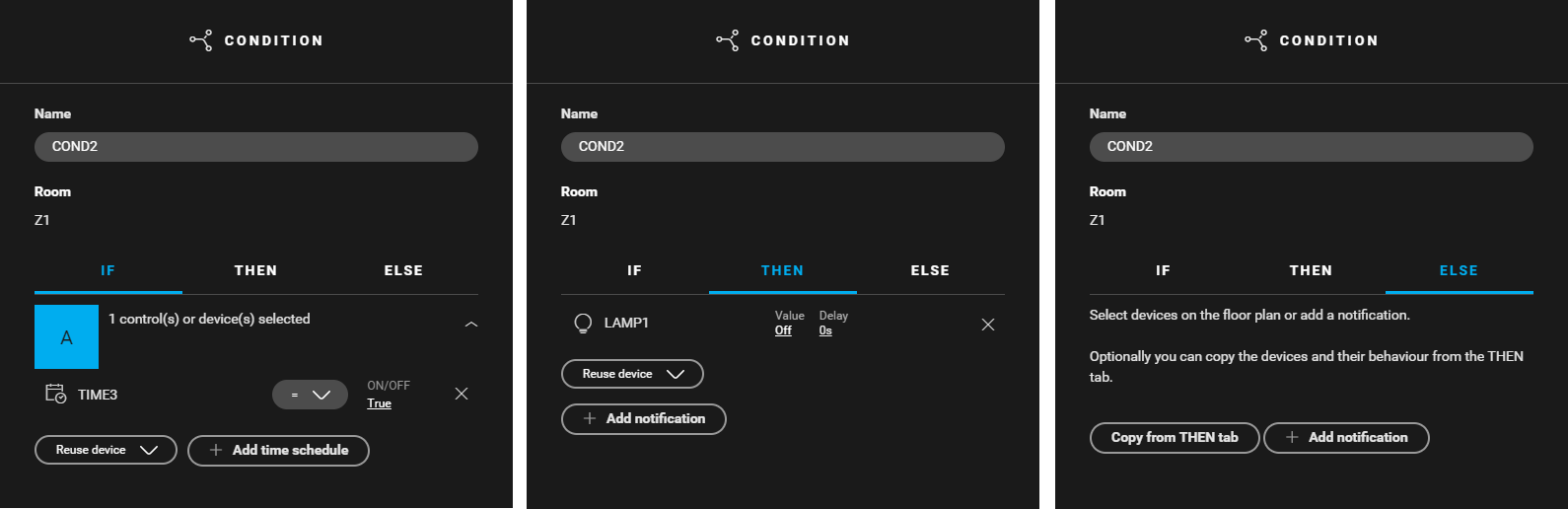
Create a condition (
COND2
) that deactivates the lighting at sunrise. Use the following logic:
-
IF ( TIME3: On/off = true)
-
THEN LAMP1: Value = off
-
ELSE leave empty
-
-
Create a condition (
COND3
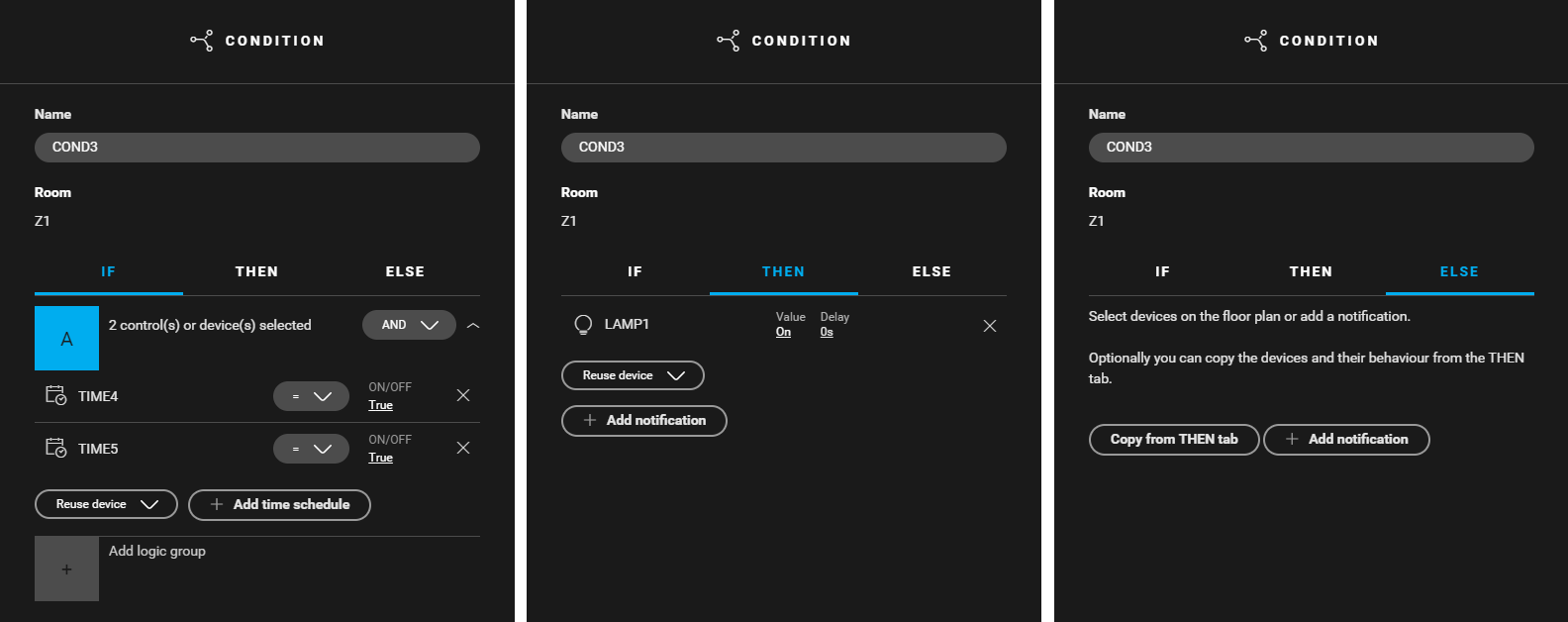
) that activates the lighting before 19:00 and after sunset. Use the following logic:
-
IF (TIME4: On/off = true) and (TIME5: On/off = true)
-
THEN LAMP1: Value = on
-
ELSE leave empty
-
-
Create a condition (
COND4
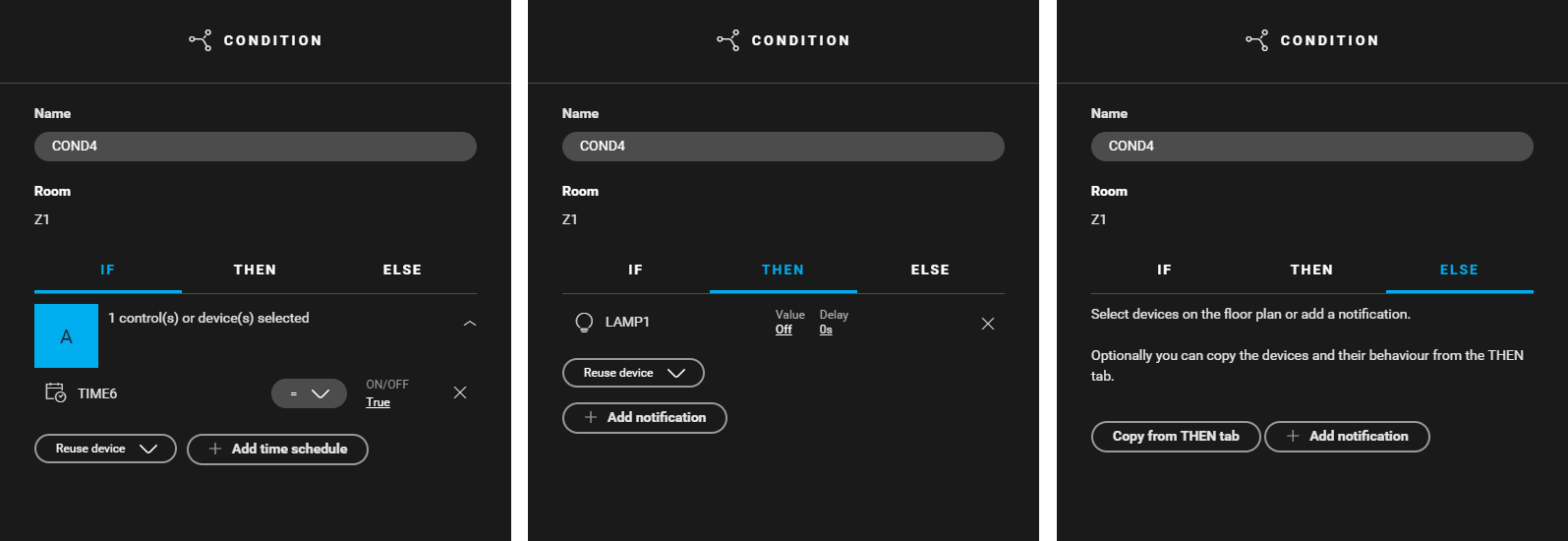
) that deactivates the lighting at 19:00. Use the following logic:
-
IF (TIME6: On/off = true)
-
THEN LAMP1: Value = off
-
ELSE leave empty
-

Filling the cabinet and addressing the device
|
Fill the cabinet with ... |
and address the following device ... |
|---|---|
|
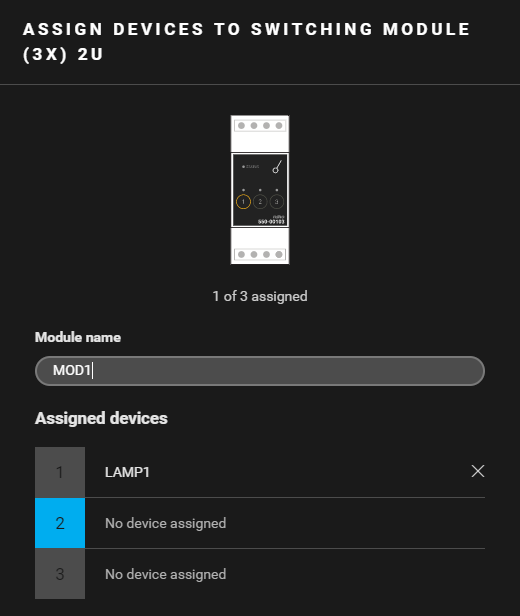
a switching module (3X) 2U ( MOD1 ) |
lamp LAMP1. |
Example
Click here to download the programming example (nhc2 file).