
Each controller you share elements with requires a Site Connect license. This license is not free of charge and can be purchased in the MOTIV Building Control programming software.
Why share elements?
In multicontroller installations, you can share MOTIV Building Control elements over the different controllers.
Starting point
-
You have registered your controllers with the same MOTIV account.
-
You have purchased a Site Connect license for the controller.
-
Your MOTIV Building Control programming software has an active connection with the controller where you want to share elements.
-
You have created the necessary MOTIV Building Control elements (controls, devices, …).
-
You are in the Create overview window.
Procedure
-
In the right-hand button bar, click Tools.
Result: The Tools pane appears.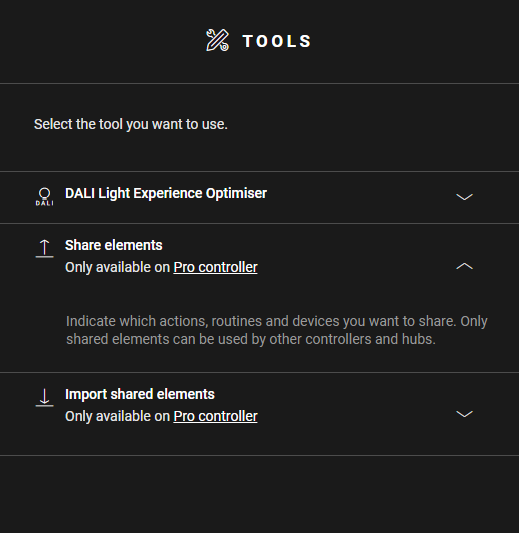
-
Click Share elements.
-
On the drawing area, click on the plus sign of the elements you want to share with other controllers and hubs.
Result: The selected elements appear with an 'S' on the drawing area and are added to the list of shared elements.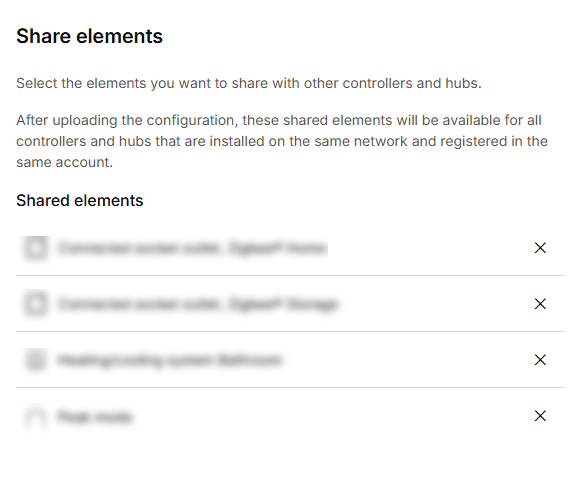
-
Upload the configuration file.
When there is no plus sign on an element, sharing of this type of element is not supported.
Bulk sharing
When a context is open in which devices can be added to the map (e.g. sharing, open routine), you can also bulk share devices. To share multiple supported devices, push and hold the Shift button and drag your mouse over the devices you want to share. Upon release of your mouse all devices that are compatible to the context will be added.
Bulk moving / deleting
To move or delete multiple devices at once, push and hold the Shift button and drag your mouse over the devices you want to move/delete. Upon release of your mouse the devices are selected and marked by a rectangle. You can now move (by dragging) or delete the selected devices.
If you are deleting multiple devices, you will be asked to confirm.