
Definition
A Building Management System (BMS) is a centralised control platform used to monitor, control, and optimise building systems such as HVAC, lighting, energy meters, alarms, and other connected field devices.
Architecture
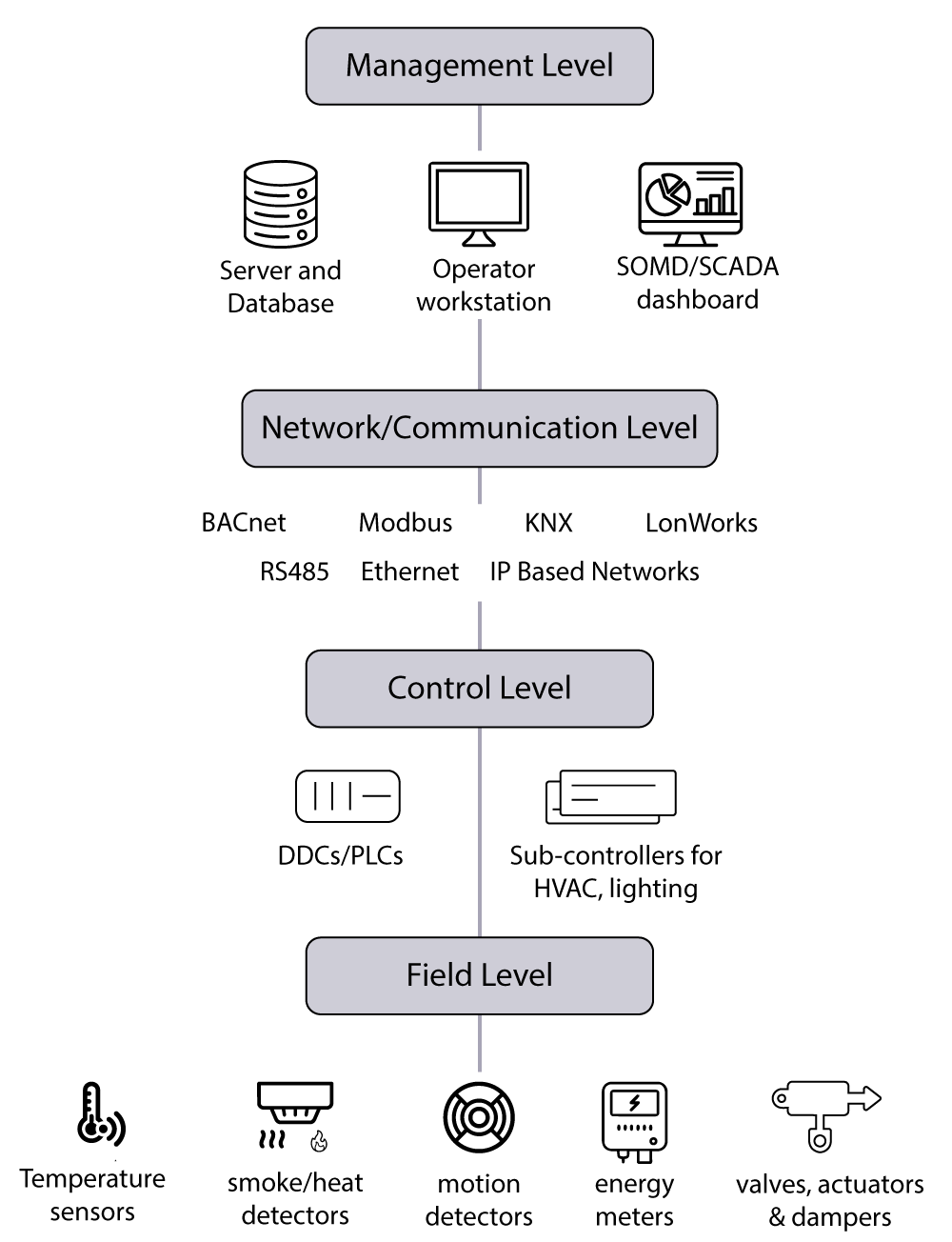
The diagram below shows a typical architecture of a BMS:
Levels
A Building Management System (BMS) is typically organised into several functional levels, each with a specific role:
|
Level |
Role |
|---|---|
|
Management level: |
Operators monitor, supervise, and manage the building through applications such as the Niagara Supervisor, workstations, and dashboards. |
|
Network level |
Systems and devices communicate using protocols such as BACnet, Modbus, KNX, RS-485, and Ethernet. |
|
Control level |
Controllers, such as DDCs, PLCs, and HVAC or lighting controllers, execute control logic and automate building operations. |
|
Field level |
Physical devices, including sensors, meters, actuators, valves, and dampers, collect data and perform control actions. |
In our architecture, Niagara operates at the management and supervisory level, while the lighting gateways are positioned closer to the control and field levels. They provide access to individual lighting points for monitoring, control, and integration with the BMS.
BMS functionality through the DALI bridge
When connected to the MOTIV DALI bridge, the BMS can:
-
Switch luminaires on and off
-
Adjust lighting levels
-
Configure PIR off-delay times
-
Set maintained illuminance (lux) values
-
Monitor energy consumption, occupancy, and movement data
-
Read diagnostic and fault information for commissioning and maintenance purposes