
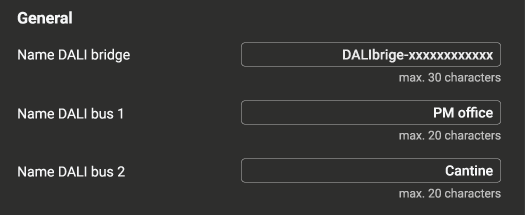
General settings
|
Setting |
Description |
Default |
|---|---|---|
|
Name DALI bridge |
Custom name for the DALI bridge |
- |
|
Name DALI bus 1 |
Custom name for DALI bus 1 |
- |
|
Name DALI bus 2 |
Custom name for DALI bus 2 |
- |
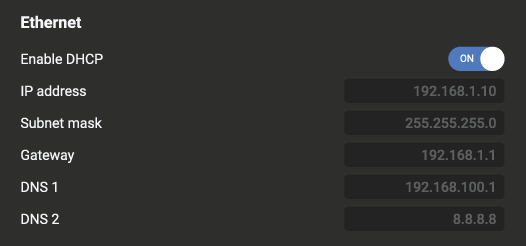
Ethernet Settings
|
Setting |
Description |
|
|---|---|---|
|
Enable DHCP |
Toggle DHCP on or off. Refer to DHCP setting for more information. |
On |
|
IP Address |
Address of the DALI bridge |
- |
|
Subnet mask |
Defines which devices are on the local network |
- |
|
Gateway |
Route to other networks |
- |
|
DNS 1 |
Address for DNS server (translates hostnames into IP addresses) |
- |
|
DNS 2 |
Address for second DNS server (translates hostnames into IP addresses) |
- |
If DHCP is set to On, these values are set by the DHCP server.
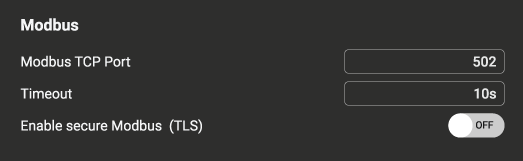
Modbus settings
|
Setting |
Description |
Default value |
|---|---|---|
|
Modbus TCP port |
Network port through which Modbus communication will take place |
502 |
|
Timeout |
The timeout defines how long the Modbus client waits for a response from the Modbus device before deciding that the communication has failed |
10 s |
|
Enable Secure Modbus |
Turn secure Modbus on or off. Refer to Secure Modbus for more information. |
Off |
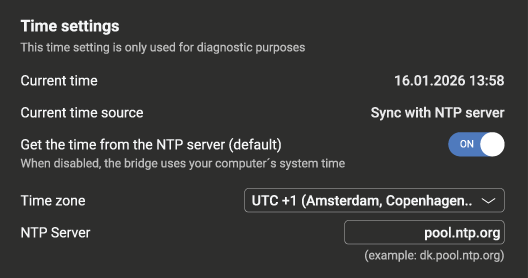
Time settings
|
Setting |
Description |
Default value |
|---|---|---|
|
Get the time from the NTP server |
The time settings are provided by the NTP server. When set to OFF, the bridge uses your computer’s system time. |
ON |
|
Time zone |
Set the time zone |
UTC+1 |
|
NTP server |
Address of the NTP server |
pool.ntp.org |