
Before you start
Open the configuration interface and go to the SYSTEM tab. For more information, go to Overview of the configuration interface
Reset the DALI bridge using the Configuration Interface
Proceed as follows:
-
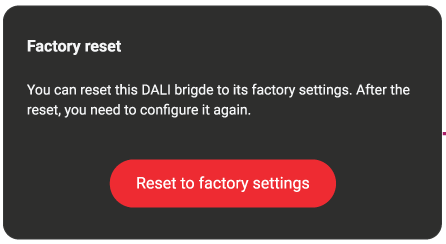
Click the Reset to factory settings button:
-
Click the Reset to factory settings button again to confirm:
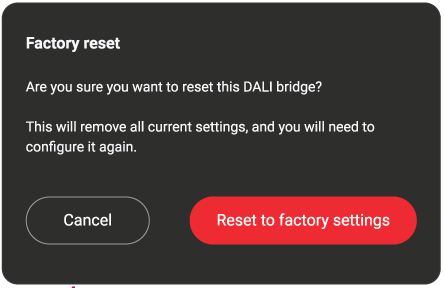
Warning: this cannot be undone. Once reset, you lose all configuration settings, and you need to reconfigure the DALI bridge.
During reset, the STATUS LED is lit green continuously, and the DALI bus LEDs are off. WHen the reset is completed, the DALI bridge restarts and the LEDs show the start-up behaviour. Refer to LED Behaviour for more information.
Reset the DALI bridge using the reset button on the bridge
Proceed as follows:
|
Step |
Action |
Duration |
LED Behaviour |
|
|---|---|---|---|---|
|
1 |
Press and hold the RESET button |
2 s |
Status LED |
|

|
On press, the STATUS LED turns off. |
|||

|
After 2 s, the STATUS LED turns on again (green). You can now release the button |
|||
|
2 |
Press and hold the RESET button again |
10 s |
Status LED |
|

|
The STATUS LED will flash (green) during these 10 seconds (once per second) |
|||

|
After these 10 seconds, the STATUS LED will turn on continuously (green) for 4 seconds |
|||
|
DALI Bus 1 & 2 |
|
|||

|
At the same time the LEDs for DALI Bus 1 and 2 will turn off. You can now release the button |
|||
|
3 |
The factory reset is now in progress |
- |
Status LED |
|

|
STATUS LED stays on (green) , |
|||
|
DALI Bus 1 & 2 |
||||
|
|
DALI bus 1 and 2 LEDs stay off. |
|||
|
|
||||
|
4 |
The factory reset is complete and the DALI bridge restarts |
- |
- |
The LEDs show the behaviour on power up. Refer to the power-up LED behaviour in Product overview |
|
5 |
Normal operation |
- |
- |
All LEDs turn on again and show actual status
|