
Before you start
Open the configuration interface and go to the SYSTEM tab. For more information, go to Overview of the configuration interface.
Update the DALI bridge software
Proceed as follows:
-
Download the latest DALI bridge firmware package from this location.
-
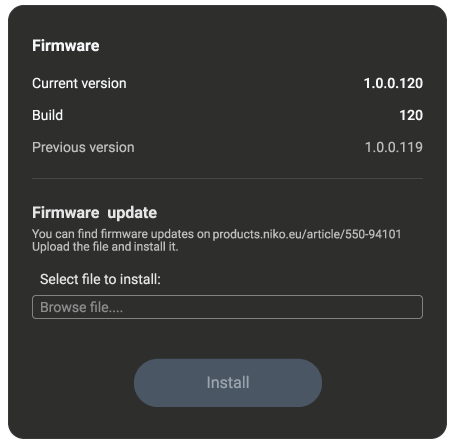
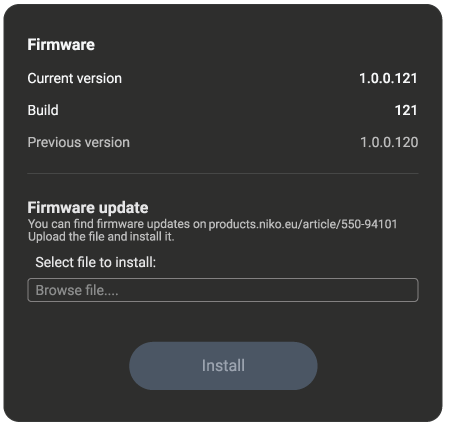
On the SYSTEM tab, in the Firmware section, click Browse file…. and navigate to the location where you downloaded the firmware package. Select the file and click OK:
-
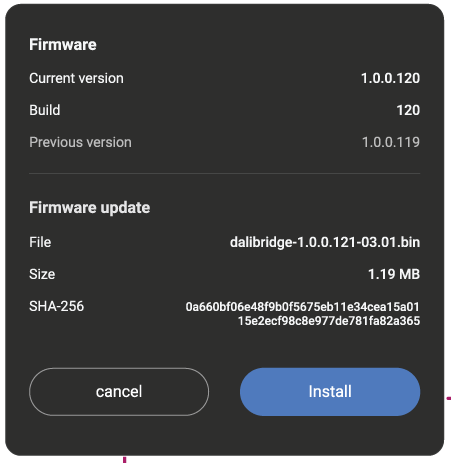
Click Install:
-
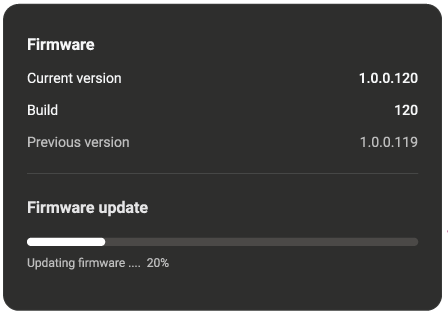
The DALI bridge now installs the firmware:
-
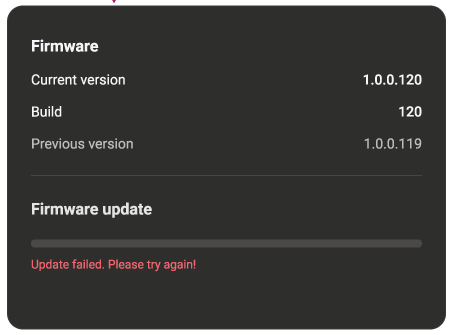
In case of an error, make sure that you have the correct package and you are connected to the DALI bridge. Try again:
-
When completed successfully, the new version is indicated on the screen:
Note: After an upgrade, the DALI bridge restarts.
For more information on the LED behaviour during factory reset, refer to LED Behaviour